30 Virtual Group Activities for Adults (Work, Friends & Large Groups)
Thirty virtual group activities that hold up in a real video call, sorted for work teams, friends, small groups, and crowds of hundreds, with step-by-step instructions and a summary table of the free options.
Published
·
Updated
Virtual group activities are the fastest way to turn a video call into something people actually look forward to. We have hosted tens of thousands of them for work teams since 2020, and this guide is the practical version of what we learned: 30 activities that hold up for adults in a real video call, whether you are gathering coworkers, friends, a club, or a crowd of a few hundred.
What are virtual group activities?
Virtual group activities are games, challenges, and social experiences that a group does together online, usually over Zoom, Microsoft Teams, or Google Meet, and sometimes asynchronously in Slack. Examples include virtual bingo, Blackout Truth or Dare, online murder mysteries, and cook-along nights. The purpose is to help people who cannot share a room still laugh, talk, and get to know each other. These activities are also called "virtual activities for adults," "online group activities," "online group games," "virtual games for groups," "remote group activities," and "virtual social activities."
Structure is the whole trick. The reason so many people dread "fun" video calls is that most of them have no format: a dozen people join, two talk, and the rest watch the clock. Every activity below gives the group a clear thing to do, a way for quiet people to participate without being put on the spot, and a natural ending. That matters more for distributed groups than it sounds. A Nature Human Behaviour study of 61,182 Microsoft employees found that firm-wide remote work made collaboration networks more static and siloed, with fewer bridges between groups, and shifted communication toward asynchronous channels. Deliberate, live group time is one of the few ways to rebuild those bridges.
These six are our all-purpose picks. Each one works for coworkers or friends, needs almost no prep, and scales from a handful of people to a full screen of tiles.
1. Virtual Bingo
Bingo is the easiest large-scale virtual activity there is, because nobody has to talk to win. Instead of numbers, fill the squares with things that happen on video calls or in remote life: "Sorry, I was on mute," "pet interrupts the meeting," "on a third cup of coffee," "wearing pajama pants below the frame."
Send everyone the same card, or use the interactive card below so each player gets a shuffled board.
Play in the background of a regular meeting or as a dedicated 20-minute round.
Players mark squares as the events happen or as people confess to them.
Award a five-in-a-row win, then keep going for four corners and a full blackout so more than one person gets a moment.
Best for: any group, especially large ones Time: 15–30 minutes, or the length of a meeting Materials (cost): bingo cards (free)
What we've learned: the "confession" version is the fun one. Read a square aloud, ask "who has done this?", and let people admit to it on camera before they mark it. The game becomes an icebreaker with a scoreboard. More templates are in our guide to online team building bingo.
2. Blackout Truth or Dare
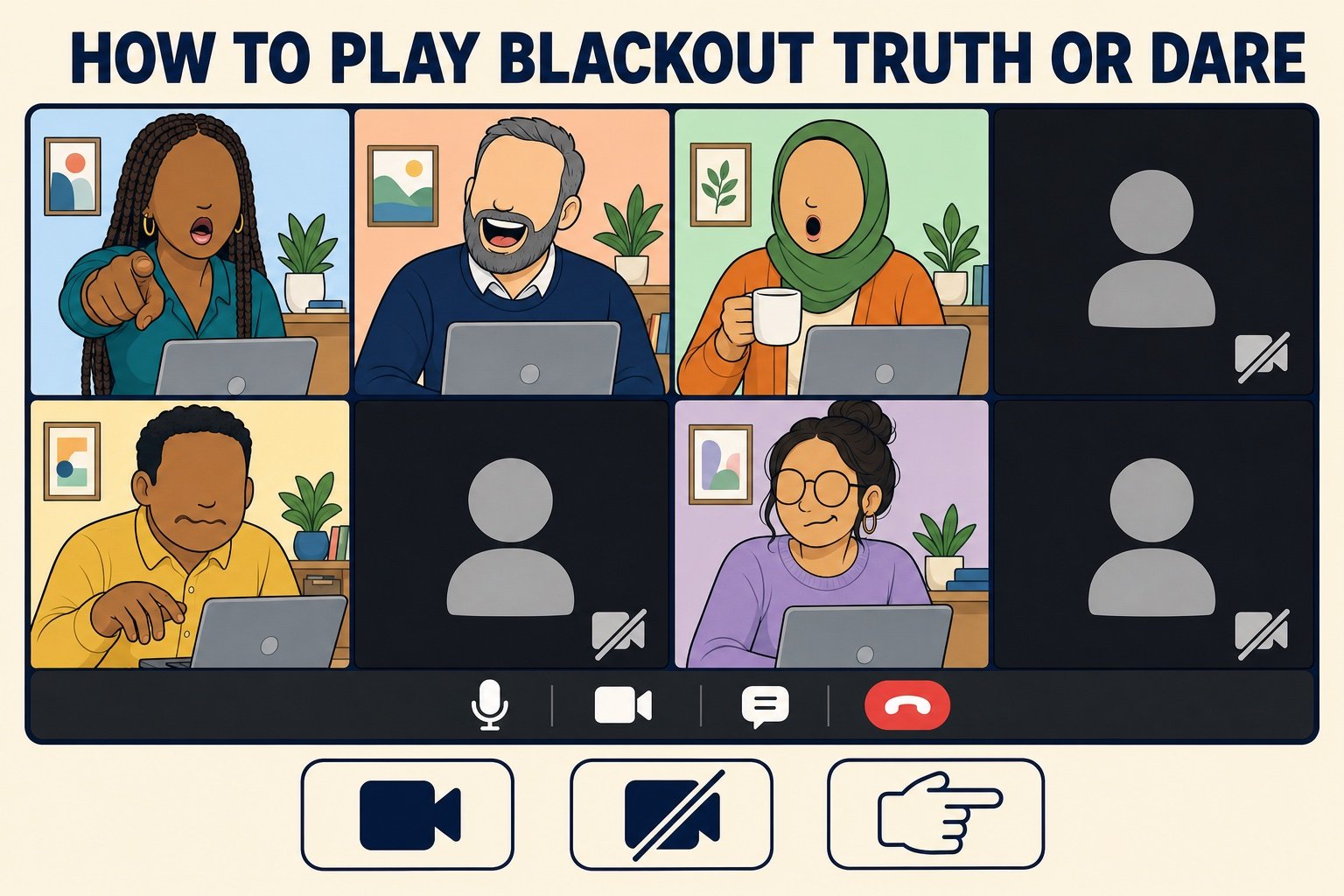
Classic truth or dare does not survive a work call, but this camera-based version does. It is one of the most requested games in our own events because it lets each player choose their own level of exposure.
Everyone starts with cameras on.
The host reads a prompt, such as a truth ("what is the worst job you have ever had?") or a dare ("show us the most embarrassing thing within arm's reach").
Anyone willing to answer keeps their camera on. Anyone who would rather sit this one out turns their camera off, which is the "blackout."
The host picks one of the lit tiles to answer, then that player reads the next prompt.
Best for: icebreaking with new or mixed groups Time: 15–25 minutes Materials (cost): a list of prompts (free)
What we've learned: keep the dares physical and quick ("hold up your coffee mug," "show us your view") rather than performative. Singing and dancing dares are the fastest way to get a screen full of dark tiles. Our truth or dare generator has work-safe prompts ready to go.
3. Virtual Murder Mystery
A murder mystery gives a group a story, roles, and a shared puzzle, which is why it is one of the few virtual activities that fills a full 90 minutes without dragging. Everyone gets a character, one of them is the killer, and the group interrogates its way to a verdict.
Choose a script written for video calls (many free and paid scripts exist) and assign characters a few days ahead so people can read their backstory.
Open with a two-minute "in character" introduction from each player.
Run three rounds of clues: reveal a clue, break into pairs or small breakout rooms to discuss, then return to accuse.
Take a final vote in the chat, then reveal the killer.
Best for: groups of 6–20 who like drama and puzzles Time: 60–90 minutes Materials (cost): a script (free to about $50 for a downloadable kit)
What we've learned: costumes convert lurkers. Asking for "one prop that fits your character" (a hat, a scarf, a fake mustache) gets far more participation than a full costume request, and the people who dress up set the tone for everyone else. If you would rather not run the script yourself, we cover hosted and DIY options in our guide to virtual murder mystery games.
4. Lightning Scavenger Hunts
Lightning Scavenger Hunts are one-minute bursts of movement. The host names an item, everyone runs to find it, and the first tile back on camera holding it wins the round. It is the single best fix for a group that has gone quiet.
Prepare 8–10 prompts that most people can find at home: "something red," "a book you have not finished," "the oldest thing on your desk."
Announce the prompt, start a 60-second timer, and let people leave the frame.
Award a point to the first person back, and a bonus point for the most interesting find.
Ask one or two players to tell the story behind their item before the next round.
Best for: re-energizing any size of group Time: 10–20 minutes Materials (cost): a prompt list (free)
What we've learned: the story round is where the connection happens. "Something you have owned for more than ten years" produces better conversation than "something blue," so mix a few personal prompts in with the quick visual ones. Full prompt lists are in our lightning scavenger hunts guide.
5. Virtual Trivia Night
Trivia is a staple of hosted virtual events for a reason: everyone understands the rules in ten seconds, and teams give shy people cover. The DIY version needs a question set, a shared scoreboard, and a host who keeps the pace up.
Write or download five rounds of five questions, each round on a different theme (pop culture, geography, "guess the year," a round about your own group).
Split players into teams of three to five and send each team to a breakout room with a shared answer sheet.
Read each round, give teams two minutes to confer, then bring everyone back to score.
Finish with a wager round where teams bet points on the final question.
Best for: mixed groups, competitive teams Time: 45–60 minutes Materials (cost): question set and a scoring sheet (free)
What we've learned: the "about us" round is the one people remember. Questions like "which teammate has lived in four countries?" or "how many pets are on this call right now?" turn a quiz into a get-to-know-you game. More formats and question banks are in our virtual trivia guide.
6. Icebreaker Roulette
Icebreaker Roulette is the five-minute opener we recommend for any recurring group call. One random question, every person answers in one sentence, no exceptions and no follow-up debates. It sounds small, and it is the reason quieter members eventually speak up later in the call.
Spin the generator below (or pick from a list) to get one question.
The host answers first to set the length and tone.
Go in a fixed order, such as the tile order on screen, so nobody has to volunteer.
Cap each answer at 20 seconds. Save the "wait, tell me more" reactions for the chat.
Best for: warming up before any other activity Time: 5–10 minutes Materials (cost): one question (free)
What we've learned: specific beats broad. "What is one thing you bought this year that was worth every penny?" gets better answers than "how was your weekend?", because it gives people a place to start. Our virtual icebreakers guide has dozens more.
Online group games for adults
These are the rule-based games: clear win conditions, a little strategy, and enough bluffing or drawing to make people laugh at each other. They are the right pick when a group says "we want to play something," not "we want to chat."
7. Virtual Werewolf
Werewolf is a social deduction game where a hidden minority of "werewolves" try to eliminate the "villagers" while the villagers try to vote them out. It plays surprisingly well on video because everyone is already staring at everyone else's face.
The moderator privately messages each player a role: werewolf, villager, or seer (who can check one player each night).
"Night": everyone turns cameras off. Werewolves message the moderator their victim; the seer asks about one player.
"Day": cameras on, the moderator announces who was eliminated, and the group debates and votes on a suspect.
Repeat until the werewolves are all out or they outnumber the villagers.
Best for: 8–16 people who enjoy bluffing Time: 30–60 minutes Materials (cost): a moderator and private messages (free)
What we've learned: give the moderator a written night script so the rounds run at the same pace every time. Hesitation during the night phase leaks information and slows the game. Full rules and role variations are in our guide to werewolf game rules.
8. Online Pictionary
Pictionary needs no explanation, and a shared whiteboard makes it a two-minute setup. Bad drawings are the point, so it is a great equalizer for groups where some people are more senior than others.
Split into two teams and open a shared whiteboard (Zoom, Miro, or any free drawing site).
The drawer receives a word by private message and has 60 seconds to draw it.
Only the drawer's team may guess out loud; the other team may steal if time runs out.
What we've learned: themed word lists beat random ones. "Movies from the 90s" or "things in our industry" give guessers a mental shortlist and keep rounds moving. Tools and word lists are in our guide to virtual pictionary games.
9. The Price Is Almost Right
A game-show format that runs on nothing but household objects. The host holds up an item, everyone guesses the price, and the closest guess wins the round.
The host gathers 8–10 items with a known price: a novelty mug, a kitchen gadget, a fancy hot sauce.
Show the item for 10 seconds and let everyone type a guess in the chat at the same time.
Reveal the price; the closest guess without going over scores a point, or use "within a dollar" for a friendlier version.
Let a different player host a round with their own object to keep it varied.
Best for: any size group, fast energy Time: 15–25 minutes Materials (cost): household items (free)
What we've learned: the chat is the buzzer. Having everyone type at once means every player commits to a guess every round, which is why this game holds attention better than one-at-a-time formats. More game-show mechanics are in our virtual game show ideas.
10. Who's That Baby?
Everyone secretly submits a childhood photo, the host shares them one at a time, and the group votes on who is who. It is the gentlest possible way to learn something personal about each person on the call.
Collect childhood photos privately a few days ahead so nobody sees the set early.
Number the photos and paste them into a slideshow.
Show each photo, run a quick poll or chat vote, then reveal the answer.
Let each person add one sentence of context ("that was the day I ate the crayon").
Best for: 8–40 people who do not know each other well Time: 15–30 minutes Materials (cost): photos and a slideshow (free)
What we've learned: the one-sentence story after the reveal is worth more than the guessing. Build it into the rules rather than leaving it optional. We have more formats like this in our list of get to know you games.
11. Online Board Game Night
Most classic tabletop games now have free browser versions, so a board game night needs one link and a video call for the trash talk. Codenames, Catan, chess, and dozens of party games all work this way.
Pick a game that supports at least as many players as you have, or plan for two tables.
Share the room link in the chat and keep the video call open in a second window.
Play a short "learning round" first if anyone is new.
Rotate to a second game after 30 minutes so a single loss does not define the night.
Best for: 4–12 people, friends or small teams Time: 45–90 minutes Materials (cost): a browser game (free; some premium tiers)
What we've learned: word games like Codenames outperform strategy games for groups that include beginners, because nobody is waiting on a long turn. Our roundup of online board games sorts options by group size.
12. Virtual Escape Room
A virtual escape room hands the group a locked story, a timer, and a set of puzzles that can only be solved by talking to each other. Free browser versions exist, and hosted versions add a game master.
Choose a room built for teams of four to six and open one copy per team in breakout rooms.
Give teams 45 minutes and a shared document for notes.
Announce the halfway point and offer one hint per team on request.
Bring everyone back to compare finish times and swap the puzzle everyone got stuck on.
Best for: problem-solvers in teams of 4–6 Time: 45–75 minutes Materials (cost): a browser escape room (free to about $30 per team)
What we've learned: assign a "scribe" per team before the timer starts. Puzzle games go sideways when six people try to hold six half-clues in their heads. Our guide to virtual escape rooms compares free and hosted options.
Virtual group activities for work
Work groups have a constraint friends do not: the activity has to fit around a calendar and feel worth the time. These formats are recurring by design, so a team can run them monthly without anyone having to plan a party. The case for making the effort is stronger than it used to be. In a six-month randomized controlled trial of 1,612 Trip.com employees published in Nature (Bloom, Han and Liang, 2024), hybrid work reduced quit rates by one-third and improved job satisfaction with no effect on performance. Remote and hybrid setups are here to stay, which means the social layer has to be built on purpose.
13. Coffee Roulette
Coffee Roulette pairs teammates at random for a 20-minute video chat with one rule: no work talk. It is the remote replacement for the conversations that used to happen at the kitchen counter, and it is the cheapest way to connect people across departments.
Collect opt-ins so nobody is assigned a chat they did not want.
Pair people at random every two weeks (a Slack app like Donut automates this, or a spreadsheet works fine).
Send each pair two starter questions with the match so the first minute is not awkward.
Ask pairs to post one photo or one-line takeaway in a shared channel afterward.
Best for: teams of 10–200 spread across departments Time: 20 minutes per chat Materials (cost): a pairing tool (free to a few dollars per user)
What we've learned: the shared-channel photo is what keeps the program alive. When people see other pairs meeting, the next round's opt-in rate goes up; when the chats are invisible, the program fades within a quarter. More formats are in our guide to virtual coffee breaks.
14. PowerPoint Party
A PowerPoint Party is a series of five-minute talks on topics that have nothing to do with work: a colleague's theory about the best fast-food fries, a trip to Iceland, why their cat is a genius. It sounds like a meeting and plays like stand-up.
Book a recurring 30-minute slot and line up three presenters per session.
Give each presenter a hard five-minute limit and a five-slide maximum.
Take two questions from the audience after each talk.
Vote in the chat for a "talk of the month" and let the winner pick the next theme.
Best for: teams of 8–40 with a few natural performers Time: 30 minutes Materials (cost): slides (free)
What we've learned: a theme makes it easier to volunteer. "Something you are irrationally passionate about" or "a hill you will die on" produces better talks than an open call, because it gives hesitant presenters permission to be silly.
15. Virtual Lunch Bunch
Lunch Bunch is a standing, drop-in video lunch, such as the first Thursday of every month from noon to one. People join for ten minutes or the whole hour, eat on camera, and talk about anything except the project.
Put a recurring invite on the calendar with a permanent meeting link.
Post a single conversation prompt in the chat at the start ("best thing you ate this month").
Let the group self-organize; the host's only job is to welcome late arrivals.
Once a quarter, upgrade it: send a meal-delivery credit and make it a "real" team lunch.
Best for: teams of 5–25 in overlapping time zones Time: 30–60 minutes, drop-in Materials (cost): your own lunch (free; meal credits optional)
What we've learned: the drop-in rule is what makes attendance sustainable. As soon as it becomes a mandatory hour, it stops being a break. Our virtual lunch guide has more formats, including themed lunches and cook-alongs.
16. Personality Test Debrief
Everyone takes the same free personality assessment on their own time, then the group meets to compare results. The value is not in the labels; it is in hearing a teammate explain why a particular result rang true.
Pick one assessment (16 Personalities, the Big Five, or a work-styles quiz) and give the group a week to complete it.
Collect results in a shared document so people can see the spread before the call.
On the call, ask each person to share one result they agreed with and one they disagreed with.
Close by discussing what the mix means in practice: who wants a heads-up before a decision, who thinks out loud.
Best for: teams of 4–15 that work closely together Time: 45–60 minutes Materials (cost): a free online test
What we've learned: the "one result you disagree with" prompt is essential. It stops the session from becoming an astrology reading and turns it into a real conversation about how people prefer to work. We compare the options in our guide to personality tests for teams.
17. Virtual Book Club
A virtual book club gives a team a monthly reason to talk about ideas instead of tasks. Rotating who picks the book keeps the reading list from becoming one person's syllabus.
Let a different member choose the book each month, with a loose rule such as "under 300 pages."
Send three discussion questions a week before the meeting.
Meet for 45 minutes; the person who picked the book moderates.
Offer a "skimmed it" lane: anyone who did not finish can still join for the last 15 minutes.
Best for: teams of 4–12 who like a slower-burn activity Time: 45 minutes monthly Materials (cost): the book (free from a library to about $20)
What we've learned: monthly is the ceiling. Quarterly clubs die because people forget them, and weekly clubs die because nobody finishes the book. Our virtual book clubs guide covers picks and formats.
18. Virtual Volunteering Sprint
A volunteering sprint is an hour where the group does real good together online: transcribing historical documents, tagging satellite images for disaster response, writing cards for hospital patients, or competing in a trivia format where correct answers fund a cause. It is the activity most likely to get a "thank you" in the follow-up survey.
Pick one project with a clear unit of work (documents transcribed, images tagged, cards written).
Do a five-minute walkthrough on screen share, then set a 45-minute timer.
Keep the call open with cameras optional so people can chat while they work.
Close by tallying the total and sharing what the organization will do with it.
Best for: teams of any size that want purpose with their fun Time: 60 minutes Materials (cost): a volunteering platform (free; donation-backed formats vary)
What we've learned: the tally at the end matters. "We transcribed 212 pages" gives the hour a result people repeat to their families, which a generic social call never does. Our online volunteering guide lists vetted projects. If you would rather have a host run a charitable format, Do Good Dash is our hosted version, and its reviews say a lot about why the cause makes the difference.
Virtual activities for friends
Friends do not need an icebreaker, they need a reason to get on the call and something to do besides catch up. These five give a long-distance friend group, a family, or a club a recurring night that does not depend on anyone being the "planner."
19. Cook-Along Night
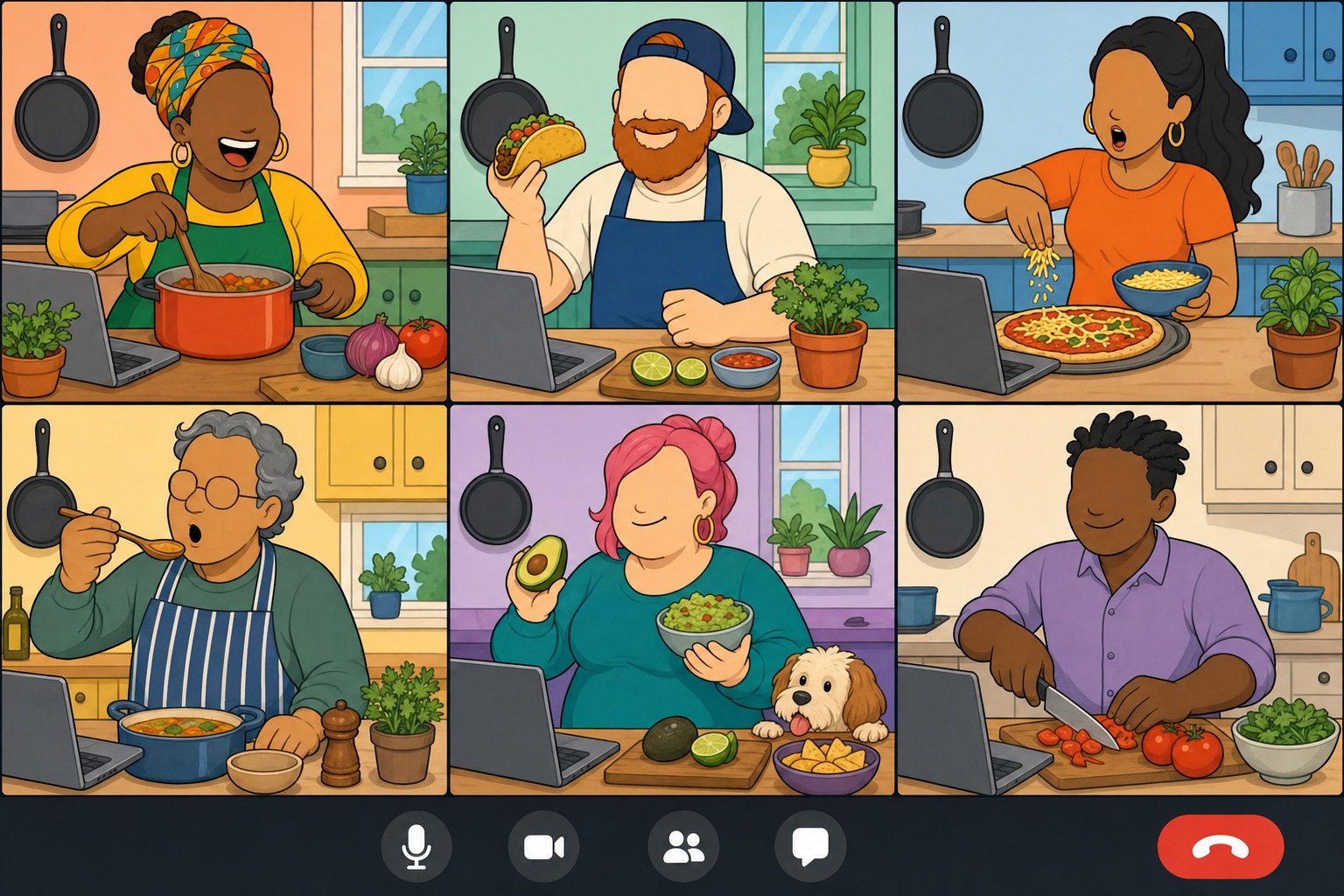
Everyone cooks the same recipe at the same time, each in their own kitchen, with the call propped on the counter. It is the closest thing to a dinner party you can have across time zones, and the mess is half the fun.
Pick a recipe that takes 30–45 minutes and send the ingredient list a week ahead.
Nominate one person to lead the steps on camera, or follow a video together.
Build in a "plating" moment where everyone holds their dish up to the camera.
Eat together on the call, and vote on best presentation and biggest disaster.
Best for: 3–10 friends or a small team Time: 60–90 minutes Materials (cost): ingredients ($10–$25 per person)
What we've learned: choose recipes with a forgiving timeline. Tacos, dumplings, and pizza tolerate one friend who is 15 minutes behind; a soufflé does not. If nobody in the group wants to lead, a guided class removes the pressure; we compare options in our guide to online cooking classes.
20. Virtual Museum Tour
Many major museums publish free virtual walkthroughs and high-resolution galleries, so a group can wander the same museum together with one person screen-sharing. The activity is really a conversation with art as the excuse.
Pick one museum and one wing so the tour has a shape.
The "guide" screen-shares and navigates; everyone else calls out where to stop.
At each stop, ask one question: "what is happening here?" or "would you hang this in your house?"
End with everyone nominating one piece and defending it for 30 seconds.
Best for: 3–12 curious friends or a culture-minded team Time: 45–60 minutes Materials (cost): a free online collection
What we've learned: pick the guide for enthusiasm, not expertise. Someone who is delighted by a painting they do not understand makes a better tour than an expert who lectures. Our list of virtual tours has museums, landmarks, and national parks.
21. Open Mic Night
An open mic gives every person on the call three minutes to share something they made or love: a poem, a song on guitar, a cover of a bad karaoke track, a dramatic reading of a one-star review. Nobody has to be good, and the crowd reactions carry it.
Collect sign-ups ahead of time with a loose category so people can prepare.
Ask everyone to dim their lights and hold up a phone flashlight for the "stage" effect.
Run acts in a random order, three minutes each, with snaps and reaction emojis in between.
Close with a group vote for "most surprising" rather than "best."
Best for: 5–15 friends who are comfortable being a bit ridiculous Time: 45–60 minutes Materials (cost): whatever people want to perform with (free)
What we've learned: the "dramatic reading" category is the on-ramp. People who will never sing will happily read a product review or a recipe as if it were Shakespeare, and it is usually the funniest act of the night.
22. Oh My Stars
Oh My Stars is an asynchronous photo swap for groups spread across cities or continents: everyone takes a picture of the night sky (or their window view, sunset, or local park) and posts it to a shared album. It is a quiet, low-effort way to feel where everyone actually is.
Create a shared album or channel and announce a theme for the week.
Ask everyone to post one photo with the city and the local time.
On the next call, scroll through the album together and let people narrate their shot.
Rotate themes monthly: "your commute," "the best coffee near you," "something older than you."
Best for: distributed groups of any size Time: 5 minutes to post, 10 minutes to discuss Materials (cost): a phone camera (free)
What we've learned: asynchronous activities work best with a live payoff. The photos are nice; the ten minutes of "wait, it snows there?" on the next call is the actual activity. For a live version with s'mores, see our guide to hosting a virtual campfire.
23. Party Game Night
Party-game platforms such as Jackbox let one person host from their screen while everyone else plays from a phone browser, which removes every technical excuse. Drawing games, bluffing games, and trivia are all in the same box.
One host owns the game and screen-shares it with audio enabled.
Players join with the room code on their phones; the call stays open for reactions.
Play two or three different games so a single format does not dominate the night.
Keep a running leaderboard across nights if the group meets regularly.
Best for: 4–10 friends, or up to 20 with audience mode Time: 60–90 minutes Materials (cost): one copy of a party pack ($20–$30 for the host, free for players)
What we've learned: the host should mute their game audio during explanations and unmute for the rounds. Streaming audio over a video call is the number one thing that makes these nights feel laggy.
Virtual activities for small groups
With four to eight people, everyone can speak in every round, so the best small-group activities are conversation formats with just enough structure to keep them from becoming a status update.
24. Would You Rather
Would You Rather works in small groups because the fun is in the reasoning, not the vote. "Would you rather have a rewind button or a pause button for your life?" gets a different answer from every person, and each answer tells you something.
Prepare 10–15 questions and mix silly ones with genuinely hard ones.
Read a question, take a quick hands-up or chat vote, then ask the minority to defend their choice first.
Let the majority respond, then move on before the debate resolves.
Give each person one question to bring for next time.
Best for: 3–10 people Time: 15–30 minutes Materials (cost): a question list (free)
What we've learned: good discussion prompts have no obvious correct answer. The point is not to settle the question; it is to hear how people think, negotiate, and disagree. Our bank of would you rather questions is sorted by tone.
25. Hot Seat
Hot Seat puts one person on the spot for three minutes of rapid-fire questions from the rest of the group. It is the fastest way we know to take a group of six from acquaintances to people who know each other's stories.
Draw names for the order and set a three-minute timer per person.
Anyone can ask anything; the person in the seat can "pass" twice.
Questions should be quick and specific: "first concert?", "most-used app?", "what did you want to be at age ten?"
When the timer ends, the next person takes the seat with no break.
Best for: 4–8 people who are getting to know each other Time: 3 minutes per person Materials (cost): a timer (free)
What we've learned: the two "passes" are what make people willing to sit in the seat. Nobody uses both, but knowing they exist changes how people answer.
26. Playlist Swap
Each person adds three songs to a shared playlist with a one-line note on why, and the group listens to a few together on the call. Music is the fastest shortcut to a personal story that does not feel like oversharing.
Set a theme: "the song that gets you through a bad day," "your first favorite band," "guilty pleasure."
Give people three days to add tracks to a shared playlist with a short note.
On the call, play the first 60 seconds of a few tracks and let the contributor explain.
Keep the playlist as the group's shared soundtrack for the month.
Best for: 4–12 people Time: 20–30 minutes on the call Materials (cost): a shared streaming playlist (free)
What we've learned: play the songs from the host's screen share, not by everyone pressing play at once. Sync never works and the laughter at the failed attempt wears off fast. For a starting point, see our list of songs for work.
Virtual activities for large groups
Past about 25 people, a video call stops being a conversation and becomes an audience, so large-group activities need a different mechanism: polls, chat, breakout rooms, and formats where everyone acts at the same time. Scale is not the limitation people assume. Since 2021 on teambuilding.com, the median virtual event has 16 participants, but we have hosted 448 virtual events with 100 or more people, and the largest had more than 1,000 attendees. For a dedicated list, see our guide to virtual games for large groups.
27. Majority Rules
Majority Rules is a polling game where the goal is not to be right but to guess what most of the group will say. "Cats or dogs?", "sunrise or sunset?", "is a hot dog a sandwich?" Everyone votes at once, so a crowd of 300 plays as easily as a table of six.
Prepare 15 two-option questions and load them into your platform's poll tool.
Explain the twist: points go to everyone who picks the majority answer.
Launch each poll for 20 seconds, reveal the split, and award points.
Ask one person from the minority to defend their answer before the next round.
Best for: 20–500 people Time: 15–25 minutes Materials (cost): a built-in poll tool (free)
What we've learned: order the questions by escalating silliness. Open with easy pairs to teach the mechanic, and save the "is a hot dog a sandwich?" tier for the last five rounds so the argument peaks right before you stop.
28. Breakout Room Speed Networking
Speed networking uses the breakout feature to shuffle a large group into pairs or trios for short, prompted conversations. It is the only large-group format that guarantees every person talks to someone new.
Prepare four prompts, one per round, from light ("best thing you have watched lately") to slightly deeper ("what is a skill you are learning?").
Set breakout rooms to random assignment, two or three people per room, five minutes per round.
Broadcast the prompt into the rooms at the start of each round.
After the last round, bring everyone back and ask a few people to introduce the person they just met.
Best for: 20–300 people, onboarding cohorts, conferences Time: 25–35 minutes Materials (cost): breakout rooms (free on most platforms)
What we've learned: three per room beats two. Pairs stall when one person is shy; a third person keeps the conversation moving. More formats are in our list of Zoom breakout room ideas.
29. Virtual Celebrations
Large remote teams lose the break-room moments where birthdays, work anniversaries, and farewells used to happen. A monthly celebration call restores them without interrupting work every week.
Keep a shared calendar of birthdays, anniversaries, and milestones.
Once a month, hold a 30-minute call that recognizes everyone with a date that month.
Give each honoree a 60-second "hot take" moment: a favorite memory, a fun fact, a thank-you.
Finish with one fast group game, such as a round of Majority Rules or a Lightning Scavenger Hunt.
Best for: teams of 20–200 Time: 30 minutes monthly Materials (cost): a shared calendar (free; e-cards or gift credits optional)
What we've learned: batching celebrations monthly is what makes recognition consistent on a big team. Ad-hoc celebrations favor the people whose managers remember. For the individual version, see our virtual birthday party ideas.
30. Group Workout or Stretch Break
A short, guided workout is one of the few virtual activities where 200 people can participate at full intensity at the same time, cameras on or off. Ten minutes of stretching after a long all-hands changes the energy of the whole afternoon.
Pick a format the whole group can do at a desk or in a small space: stretching, yoga, or a bodyweight circuit.
Have one person lead live or screen-share a follow-along video with the audio shared.
Make cameras optional and encourage people to stand up and step back from the desk.
Close with 60 seconds of breathing before people return to work.
Best for: any size, especially after long meetings Time: 10–30 minutes Materials (cost): a free follow-along video
What we've learned: ten minutes is the sweet spot for a break that is bolted onto another meeting. Longer sessions need their own calendar slot and a leader who can modify moves for different fitness levels. Our guide to online team fitness covers both.
Free virtual group activities: summary table
Almost everything on this list is free. The table below sorts all 30 activities by what they are best at, how many people they suit, and how long they take, so you can match an activity to the call you actually have on the calendar.
What we've learned from hosting virtual group activities
We have been running live virtual events for work teams since 2020, and the platform has tracked them since 2021. As of September 2026, teams have spent more than 30,000 hours in live virtual team building events on teambuilding.com since 2021, which works out to hosting back-to-back events nonstop for more than three years. A few lessons hold up across all of those hours, whether the group is a company or a group of friends.
Everyone-at-once beats one-at-a-time. The activities that hold a screen full of tiles are the ones where every person acts in the same moment: typing a guess, voting in a poll, running to find an object. Formats where people take turns lose the room after the third turn. If an activity has a turn order, keep turns under 30 seconds.
Give people a way to participate without talking. The chat, reactions, and polls are not side channels; for the quieter third of any group they are the main event. Every activity on this list has a non-speaking way to play, and the sessions where hosts read the chat aloud are the ones where the quiet people eventually unmute.
Cameras on by default, off without judgment. Blackout Truth or Dare works precisely because opting out is part of the rules. Build that choice into whatever you run, and participation goes up rather than down.
End on time, and slightly early. A 45-minute activity that ends with people wanting more will get a repeat booking on the calendar. A 90-minute one that runs long will not. For recurring formats, the drop-in rule (Lunch Bunch, Coffee Roulette) is what keeps them alive past the first month.
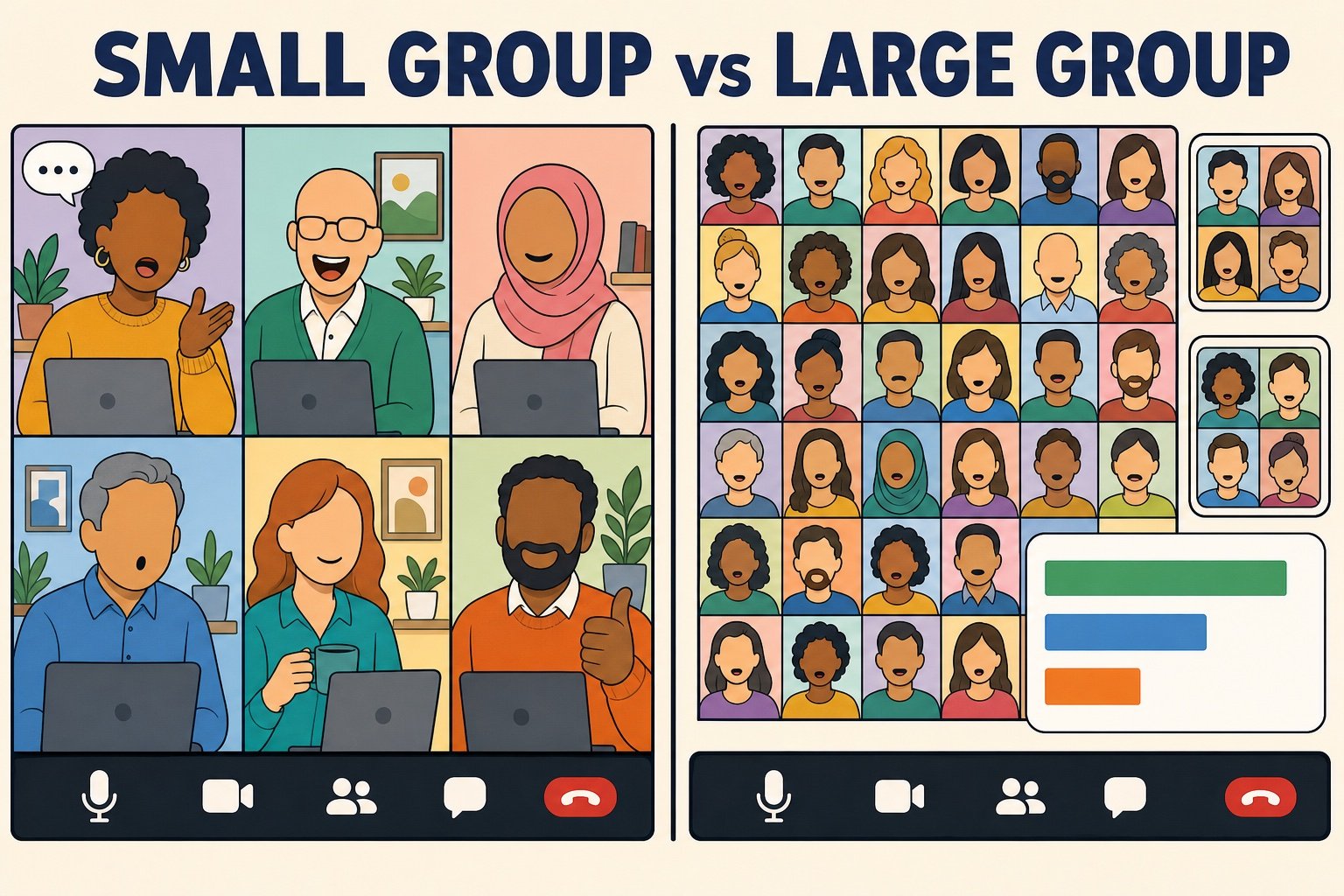
Group size changes the format, not the goal. The graphic below is the shorthand we use when planning: small groups get conversation, large groups get mechanics.
Small groups (roughly 4–10)
Large groups (25+)
What works
Conversation formats where everyone speaks each round: Hot Seat, Would You Rather, Personality Test Debrief
Run the mechanics: polls, timers, breakout assignments, reading the chat aloud
Where it fails
Prompts with obvious answers; too much structure
Anything with a turn order; unstructured "just chat" time
Ideal length
20–45 minutes
30–60 minutes with a hard stop
Tools
A question list and a timer
Polls, chat, breakout rooms, a co-host to watch the chat
If you would rather have a professional host run the mechanics for a work group, our hosted virtual events are built around exactly these principles.
Virtual group activities we don't recommend
Several formats show up on every list of virtual activities and consistently disappoint in a real call. Some are fine in person and simply do not translate to video; others were never good, just easy to write about. The earlier version of this article included a couple of them, so consider this our correction.
The Lame List
Activity
Why skip it
Verdict
Virtual dance party
Most adults will not dance alone on camera, so a "party" becomes three people bouncing and a grid of dark tiles.
Skip it
Virtual karaoke
Video-call latency makes singing together impossible, and solo karaoke puts enormous pressure on one person at a time.
Skip it
Passive watch party
Two hours of a movie is two hours of nobody talking. If the group wants a film, watch it separately and meet to argue about it.
Not a group activity
Cleaning challenge
Photographing a messy room for coworkers is a chore with an audience, and it quietly punishes people with small or shared homes.
Skip it
Never Have I Ever
Built on personal disclosures and drinking-game roots; the work-safe version is not fun and the fun version is not work-safe.
Skip it
Raunchy card games
Cards Against Humanity-style games divide a group fast. With friends who know each other, fine; with coworkers or a club, use a clean deck or pick another game.
Know your group
Virtual charades
Body language is cropped to a webcam frame and only one person is active at a time; Online Pictionary does the same job better.
Better in person
Unstructured happy hour
Without a game or a host, it is a meeting where everyone happens to have a drink. Our virtual happy hour ideas add the missing structure.
Add structure
Group meditation on a first call
A guided session can be lovely for a team that already trusts each other, but as a first activity it asks people to be vulnerable before they know anyone. Start with a game; see our virtual wellness ideas for the right moment.
Later, not first
Marathon multi-hour events
Anything past 90 minutes loses to screen fatigue no matter how good the activity is. Split it into two sessions.
Shorten it
Final thoughts
The best virtual group activities are not the most elaborate ones. They are the formats that give everyone something to do at the same time, make it safe to opt out of a single round, and end while people still want more. Virtual Bingo, Blackout Truth or Dare, Lightning Scavenger Hunts, and Majority Rules will carry a group of any size, and the conversation formats in the small-group section will do more for a team of six than any game.
Pick two from this list, put them on a recurring calendar slot, and run them for a month before judging. Consistency is what turns a fun call into a group that actually knows each other.
Quick answers about running virtual activities for adults, friends, and large groups.
What are virtual group activities?
Virtual group activities are games, challenges, and social experiences that a group does together online, usually over Zoom, Microsoft Teams, or Google Meet. Examples include virtual bingo, Blackout Truth or Dare, online murder mysteries, trivia, and cook-along nights. The goal is to give people who cannot share a room a structured reason to laugh and talk, which is why the best formats have clear rules, a way to participate without speaking, and a natural ending.
What are the best virtual activities for large groups?
The best virtual activities for large groups are the ones where everyone acts at the same time: Virtual Bingo, Majority Rules (a poll game), Lightning Scavenger Hunts, and Breakout Room Speed Networking. Formats with a turn order lose a big room after a few turns. Scale is not the limit; since 2021 on teambuilding.com the median virtual event has 16 participants, but we have hosted 448 virtual events with 100 or more people, and the largest had more than 1,000 attendees.
What are good virtual activities for friends?
Good virtual activities for friends give the group something to do besides catching up: a cook-along night where everyone makes the same recipe, a party game night hosted from one screen, an open mic with three-minute acts, a virtual museum tour with one person navigating, or an ongoing photo swap such as Oh My Stars. Recurring formats work best, because nobody has to be the planner every time.
How long should a virtual group activity last?
Most activities on this list run 15 to 45 minutes, and a full session with two or three of them should stay under 90 minutes. Warm-ups such as Icebreaker Roulette take five minutes, story-driven formats like a murder mystery or an escape room take 60 to 90 minutes, and recurring drop-in formats such as Lunch Bunch work best when people can leave whenever they like. Ending slightly early is what earns the next invitation.
How do you make virtual group activities fun for everyone?
Choose formats where everyone participates at once, give people a way to play without speaking (chat guesses, polls, reactions), and make opting out of a single round part of the rules rather than a failure. Vary the cast of activities across a month so the same three extroverts do not win every time, keep individual turns under 30 seconds, and have the host read the chat aloud so quieter people see their contributions land.
Are virtual group activities free?
Most are. Twenty-plus of the 30 activities in this guide cost nothing beyond a video call: bingo cards, trivia questions, poll games, scavenger hunts, and conversation formats are all free. The paid exceptions are small: a murder mystery script kit, a party game pack for the host, cooking ingredients, or a hosted event with a professional facilitator for teams that want the mechanics run for them.


Comments (0)
Leave a Comment