
25 Virtual Game Show Ideas for Work (Hosted & DIY Formats)
The hosted virtual game shows teams book most, where else to look, and 25 DIY formats with instructions, group sizes and lessons from thousands of rounds.
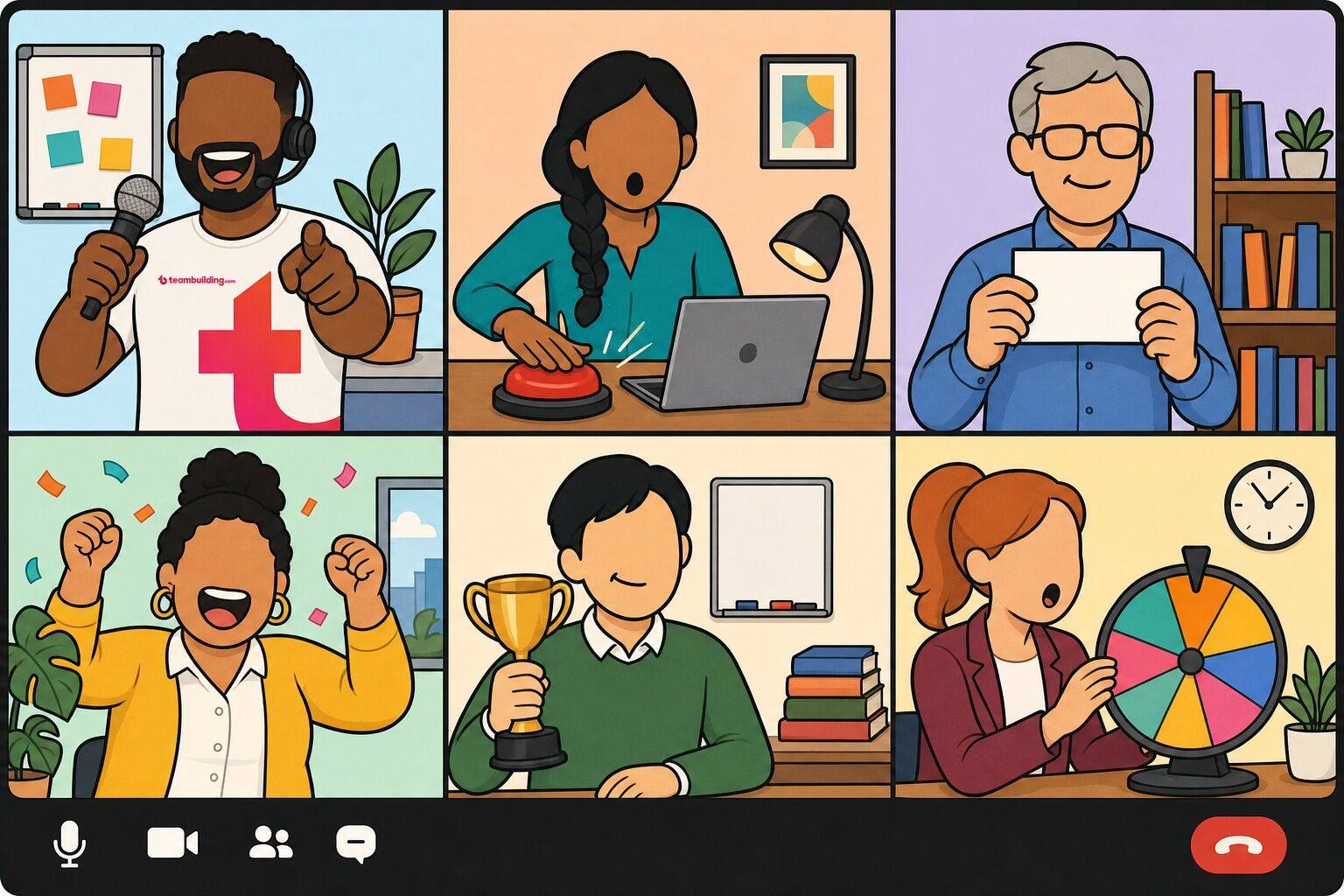
The hosted virtual game shows teams book most, where else to look, and 25 DIY formats with instructions, group sizes and lessons from thousands of rounds.
A game show is the easiest kind of team event to get right on a video call. The rules are already in everyone's head, the format forces turn-taking and chat participation, and a little friendly competition gives a remote team something to be loud about together. It is also easy to get wrong: a host reading trivia questions off a PDF to twenty muted squares is not a game show, it is a quiz with extra steps.
We run game shows for a living. As of September 2026, we have hosted 34,000+ virtual team experiences on Zoom alone, and our Ultimate Game Show is one of the most-booked virtual events in our catalog, with 2,699 reviews averaging 4.97 out of 5. Below you will find the hosted game shows teams book most, where else to look, and 25 virtual game show ideas you can run yourself, with instructions, group sizes, and the lessons we have learned from thousands of rounds of buzzers, feuds and price guesses.
Trusted by teams at






This list includes:
Here we go.
A virtual game show is a live, competitive game played over video conferencing software such as Zoom, Microsoft Teams or Google Meet, usually modeled on a TV format like Family Feud, Jeopardy or The Price Is Right. A host runs the rounds, players compete as individuals or in teams, answers come in through the chat, polls, breakout rooms or cards held up to the camera, and somebody wins a prize at the end. Most run 45 to 90 minutes, and the format works equally well for a team of ten or an all-hands of several hundred.
Virtual game shows are the online branch of team building game shows and a subcategory of online team building games. They are similar to Zoom games, virtual party games and virtual trivia, and they include formats like virtual Family Feud, virtual Jeopardy and virtual Price Is Right. Teams use them as the main event of a virtual team celebration, as a 15-minute energizer inside a meeting, or as a full virtual team event with a professional host. Virtual game shows are also called online game shows, Zoom game shows, interactive game shows, corporate game shows and company game shows.
We think of game shows as stealth team building: people show up for the buzzers and the bragging rights, and leave having practiced communication, quick collaboration under time pressure, and a bit of vulnerability in front of their coworkers, without a formal training frame around any of it. That framing has some backing beyond our own experience. An evidence review in American Psychologist (Lacerenza, Marlow, Tannenbaum and Salas, 2018) concluded that team building is one of four team development interventions supported by meta-analytic evidence across education, health care, military and aviation settings. A game show is simply the version of team building that people volunteer for.
You can run every idea on this page yourself, and the second half of the article shows you how. Booking a host makes sense when you want the production value of a real show (buzzers, scoreboards, a personality on the mic) without one of your managers spending a weekend in PowerPoint, when the group is large enough that scoring and breakout rooms need a second pair of hands, or when the event matters enough that you would rather play than run it.
We ranked our virtual game shows using our Team Building Score, a points total each event earns from confirmed bookings, reviews and ratings. Only events with at least 20 survey responses appear here.
| # | Event | Score | Rating | Happier | Connected | NPS | Price |
|---|---|---|---|---|---|---|---|
| 1 | 
Ultimate Game Show
Best for: Teams seeking fun competition
More about this eventCompete in fan favorites like Coworker Feud & Price Hike.
Perfect for: Teams seeking fun competition, Fans of classic game shows, Groups wanting team bonding |
248 | ★ | 98% | 93% | 86 | $45 pp |
| 2 | 
Virtual Trivia: Team vs Team
Best for: Virtual happy hours
More about this eventChoose your trivia theme and let the friendly competition begin!
Perfect for: Virtual happy hours, Conference entertainment, Teams seeking fun competition |
245 | ★ | 97% | 91% | 81 | $30 pp |
| 3 | 
Office Feud
Best for: Virtual team bonding
More about this eventSpark friendly office rivalry inspired by a classic game show.
Perfect for: Virtual team bonding, Boosting team morale, Game show enthusiasts |
220 | ★ | 97% | 88% | 82 | $30 pp |
| 4 | 
Virtual Trivia: Individual vs Individual (45 min)
Best for: Virtual happy hours
More about this eventA general knowledge trivia melee where your group members compete individually to win points.
Perfect for: Virtual happy hours, Conference entertainment, Small or large teams |
217 | ★ | 100% | 91% | 84 | $20 pp |
| 5 | 
Pride Ultimate Game Show
Best for: Teams celebrating Pride Month
More about this eventA game show competition that celebrates the LGBTQ+ community. teambuilding.com donates $5 per guest to an LGBTQ+ non-profit.
Perfect for: Teams celebrating Pride Month, Diversity and inclusion initiatives, Remote teams seeking engagement |
217 | ★ | 100% | 95% | 95 | $40 pp |
| 6 | 
A Celebration of Black History: Ultimate Game Show
Best for: Teams celebrating Black History Month
More about this eventPay tribute to Black excellence through thoughtful games based on classic favorites. teambuilding.com will donate $5 per guest to a Black philanthropy organization.
Perfect for: Teams celebrating Black History Month, Groups seeking cultural education, Companies promoting diversity and inclusion |
213 | ★ | 100% | 94% | 97 | $40 pp |
| 7 | 
Ultimate Holiday Game Show
Best for: Teams seeking festive fun
More about this eventYour favorite game show but with a holiday spin.
Perfect for: Teams seeking festive fun, Holiday celebrations with colleagues, Groups craving friendly competition |
200 | ★ | 98% | 92% | 83 | $40 pp |
| 8 | 
Office Jeoparty!
Best for: Remote teams seeking fun
More about this eventGet ready to buzz in and play this classic game show favorite.
Perfect for: Remote teams seeking fun, Teams wanting a knowledge challenge, Celebrating a team milestone |
182 | ★ | 99% | 91% | 79 | $30 pp |
| 9 | 
Holiday Jeoparty!
Best for: Teams seeking holiday fun
More about this eventA festive spin on a game show staple.
Perfect for: Teams seeking holiday fun, Remote teams wanting to bond, Office holiday celebrations |
169 | ★ | 99% | 91% | 84 | $30 pp |
| 10 | 
International Game Show
Best for: Teams seeking global connections
More about this eventCompete in an internationally-focused game show perfect for global teams.
Perfect for: Teams seeking global connections, Game show enthusiasts, Multinational company events |
152 | ★ | 97% | 95% | 82 | $40 pp |
Ranked by our Team Building Score — a running points total earned through confirmed bookings, verified reviews, ratings, and listing quality, recalculated nightly. Every event shown also has at least 30 post-event survey responses per question; the happier, connected, and NPS columns are computed from the 4,739+ survey responses collected for the 10 events listed here — a subset of all post-event surveys across our catalog. Updated October 2026.
If you only book one, book Ultimate Game Show. It is a 60 to 90 minute team-vs-team event built from rounds modeled on Family Feud, The Price Is Right and other classics, led by a host who keeps score, runs the buzzers and gets the quiet people talking. It scales from 10 players to 1,000, which is why it shows up on so many all-hands agendas.
Compete in fan favorites like Coworker Feud & Price Hike.
For a shorter or cheaper option, Office Feud is a 45-minute survey-says showdown at $30 per person, and Office Jeoparty! runs the same length with a category board. If your team's competitive streak is more about knowing things than guessing them, the two Virtual Trivia formats at the bottom of the table are the same host-led production with a quiz instead of a show. You can browse the full catalog of virtual team events to compare formats and price points.
We are a team building company, so weigh our opinion accordingly. There are only a handful of vendors we would put on a shortlist for a corporate game show, and they differ more in format and pricing model than in quality.
| Company | Type | Typical price | Best for | Our take |
|---|---|---|---|---|
| teambuilding.com | Team building company | $30 to $45 per person for game shows; $20 for 45-minute trivia | Hosted game shows for 10 to 1,000 players, with themed and holiday editions | Our pick. Ultimate Game Show, Office Feud and Office Jeoparty! are run by our own hosts (95% are employees, the rest long-term contractors), and every format has been refined through post-event surveys. |
| Confetti | Experiences marketplace | Priced live on their site, roughly $20 to $50 per person | Teams that want to browse many short game formats and book one quickly | The strongest alternative. A broad menu of quiz and game-show style sessions, generally lighter and shorter than a full production. |
| TeamBonding | Team building company | Custom quotes | Organizations that want an established provider across virtual and in-person | Decades in the industry and a wide catalog that includes game show formats. Worth a quote if the show is part of a larger conference or hybrid event. |
| The Go Game (Weve) | Team building company | Custom quotes | Teams that want a highly produced, TV-style hosted show | Known for game-show-style hosted events with strong production. Fewer public reviews than the others, but well regarded. |
Booking a host is the fast route, not the only one. The rest of this article is for teams who want to run the show themselves.
Every format below runs on the same four decisions. Get these right and even a homemade Family Feud feels like a show; skip them and the best slide deck in the world turns into a meeting.
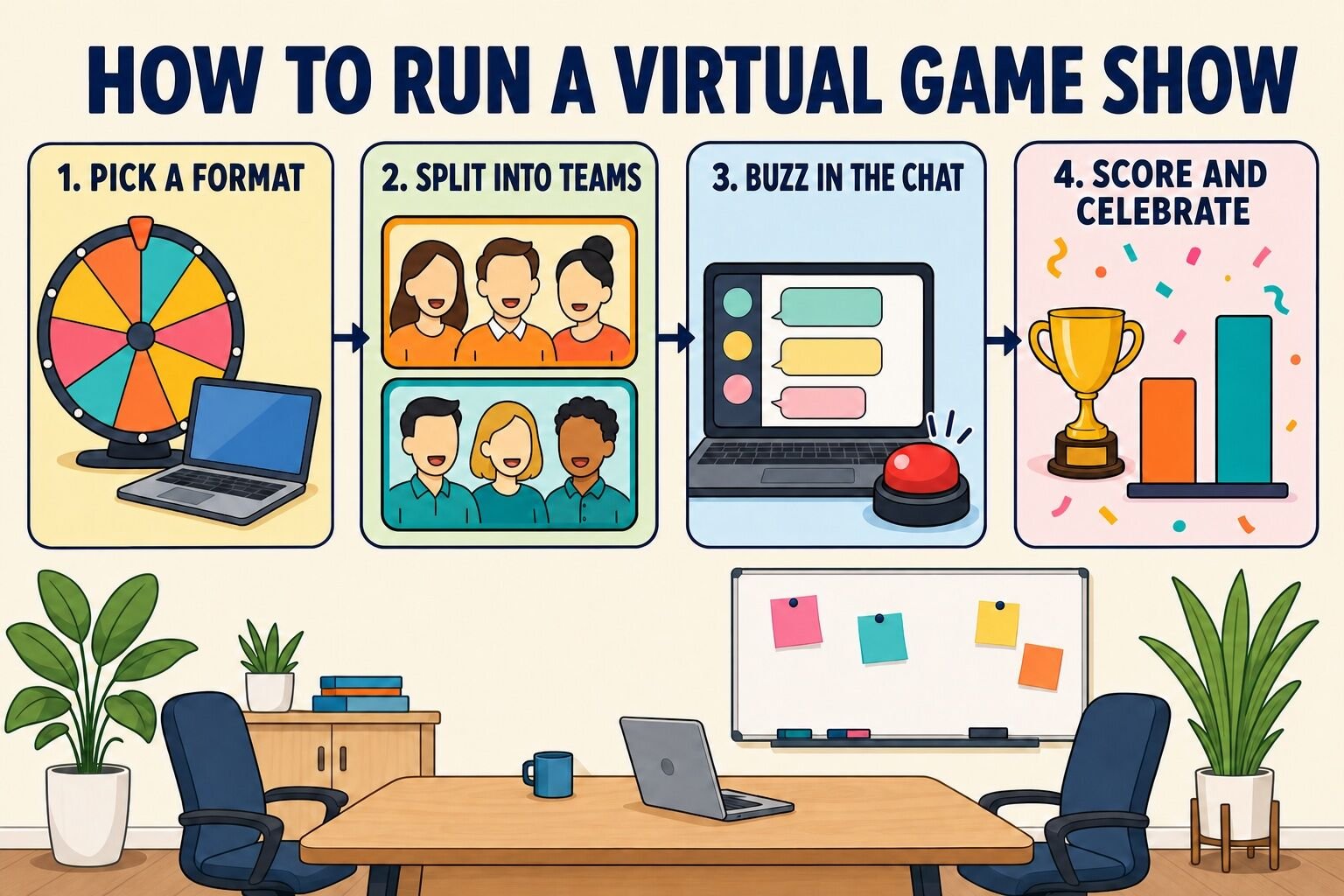
Timing matters more on video than in a room. Most hosted virtual events settle into the same window, and our data says that window is not an accident.
Here is a run-of-show for a 60-minute DIY game show that we would put in front of a real team.
| Time | Segment | What happens |
|---|---|---|
| 0:00 to 0:05 | Arrival and team names | Host welcomes people in, teams confirm their names in the chat, host explains the buzzer rule once. |
| 0:05 to 0:10 | Warm-up round | Five easy questions with chat answers so everyone learns the mechanics with nothing at stake. |
| 0:10 to 0:30 | Main game, round 1 | The headline format (Feud, Jeopardy, Price Is Right). Scores announced at the end of the round. |
| 0:30 to 0:35 | Lightning break | A 60-second scavenger hunt or a spin-the-wheel bonus question to reset energy. Cameras on. |
| 0:35 to 0:52 | Main game, round 2 | Either a second format or double points on the first. Trailing teams can catch up here, which keeps everyone playing. |
| 0:52 to 0:58 | Final wager | One question, teams wager any share of their points in a private chat to the host, big reveal. |
| 0:58 to 1:00 | Prizes and photo | Announce the winners, screenshot the gallery view, close on time. |
Platform choice is less important than people think. Among the virtual events booked on teambuilding.com, clients host 82% on Zoom, 11% on Microsoft Teams, 4% on Google Meet and 2% on Webex, and every format on this page works on all four. Use whatever your team already has open.
The formats below are the ones we would actually run with a real team. Several are rounds lifted straight from our hosted events, the rest are TV classics we have adapted for a chat panel and a gallery view. Each one comes with instructions, a "best for" line and, where we have one, a lesson from hosting it. They are grouped by the job you need done: a classic show for a team social, a format that scales to a large group, a five-minute game for a meeting, or a full company game show.
| Activity | Best for | Group size | Time | Cost |
|---|---|---|---|---|
| Virtual Family Feud | Team socials, all-hands | 8–100+ | 20–45 min | Free |
| Virtual Jeopardy | Trivia-loving teams | 6–50 | 30–45 min | Free |
| Virtual Price Is Right | Any group, zero prep for players | 5–200+ | 15–30 min | Free |
| Wheel of Fortune | Word-game fans | 4–20 | 15–25 min | Free |
| Pyramid | Communication under pressure | 4–20 | 15–30 min | Free |
| Match Game | Laughs, small teams | 6–30 | 15–25 min | Free |
| The Newlywed Game, Coworker Edition | Pairs who work closely | 6–24 | 20–30 min | Free |
| Hollywood Squares | Bluffing and trivia | 11–30 | 20–30 min | Free |
| Name That Tune | Fast, high-energy rounds | 5–100+ | 15–25 min | Free |
| Chat Waterfall Quiz | Large groups, warm-ups | 20–500+ | 10–20 min | Free |
| Bet on the Crowd | Getting to know a big team | 10–1,000 | 15–30 min | Free |
| Last One Standing | Town halls, no speaking required | 15–500 | 10–15 min | Free |
| Lightning Scavenger Hunt Showdown | Energy and movement | 5–100+ | 10–20 min | Free |
| Guess Who Said It | Connection in mid-size groups | 10–60 | 15–30 min | Free |
| Virtual Minute to Win It | Physical, silly, quick | 6–40 | 10–20 min | Free |
| Lightning Recap Quiz | Training sessions, presentations | 5–500 | 5–10 min | Free |
| The Stats Are Right | All-hands and business reviews | 5–500 | 5–10 min | Free |
| Spin the Wheel Hot Seat | Recurring meeting ritual | 5–30 | 5–15 min | Free |
| True or False Showdown | Big rooms, fast eliminations | 10–500 | 5–10 min | Free |
| Build Your Own Company Game Show | Company events, parties | 10–1,000 | 60–90 min | Free |
| Most Likely To: Live Vote | Celebrations, year-end | 8–100 | 15–20 min | Free |
| Trivia League | Ongoing engagement | 8–200 | 20 min weekly | Free |
| Our Company's Got Talent | Parties, big personalities | 10–200 | 30–60 min | Free |
| What's My Line? Secret Skill Edition | Discovering hidden talents | 6–40 | 15–30 min | Free |
| Holiday Game Show | December parties | 10–1,000 | 45–90 min | Free |
These are the TV formats everyone already knows how to play, which is exactly why they work on a call: you spend thirty seconds explaining the buzzer rule and no time at all explaining the game.
Family Feud is the format we get asked about most, and the one that translates best to video, because the whole game runs on guessing what other people think. Our hosted version is Coworker Feud, and the DIY version needs one survey and one slide deck.
To play:
If you would rather not survey your team, here are Family Feud questions and answers to start from.
Best for: 8 to 100+ people, in two teams or a bracket of several
Time: 20 to 45 minutes
Materials (cost): Survey form and a slide deck (free)
What we've learned: The survey is the show. Boards built from your own company's answers get twice the reaction of generic ones, because the reveal tells people something about their coworkers. Also announce the strike rule out loud before the first board; on video, the host is the only strike graphic there is.
Jeopardy is a category board of clues with increasing point values, answered in the form of a question. It is the best format for a team that likes knowing things, and the easiest to theme around your company.
To play:
Need clues fast? This generator produces trivia questions on demand:
For a deeper walkthrough, including free board templates, see our guide to team building Jeopardy.
Best for: 6 to 50 people, in teams of three to six
Time: 30 to 45 minutes
Materials (cost): Slide or template board (free)
What we've learned: Keep clues under 15 words. On a shared screen, long clues get read twice and the buzzers get confused. And put the company categories on the right side of the board; teams always start on the left, so the inside jokes land in the second half when the room has warmed up.
The Price Is Right is the lowest-prep game show on this list and the one most likely to get a silent team shouting numbers. Players see a product and guess the price; closest without going over wins.

To play:
For team play, let each team huddle for 20 seconds in the chat thread before submitting one answer.
Best for: 5 to 200+ people, individually or in teams
Time: 15 to 30 minutes
Materials (cost): Product screenshots and a spreadsheet answer key (free)
What we've learned: Pick products people recognize but have not memorized. Everyone knows what AirPods cost; nobody knows what a specific brand of stand mixer, a 40-pound bag of dog food or a single ostrich egg costs, and those guesses are where the laughs are. Two or three wildcard items per game is the right dose. Company swag store items make a great final bundle.
Wheel of Fortune is a hidden-phrase puzzle where players spin for a point value and guess consonants, buy vowels, and try to solve. It plays like Hangman with a scoreboard and rewards the people who are good with words rather than facts.
To play:
Company phrases make the best puzzles: product names, a line from your values page, the name of the conference room everyone fights over. For more of this kind of thing, see our list of word games.
Best for: 4 to 20 people, in two or three teams
Time: 15 to 25 minutes
Materials (cost): Slides and a free online spinner (free)
What we've learned: For groups larger than about 20, skip the wheel and run Toss-Up rounds: reveal one random letter every five seconds and award the round to the first person to type the full phrase. It keeps 60 people playing instead of watching.
Pyramid is a describe-the-word game played in pairs against the clock. One partner sees a list of words and describes them without saying them, the other guesses, and speed wins.
To play:
Best for: 4 to 20 people
Time: 15 to 30 minutes
Materials (cost): Word lists (free)
What we've learned: Ban "rhymes with" and "starts with" up front, or every round turns into spelling. And write at least one category about your own work; "Things our customers say" is consistently the round people talk about afterward.
Match Game is a fill-in-the-blank game where a contestant tries to match the answers of a panel. It is silly, fast, and the reveal-one-at-a-time mechanic is perfect for a gallery view.
To play:
Best for: 6 to 30 people
Time: 15 to 25 minutes
Materials (cost): Prompt list, paper and markers (free)
What we've learned: The show lives in the reveal, so make the panel hold their cards up slowly and let the host react to each one. Prompts should be workplace-safe by design rather than by luck; a blank that invites an off-color answer will get one.
The Newlywed Game asks pairs how well they know each other. The coworker version pairs people who work together closely (a manager and a direct report, two engineers on the same project, sales and the account manager they hand off to) and scores how well they predict each other's answers.
To play:
Here are Newlywed Game questions you can adapt for coworkers.
Best for: 6 to 24 people, in pairs
Time: 20 to 30 minutes
Materials (cost): Two short forms (free)
What we've learned: Pair by working relationship, not friendship. Two best friends who match on everything is a dull round; a manager who confidently gets their report's coffee order wrong is a great one, and the two of them will talk about it for weeks.
Hollywood Squares is tic-tac-toe played over trivia and bluffing. Nine "celebrities" sit in a grid, two contestants pick squares, and the celebrity answers a question that may or may not be true.
To play:
Best for: 11 to 30 people
Time: 20 to 30 minutes
Materials (cost): Trivia questions and two solid-color virtual backgrounds (free)
What we've learned: Brief the squares privately to bluff on about a third of the questions and to keep a straight face. Without that instruction, everyone answers honestly and the game becomes ordinary trivia with a grid.
Name That Tune is a music-recognition race. The host plays a few seconds of a song and the first player to identify it wins the point. It is the highest-energy classic on this list per minute played.
To play:
Best for: 5 to 100+ people
Time: 15 to 25 minutes
Materials (cost): A streaming playlist (free)
What we've learned: Test the audio share in a private call first. Half the failed Name That Tune games we have heard about were silent on the participants' side for the first three songs. Intros work better than choruses because the guessing is harder and the buzzer race is closer.
A game show for 12 people and a game show for 300 are different products. Once the group passes roughly 15, unmute-and-answer stops working and the only formats that hold the room are the ones where everyone plays at the same moment: chat waterfalls, polls, reactions and cameras. The five formats below all scale to hundreds of players without anyone waiting for a turn, and they are the mechanics we lean on in our own large-group events.
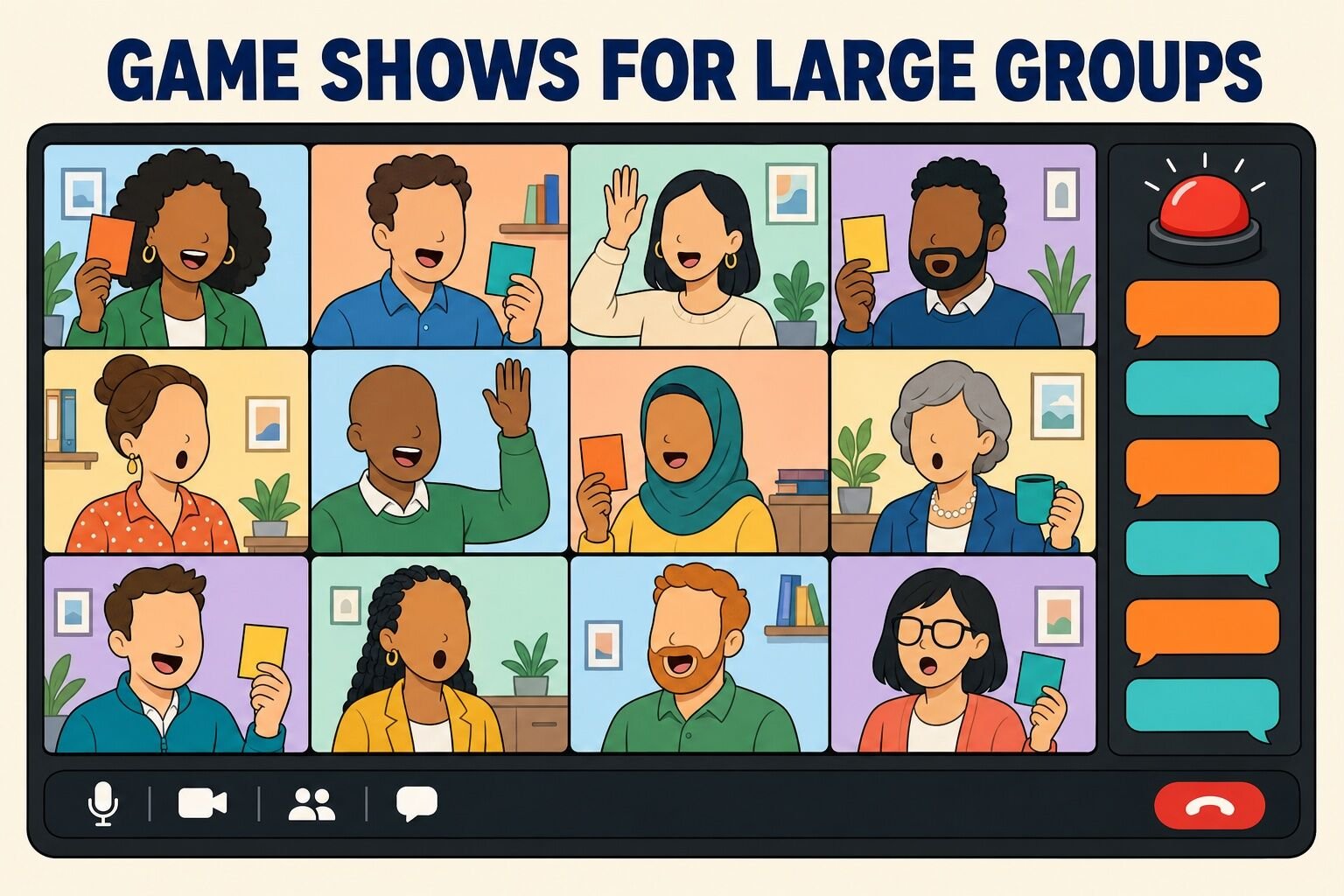
Scale is not a niche use case. The median virtual event we run is a team of 16, but we have hosted 448 virtual events with 100 or more participants, the largest with over 1,000 attendees. If you are planning something that size, our guide to virtual team building for large groups covers the logistics in more depth.
The Chat Waterfall is the simplest large-group buzzer there is: everyone answers at once, and the chat becomes the scoreboard.
To play:
Best for: 20 to 500+ people
Time: 10 to 20 minutes
Materials (cost): Question list (free)
What we've learned: Use the waterfall as the warm-up round of any bigger show. It teaches the whole group the chat mechanic in two minutes with nothing at stake, so the main game runs clean.
Bet on the Crowd is part trivia, part social experiment: instead of asking what is true, it asks what your coworkers think, and players bet on the majority. It scales to a thousand people because the crowd is the game.
To play:
Best for: 10 to 1,000 people
Time: 15 to 30 minutes
Materials (cost): A survey and a poll tool (free)
What we've learned: Put the survey link in the calendar invite and again the morning of the event. The game is only as good as the response rate, and a 30-person sample of a 300-person company makes the reveals feel like guesses.
Last One Standing is an elimination game show for the biggest rooms. Everyone plays every round, nobody has to speak, and the whole thing takes ten minutes, which makes it the best game we know for the top of a town hall.
To play:
Best for: 15 to 500 people
Time: 10 to 15 minutes
Materials (cost): A question list (free)
What we've learned: The game is about which side people think the majority will pick, not what they personally prefer, so say that out loud in the intro. Once people realize they are reading the room rather than answering honestly, the strategy starts and the shouting begins.
A Lightning Scavenger Hunt is a race to find an object and get it on camera first. Run as a scored game show round, it is the fastest way to get a large group out of their chairs.
To play:
Best for: 5 to 100+ people
Time: 10 to 20 minutes
Materials (cost): Nothing (free)
What we've learned: Ask for categories, not objects. "A coffee mug" gets you 200 coffee mugs; "something you own that you cannot explain" gets you a story from every square. Use it as the mid-show energy break in a longer game show rather than as the whole event.
Guess Who Said It turns your team's own facts into the answer board. The host reads a surprising fact or opinion submitted anonymously by a coworker, and teams guess whose it is.
To play:
Best for: 10 to 60 people
Time: 15 to 30 minutes
Materials (cost): A form and a poll tool (free)
What we've learned: Prompt for "something you did before this job" rather than "a fun fact." Fun facts produce "I like hiking"; the before-this-job prompt produces former lifeguards, ex-touring-drummers and a surprising number of people who once worked at a theme park.
Not every game show needs an hour. These five run in five to twenty minutes, need almost no prep, and drop into a weekly meeting, a training session or the middle of a long presentation to wake the room up. The rule for all of them: one round, one winner, back to the agenda.
Minute to Win It is a series of 60-second physical challenges using ordinary objects. On video, each team sends one representative per challenge and the rest of the call cheers, which is why it works as a break in the middle of a longer meeting.
To play:
Here is our full list of virtual Minute to Win It games.
Best for: 6 to 40 people
Time: 10 to 20 minutes
Materials (cost): Office and household items (free)
What we've learned: Pick challenges where the camera can see the score. "How many sticky notes are on your face" is instantly verifiable by 40 people; "how many times did you flip the bottle" is an argument.
The Lightning Recap Quiz is a game show built from whatever was just presented. It turns the last 20 minutes of slides into five questions, and it is the format we would use in any training session.
To play:
Best for: 5 to 500 people
Time: 5 to 10 minutes
Materials (cost): Five questions (free)
What we've learned: Tell people at the start of the presentation that there will be a quiz with a prize at the end. It sounds like a gimmick, and it visibly changes how many cameras stay on for the next 20 minutes.
The Stats Are Right is The Price Is Right played with your own company's numbers instead of retail prices. It is the best five minutes we know for the top of an all-hands or a quarterly business review.
To play:
Best for: 5 to 500 people
Time: 5 to 10 minutes
Materials (cost): Five slides (free)
What we've learned: Guessing a number makes people care about it in a way a chart never does. The wildly wrong guesses ("40,000 tickets?" "Try 4,000.") are the whole point; they show leadership what the team does and does not know about the business.
Spin the Wheel Hot Seat is a two-minute ritual for recurring meetings. A random spinner picks a person, that person takes the hot seat for one rapid-fire question, and the meeting moves on.
To play:
Best for: 5 to 30 people
Time: 5 to 15 minutes
Materials (cost): A free online spinner (free)
What we've learned: The wheel does the job a facilitator usually has to: it decides who speaks, and nobody argues with a wheel. Teams that run this for a few weeks stop needing the wheel, because people start volunteering.
True or False Showdown is an elimination quiz where every player answers every statement at the same moment. It is the fastest way to run a game show in a very large meeting, and a round takes 30 seconds.
To play:
Our hosted version of this mechanic is True or False: Unusual Beasts, built entirely on animal facts too strange to be true, several of which are.
Best for: 10 to 500 people
Time: 5 to 10 minutes
Materials (cost): A statement list (free)
What we've learned: Aim for statements where the room splits close to even. Obvious ones eliminate nobody and the round is dead; a good false statement is one that a reasonable person would defend.
The formats above are rounds. These six are whole events: the game show is the party, the celebration or the season. They take more planning and pay it back in the only currency that matters here, which is people still talking about it a month later.
Build Your Own Company Game Show is a 60 to 90 minute production that strings three short formats together under one scoreboard. It is the DIY version of our Build Your Own Game Show event, where the client picks the rounds and our host runs them.
To play:
Best for: 10 to 1,000 people
Time: 60 to 90 minutes
Materials (cost): One slide deck and a scoreboard (free)
What we've learned: Vary the mechanic between rounds, not just the theme. Three trivia rounds with different names feel like one long quiz; a guessing round, a knowledge round and a movement round feel like a show.
Most Likely To is a voting game show where the audience is the panel. The host reads a "most likely to" prompt, everyone votes for a coworker, and the winner collects the title. It doubles as an informal awards show for year-end parties.
To play:
Best for: 8 to 100 people
Time: 15 to 20 minutes
Materials (cost): A prompt list and a poll tool (free)
What we've learned: Keep every prompt flattering or neutral. "Most likely to be late" gets a laugh once and a resentment for a quarter. "Most likely to help you move apartments" gets the same laugh and makes someone's week.
A Trivia League is a game show as a season: a 20-minute match every week for six weeks, standings in Slack, playoffs at the end. It is the format we recommend when the goal is ongoing engagement rather than one big event.
To play:
If you would rather have someone else write and host the matches, Virtual Trivia: Team vs Team is a 60-minute hosted version with rounds that change format as the game goes on.
Choose your trivia theme and let the friendly competition begin!
For question material, start with our library of trivia questions.
Best for: 8 to 200 people
Time: 20 minutes weekly, for six weeks
Materials (cost): Questions and a shared standings doc (free)
What we've learned: The standings are the engagement. A team that is three points back in week four will show up to week five, and a public leaderboard does more for attendance than any reminder email.
Our Company's Got Talent is a performance competition with a game show wrapper: acts, judges with buzzers, an audience vote and a winner. It is a natural centerpiece for a holiday party or a team celebration.
To play:
Here is our full guide to running a virtual talent show.
Best for: 10 to 200 people
Time: 30 to 60 minutes
Materials (cost): A running order and a poll (free)
What we've learned: Ask performers to invent a backstory for their act and let the host read it as the introduction. "Priya has been juggling since the 2019 offsite incident" is funnier than "Priya will juggle," and it takes the pressure off the performance itself.
What's My Line? is a classic panel show where contestants ask yes-or-no questions to uncover a mystery guest's occupation. The workplace edition uses a coworker's hidden past job, unusual hobby or secret skill.
To play:
Best for: 6 to 40 people
Time: 15 to 30 minutes
Materials (cost): A form (free)
What we've learned: Vet the secrets before the show rather than live. Every team has at least one former semi-professional athlete or child actor, and the format is at its best when the host already knows which round to save for last.
A Holiday Game Show is a themed version of any format above, run as the main event of a December party. December is the busiest month of the year for team building, and a game show is the format that holds a mixed group of a hundred people in party mode for an hour.
To play:
The hosted version is Ultimate Holiday Game Show, and for the rest of the evening's plan, see our guide to running a virtual holiday party.
Best for: 10 to 1,000 people
Time: 45 to 90 minutes
Materials (cost): Slides, a playlist and prizes (free to run; prizes optional)
What we've learned: Book the date early. The good slots in the second and third weeks of December go first, whether you are booking a host or just trying to find an hour when the whole team is free.
You can run everything on this page with slides and the chat panel. If you want buzzers, timers and automatic scoring, these are the tools we see teams use most. Prices change; check each site before you commit.
| Tool | What it does | Formats | Typical cost |
|---|---|---|---|
| Kahoot! | Live multiple-choice quizzes where players answer on their phones and a leaderboard updates after every question. | Trivia, recap quizzes, true or false | Free tier; paid plans for larger groups and business features |
| TriviaMaker | Game show templates you fill with your own content, including a category grid, a list format and a wheel. | Jeopardy-style boards, Feud-style lists, wheel games | Free basic version; paid tiers |
| Jackbox Games | Party game packs where one person shares the screen and everyone else plays from a phone using a room code. | Trivia, drawing, fill-in-the-blank party games | One-time purchase per party pack |
| QuizShow.io | Custom quiz shows with phones as buzzers, several question types and built-in visuals and sound. | Buzzer trivia, estimates, fill in the blank | Free trial; monthly plans |
| Slides plus a free template | A shared slide deck with a Feud or Jeopardy template from the web, scored by hand in the chat. | Any format on this page | Free |
For pre-written boards, see our online Jeopardy games and this list of quiz games.
Game shows are supposed to have prizes, and a remote team is not going to fit a speedboat through the chat. Announce the prize before the first round; it changes how people play. These are the ones that work at a distance.
| Prize | Why it works | Typical cost |
|---|---|---|
| Time off | An early log-off on Friday or a bonus half-day. The most-wanted prize we see, and it costs nothing in cash. Set a deadline to use it. | Free |
| Digital gift cards | Emailed the same day, so the winner gets the prize while the win is still fresh. Let winners choose the store. | $10 to $50 per winner |
| Lunch on the company | A food-delivery credit for the winning team, ideally used together on a call the following week. | $15 to $25 per person |
| Company swag store credit | Works when the store has items in the credit's price range. A rare or retired item beats a generic hoodie. | $20 to $50 per winner |
| Bragging rights | A rotating trophy emoji next to the winning team's name in Slack until the next show. Free, and surprisingly contested. | Free |
| Losing team consequences | The losing team picks the next game, sings the winners a jingle, or wears the ugly virtual background for a week. Silly, never humiliating, and agreed to in advance. | Free |
For more ideas that ship anywhere, see our list of gifts for employees.
Game shows were among the first virtual events we launched in 2020, and they are still among the most booked. A few patterns hold across the thousands of rounds since.
The host is the show. The same Family Feud board is a great event with a host who reacts to every answer and a dull one with a host who reads the slides. This shows up in the data: roughly one in five published reviews of our virtual events mention the host by name. Participants remember who ran the show, not the software.
Teams beat individuals almost every time. Individual play puts one person on the spot and leaves everyone else watching. Teams of four to six let the confident people carry the buzzer while the quieter people carry the huddle, and the loudest moments in our game shows are teams arguing about an answer in a breakout room.
The point of the competition is the laughing, not the winning. This is worth taking seriously rather than treating as a nicety. In a six-month field study of nearly 1,800 British Telecom call-center workers published in Management Science (Bellet, De Neve and Ward, 2023), a one-point increase in self-reported weekly happiness was associated with about a 12% increase in productivity. A game show is a cheap way to move that number for an hour, and a well-run one keeps moving it for the rest of the week.
Group size changes the format completely. The mistake we see most often is running a small-group format in a large room: a Match Game panel for 80 people, or unmute-to-answer trivia at a town hall. Here is how we would pick.
| Group size | What works | What to avoid |
|---|---|---|
| Under 15 | Turn-taking formats where everyone speaks: Match Game, Pyramid, The Newlywed Game, Spin the Wheel Hot Seat. Unmute is a fine buzzer. | Polls and elimination games. The room is small enough to just play. |
| 15 to 40 | Team formats with a chat buzzer: Family Feud, Jeopardy, Price Is Right, Hollywood Squares. Breakout rooms for huddles. | Individual turn-taking; anything that needs everyone to unmute. |
| 40 to 100 | Everyone-plays-at-once rounds: Chat Waterfall Quiz, Bet on the Crowd, True or False Showdown, with a scorekeeper and pre-assigned teams. | Panels and pairs games, unless the rest of the group has something to do. |
| 100+ | Poll- and reaction-based games with a co-host: Last One Standing, The Stats Are Right, waterfall trivia. Or book a host and play. | Anything scored by hand in the chat. Above 100, the scorer cannot keep up. |
Prep is the whole difference. A game show has more moving parts than any other meeting your team runs: slides, timers, breakout rooms, scoring, prizes. Every rough DIY show we have heard about broke on a detail that could have been tested the day before, usually the audio share or the breakout-room assignments. Run the mechanics once with two colleagues before you run them with two hundred.
The old version of this article included a few formats we would not run today. Some need props that cannot be sent to a remote team, some fall apart on video, and some are fine games that simply are not game shows. Here is the list, so you can skip them and the lists on other sites that copied them.
| Activity | Why skip it | Verdict |
|---|---|---|
| Virtual Chopped | Nobody can taste the food, so the judging is guesswork, and mailing mystery ingredients costs more than a hosted event. If you want to cook together, book one of these online cooking classes instead. | Skip it |
| Masked Dancer | Requires coworkers to film themselves dancing in advance, which most people quietly decline to do. The reveal is fun; the recruiting is not. | Skip it |
| Whose Line Is It Anyway? | Improv on a video call needs performers who are comfortable failing in front of coworkers, and latency kills the timing. It is a good improv game for a willing group, not a game show for a whole company. | Better in person |
| Virtual Amazing Race | The TV format is a travel show. Online versions become a scavenger hunt with extra rules, and the scavenger hunt alone (number 13) is better. | Usually skip |
| Trivia read off a PDF | Fifty questions, no teams, no scoreboard, no host energy. It is a quiz, and a long one. Add teams, a buzzer rule and a visible score before you call it a game show. | Add structure |
| Punishment-based prizes | A pie in the face or a dare for the losing team reads as fun in the planning doc and as humiliation on camera. Keep consequences silly, opt-in and agreed to in advance. | Keep it kind |
| Any format with 200 people on unmute | Turn-taking does not scale. Above about 15 people, every game show needs a chat buzzer, a poll or a card held to the camera. | Change the mechanic |
| Two-hour marathon shows | Energy on video runs out around the 90-minute mark no matter how good the host is. Two shorter shows a month apart beat one long one. | Cut it in half |
A virtual game show is the rare team event where the format does the work for you. The rules are familiar, the competition is built in, and a chat panel turns out to be a very good buzzer. Pick one format, put one person on the mic, split into teams before the call, and keep score where everyone can see it.
If you would rather play than host, our hosted game shows run from 10 players to 1,000 and our hosts have run thousands of them. Either way, the goal is the same: an hour where a remote team gets loud together, and a few stories that follow them back into the work.
Next, check out our list of virtual game night ideas, these workplace competitions, and this guide to hosting a virtual award ceremony.
Answers to the questions teams ask us most before running or booking a virtual game show.
A virtual game show is a live, competitive game played over video conferencing software such as Zoom, Microsoft Teams or Google Meet, usually modeled on a TV format like Family Feud, Jeopardy or The Price Is Right. A host runs the rounds, players compete in teams, answers come in through the chat, polls or cards held up to the camera, and the winners get a prize. Most run 45 to 90 minutes.
Pick one format, put one person on the mic as host, and split players into teams of four to six before the call. Share a slide deck with the board or prompts, use the chat as the buzzer (first correct answer typed wins, or everyone sends on a count of three for simultaneous reveals), and post running scores between rounds. Breakout rooms handle team huddles, and polls or reaction emoji handle voting in large groups.
By our Team Building Score, which is built from confirmed bookings, reviews and ratings, the top hosted virtual game shows are Ultimate Game Show, Virtual Trivia: Team vs Team and Office Feud. For DIY, Family Feud, Jeopardy and The Price Is Right translate best to video, and a Chat Waterfall Quiz or Last One Standing works best for groups over 40.
Our hosted virtual game shows run $30 to $45 per person, with 45-minute individual trivia at $20 per person, and every format scales from 10 players to 1,000. Marketplace vendors typically price between $20 and $50 per person, and larger agencies quote per event. Running a DIY game show with slides and the chat is free.
Plan for 45 to 90 minutes. Across roughly 18,000 post-event surveys, 88% of the virtual events we run are 60 to 90 minutes long, and energy on video reliably drops after the 90-minute mark. A five-minute lightning round fits inside a regular meeting; a full show should have one or two headline formats, a short break, and a final wager question.
Above about 15 people, replace unmute-and-answer with mechanics where everyone plays at the same moment: a chat waterfall (everyone presses enter on three), polls, reaction emoji, or cameras on and off for eliminations. Assign teams in advance, add a co-host to keep score, and choose formats like a Chat Waterfall Quiz, Bet on the Crowd, True or False Showdown or Last One Standing, all of which run for hundreds of players.
The hosted game show options are a nice time-saver, but for teams on a tighter budget, the DIY versions like Virtual Jeopardy work surprisingly well if you prep the templates ahead. I’d add that the prize structure matters more than the game itself—small, quirky rewards tend to boost engagement more than generic gift cards. By the way, if you’re looking for more facilitation tips or ready-made question banks, decode-hub has some useful resources worth checking out.
We tried the Virtual Jeopardy format with our team last month, and the daily double wagering got surprisingly intense over Zoom. One thing we had to tweak was the buzzer timing—using the chat reactions helped avoid shouting matches. Also, if you're planning this for a large group, consider splitting into smaller rooms earlier than you think; the energy drops fast past 20 people. For more creative remote activity ideas, I found some useful breakdowns at decode-hub.
Virtual Jeopardy works better if you set a clear rule for buzzing—audio lag can really break the flow. I’d also suggest mixing in a few physical challenges from Minute to Win It to keep people moving between rounds. For extra inspiration, I found beardstyles.app a fun side trip when planning the next event.