
30 Virtual Games for Large Groups: Online Group Games for Zoom, Teams and Meet
You found our list of virtual games for large groups, built from the formats we run in our own hosted online events and the ones our hosts use internally.
You found our list of virtual games for large groups, built from the formats we run in our own hosted online events and the ones our hosts use internally.
A game that works for eight people on a call usually breaks at eighty. The mechanics are the problem: one person talks while everyone else waits, the host keeps score in their head, and the fun depends on being called on. None of that survives a full gallery view.
We published our first guide to virtual team building in 2017 and have been designing and hosting online games for remote teams ever since. Teams have spent 30,000+ hours in live virtual team building events on teambuilding.com since 2021 — the equivalent of running events back to back, nonstop, for more than three years, as of September 2026. A steady share of those are big rooms: all-hands meetings, multi-office kickoffs and holiday parties where the host is looking at 80, 200 or 500 tiles.
The games below are the ones that hold up at that scale. Some are formats from our hosted events, some are games our hosts run internally, and some are classics we have watched work and fail often enough to know exactly where they break. We also cut several games that used to be on this page, and we explain why near the end.
This list includes:
Here we go.
Virtual games for large groups are online games built for roughly 15 or more players at once, where the structure keeps everybody playing instead of watching. Examples include team trivia, poll-based prediction games and breakout-room scavenger hunts. The defining feature is parallel participation: rather than 60 people taking turns, six teams of ten play simultaneously and compare results at the end. These games are also called "online group games," "online games for large groups," "virtual activities for large groups" and "online party games for large groups."
Virtual games for large groups are the big-room end of online team building games and the scaled-up branch of virtual team building activities. They are similar to online group games, large group games and virtual party games, and they overlap with large group icebreakers when all you need is a warm-up. The platform-specific versions are Zoom games, Microsoft Teams games and Google Meet games. Within the category, this guide covers quick games for big meetings, online party games, virtual trivia, games that scale past 50 people, and icebreakers. Teams most often run them inside team building for large groups programs and virtual team events.
Play in a big distributed group is doing a specific job. A Nature Human Behaviour study of 61,182 Microsoft employees by Yang and colleagues found that firm-wide remote work caused collaboration networks to become more static and siloed, with fewer bridges between groups, and shifted communication toward asynchronous channels. That study is about collaboration patterns rather than games, so we would not stretch it further than it goes. But a company-wide game is one of the few remaining moments when someone in finance ends up in a breakout room with someone in support, which is exactly the bridge that goes missing.
Every game below is free to run with the video-call tools you already have, unless the cost column says otherwise. Group sizes are the ranges where we have seen each format actually work.
| Game | Best for | Group size | Time | Cost |
|---|---|---|---|---|
| Bet on the Crowd | Learning about the group | 10–200 | 10–15 min | Free |
| Unique Answers Only | Fast competition | 20–500 | 10 min | Free |
| Lightning Scavenger Hunt | Energy and movement | 10–500 | 10–15 min | Free |
| This or That Rapid Polls | Warming up a quiet room | 25–500 | 10 min | Free |
| Emoji Reaction Race | Resetting attention | 30–1,000 | 5 min | Free |
| Chat Waterfall | Hearing from everyone | 20–1,000 | 5–10 min | Free |
| Virtual Murder Mystery | Party centerpiece | 12–60 | 60–90 min | Free–$30 for a script |
| Whose Desk Is It? | Getting to know coworkers | 10–80 | 20 min | Free |
| Coworker Feud | Big-room competition | 20–200 | 30–45 min | Free |
| Song Association | Loud, silly fun | 10–50 | 15–20 min | Free |
| Pictionary Tournament | Creative competition | 15–100 | 30 min | Free |
| Team Superlatives | End-of-year parties | 15–150 | 20–30 min | Free |
| Team vs Team Trivia | The default big-group game | 20–200 | 45–60 min | Free |
| Company Trivia | Anniversaries and all-hands | 15–300 | 20–30 min | Free |
| Category Board | Game-show structure | 12–60 | 30–45 min | Free |
| Zoomed-In Picture Round | A round inside a trivia night | 10–300 | 10 min | Free |
| Name That Tune | Mixed-age crowds | 10–200 | 15 min | Free |
| Guess the Year | Company history | 10–300 | 10–15 min | Free |
| Breakout Room Relay | 50+ people, one scoreboard | 40–300 | 30–45 min | Free |
| Virtual Escape Room Race | Problem solving | 20–200 | 45–60 min | Free–$45 per person |
| Digital Scavenger Hunt | Unlimited headcount | 10–1,000 | 20–30 min | Free |
| Virtual Minute to Win It Stations | Physical comedy | 20–150 | 30–45 min | Free–$3 per person |
| Bracket Battle | All-week engagement | 25–1,000 | 10 min a day | Free |
| Virtual Amazing Race | Offsites and kickoffs | 20–200 | 60–90 min | Free |
| Icebreaker Bingo | People who have never met | 15–200 | 15–20 min | Free |
| Something in Common | Mixing departments | 12–200 | 15 min | Free |
| Word Cloud Check-In | Opening an all-hands | 20–1,000 | 5 min | Free |
| Map Pin Roll Call | Multi-office teams | 20–500 | 5–10 min | Free |
| Icebreaker Question Speed Round | Breakout warm-ups | 15–200 | 10–15 min | Free |
| Guess the Coworker | New-hire cohorts | 15–150 | 20 min | Free |
These six games need no prep beyond a question list, run in the main room with no breakouts, and finish inside 15 minutes. They are what we reach for when a game has to fit inside an agenda rather than replace one. For all-hands meetings we use an 8% rule: allocate about 8% of the meeting time to fun icebreakers and social activities, which in a 60-minute agenda is roughly a 10-minute game block plus five minutes of recognition.
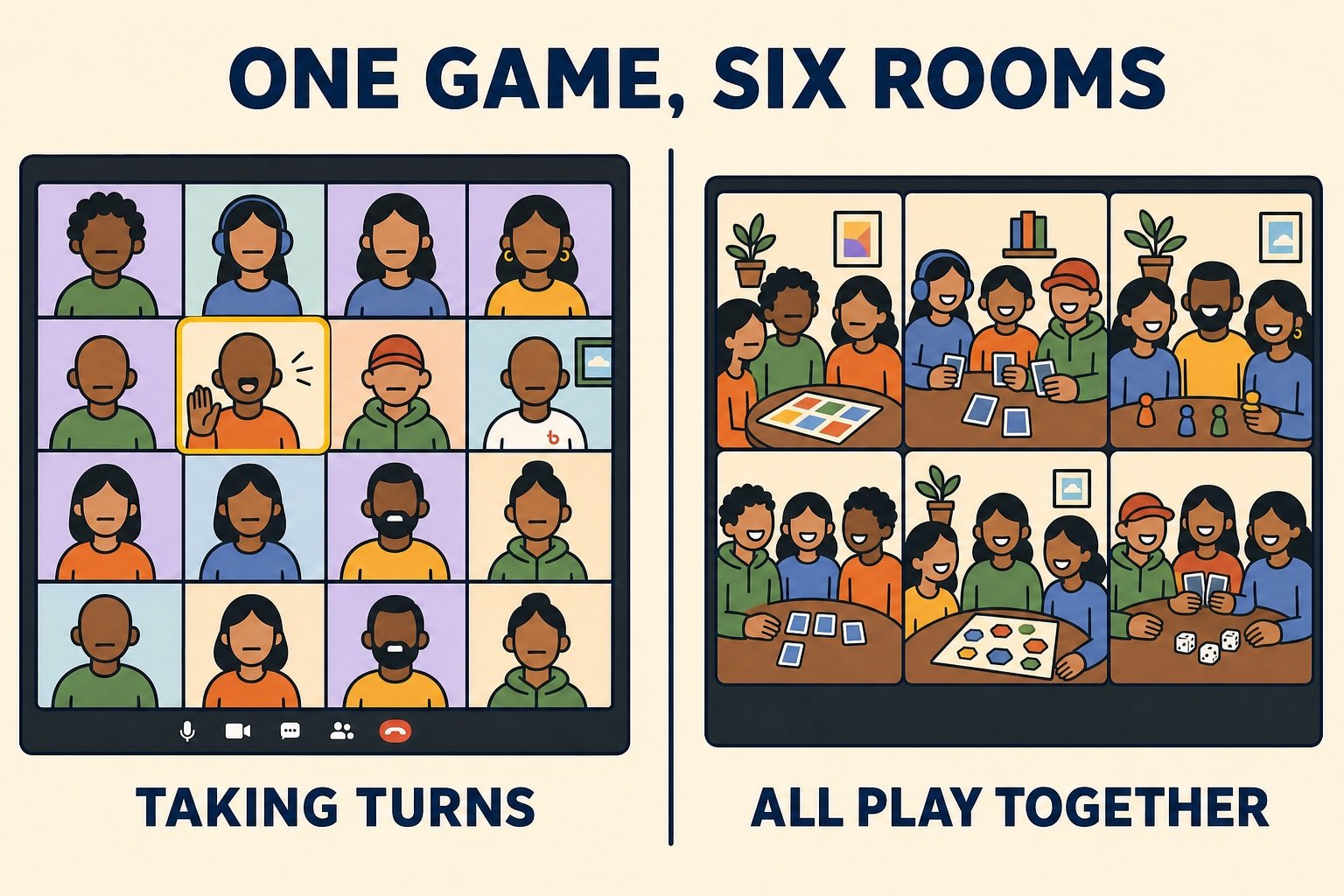
Bet on the Crowd is a prediction game about your own team, which is why it scales: nobody needs specialist knowledge, and the answer is always interesting because it is about the people on the call.
To run it:
Best for: Learning something about the group
Time: 10 to 15 minutes
Materials (cost): The chat window and the built-in poll. Free.
What we've learned: Questions about the group beat questions about the world. "How many of us have been on TV?" produces an argument, a story and three new facts about coworkers. A general knowledge question produces an answer.
Unique Answers Only inverts a normal quiz: you do not want the right answer, you want the answer nobody else thought of. It is one of the few competitive games that plays identically with 30 people or 300.
To run it:
Best for: Fast competition with no teams
Time: 10 minutes
Materials (cost): Chat. Free.
What we've learned: Pick categories with an obvious answer everyone will reach for. "Types of pasta" works because half the room writes spaghetti and scores nothing.
Lightning Scavenger Hunts are 30-second races to find an object and hold it up to the camera. We run them inside our own hosted events because they get an entire room of people physically moving within seconds of the rules being explained.
To run it:
Best for: Energy and movement
Time: 10 to 15 minutes
Materials (cost): Whatever is in the room. Free.
What we've learned: Category prompts beat literal objects. "A spoon" is a race. "Something you have kept for more than ten years" is a race plus a story, and the story is the part people remember.
A rapid poll block turns a silent gallery into a room with opinions in about 90 seconds, without asking anyone to unmute.
To run it:
Best for: Warming up a quiet room
Time: 10 minutes
Materials (cost): Built-in polls. Free.
What we've learned: Food and travel prompts produce far more chat than work prompts. Save anything about process or tools for a retro, not a game.
The reaction buttons are the only input every participant can use instantly, with no typing and no unmuting, which makes them the right tool for the biggest rooms.
To run it:
Best for: Resetting attention mid-meeting
Time: 5 minutes
Materials (cost): The reactions menu. Free.
What we've learned: This works best as a transition rather than a main event. Two minutes of it between a heavy update and a Q&A visibly changes how many people speak up afterward.
A chat waterfall is the only mechanic we know that gets a real answer out of every single person in a 200-person room, in under a minute.
To run it:
Best for: Hearing from everyone at once
Time: 5 to 10 minutes
Materials (cost): Chat. Free.
What we've learned: The hold-then-send instruction is the whole game. Without it, the first three answers set the tone and everyone else writes a variation on them.
Party formats are longer, louder and built around a centerpiece rather than a quick round. These six are the ones that survive contact with a big guest list, where you cannot rely on everyone knowing each other or everyone wanting to perform.
A murder mystery is the best-scaling party game we know, because the cast naturally includes big roles and tiny roles. Someone who does not want to act can still be a witness with two lines.
To run it:
Best for: A party centerpiece
Time: 60 to 90 minutes
Materials (cost): A script, free or up to about $30.
What we've learned: Cast reluctant participants as witnesses rather than suspects. Suspects have to improvise under questioning; witnesses just answer what they saw, and they end up enjoying it far more.
Whose Desk Is It? is a guessing game built entirely from photos your team sends in advance, which means it gets harder and better the more people play.
To run it:
Best for: Getting to know coworkers
Time: 20 minutes
Materials (cost): A form and a slide deck. Free.
What we've learned: Ask for desks rather than homes. People submit desk photos far more readily than photos of their living space, the shots stay workplace-appropriate, and the clues that matter — a plant, a bike helmet, a wall of sticky notes — are all still there.
Coworker Feud is a survey game show played against your own company's answers. It is the single best use of a five-minute form you send out the week before.
To run it:
Best for: Big-room competition
Time: 30 to 45 minutes
Materials (cost): A survey form and a slide deck. Free.
What we've learned: Run the survey anonymously and include one question about the company's own quirks. The round where the top answer is your own office's broken coffee machine gets a louder reaction than any generic question ever does.
Song Association is fast, silly and needs nothing but a word list. One person sings at a time, which is the only way music games work on a video call.
To run it:
Best for: Loud, silly fun
Time: 15 to 20 minutes
Materials (cost): A list of 40 words. Free.
What we've learned: Never ask the group to sing together. Audio lag makes group singing unlistenable, but one voice at a time with everyone else unmuting to cheer works beautifully.
Drawing games stall in a big main room because only one person is drawing. Running them as a tournament across breakout rooms fixes that, and the final in front of everyone is what makes it feel like an event.
To run it:
Best for: Creative competition
Time: 30 minutes
Materials (cost): The built-in whiteboard and a word list. Free.
What we've learned: Assign a scorekeeper in each breakout before people leave the main room. Without one, half the rooms come back with an argument instead of a number.
Team superlatives are an awards ceremony built from nominations, and they work at party scale because voting is a poll rather than a discussion.
To run it:
Best for: End-of-year parties
Time: 20 to 30 minutes
Materials (cost): A form, a slide deck and polls. Free.
What we've learned: Keep categories about habits, not people. "Most likely to find the bug on a Friday" is affectionate. Anything comparing output turns an awards bit into a performance review.
Trivia is the default big-group format for a reason: 200 people playing in teams of eight takes exactly as long as 20 people playing in teams of eight. These six formats are the rounds we build our own quizzes from, and our guide to virtual trivia has the full rules if you want to run a longer night.
Here is a random trivia generator you can use to fill a round:
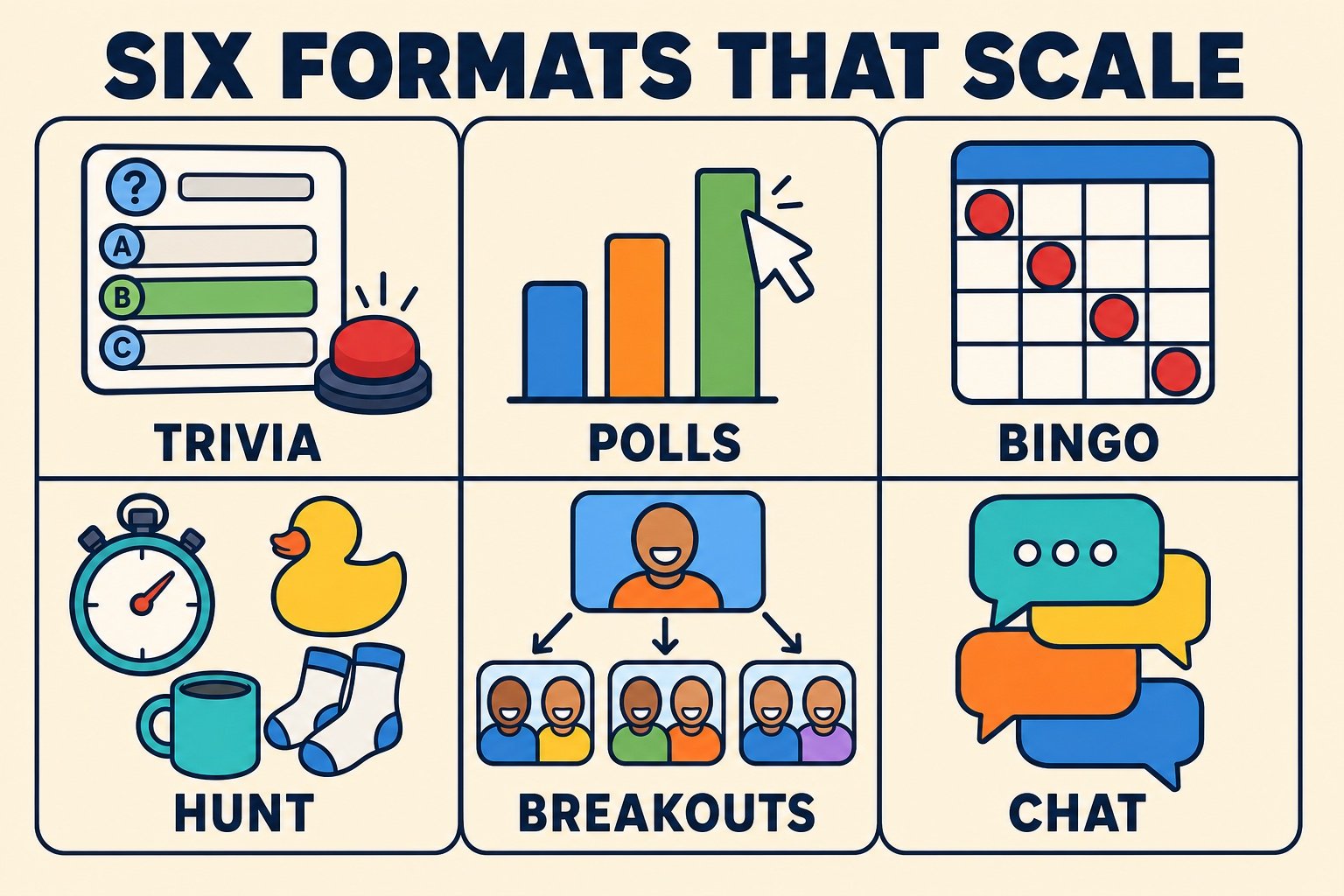
Team vs Team Trivia is the workhorse. Teams absorb latecomers, quiet players contribute in their room's chat, and the scoreboard does the work of keeping energy up.
To run it:
Best for: The default big-group game
Time: 45 to 60 minutes
Materials (cost): A question set, breakout rooms and a form. Free.
What we've learned: The wager round is what keeps fourth place playing. Without it, half the teams mentally check out after round three, and you can see it in how fast they come back from breakouts.
A round about your own organization outperforms every bought question set we have ever used, because everyone has a chance at the answer and everyone has an opinion about it.
To run it:
Best for: Anniversaries and all-hands
Time: 20 to 30 minutes
Materials (cost): Ten questions and a few old photos. Free.
What we've learned: Let the answer reveal double as company history. A slide of the first six employees in a rented room does more for a new hire's sense of the place than a values deck. A standalone trivia night is worth building around this round.
A category board is the classic quiz-show grid, run from a shared slide deck. It gives a big group structure and a visible sense of progress.
To run it:
Best for: Game-show structure
Time: 30 to 45 minutes
Materials (cost): A slide deck. Free.
What we've learned: Let every team answer every question instead of only the team that picked. It doubles the participation and removes the dead air where three teams sit and watch one team think.
A picture round is the most reliable equalizer in a quiz, because nobody's trivia knowledge helps them.
To run it:
Best for: A round inside a longer trivia night
Time: 10 minutes
Materials (cost): Ten photos and a slide deck. Free.
What we've learned: Use objects from your own offices. A close-up of the weird lobby sculpture gets a bigger reaction than any stock photo, and remote employees who have never visited enjoy the reveal most.
Name That Tune works with a big mixed-age group as long as you spread the decades and play short clips.
To run it:
Best for: Mixed-age crowds
Time: 15 minutes
Materials (cost): A playlist. Free.
What we've learned: Share computer audio rather than holding a speaker to your microphone, and test it with someone on a different platform. Audio failures are the most common reason a music round dies.
Guess the Year is a scoring mechanic more than a question type, and it is the easiest way to make a round where nobody is completely out of their depth.
To run it:
Best for: Company history
Time: 10 to 15 minutes
Materials (cost): A list of ten dates. Free.
What we've learned: Distance scoring is why this round works in a big group. A team that knows nothing still lands within five years often enough to stay in the game, which keeps eight tables engaged instead of two.
Past about 50 players, the main room stops being a place where anything can happen and becomes a stage. Everything in this section runs in parallel, with the main room used only for instructions, reveals and scores. These formats also underpin most virtual team challenges that run across a whole company.
A breakout relay is a chassis rather than a single game: any puzzle, question set or challenge can be dropped into it, and it works the same way with 40 people or 300.
To run it:
Best for: 50 or more people on one scoreboard
Time: 30 to 45 minutes
Materials (cost): A form, a shared doc and breakout rooms. Free.
What we've learned: Pre-assign teams and pre-name the rooms. At 100 people, letting the platform shuffle rooms randomly costs about four minutes and a noticeable amount of the room's energy.
Escape rooms are ideal for big groups because every team faces the same puzzles at the same time, and the leaderboard writes itself. See our guide to virtual escape rooms for hosted and free options.
To run it:
Best for: Problem solving
Time: 45 to 60 minutes
Materials (cost): Free browser rooms, or roughly $40 to $45 per person for a hosted one.
What we've learned: Publish the hint policy before teams split up. Groups that have to negotiate whether asking for help is allowed lose their first five minutes to a meta-argument instead of the puzzle.
A digital scavenger hunt has no headcount ceiling at all, because everyone hunts at the same time in their own space. Our virtual scavenger hunt guide has ready-made item lists.
To run it:
Best for: Unlimited headcount
Time: 20 to 30 minutes
Materials (cost): A shared album or channel. Free.
What we've learned: The gallery review at the end is the actual event. The hunt is 20 minutes of people being busy; the ten minutes of scrolling through everyone's photos together is where the laughing happens.
Rather than watching one person attempt a 60-second challenge, put every breakout room on a different challenge at the same time. Our lists of virtual minute to win it games and virtual office olympics events have plenty of challenge ideas.
To run it:
Best for: Physical comedy
Time: 30 to 45 minutes
Materials (cost): Household items, up to about $3 per person if you ship kits.
What we've learned: Send the supply list the day before, not the morning of. A game where a third of the room is rummaging in a cupboard while the rest wait is the exact failure mode these games are supposed to avoid.
A bracket battle is a week-long tournament of opinions that lives in chat and takes two minutes of meeting time a day. It is the easiest way to keep a very large, very distributed group playing the same game.
To run it:
Best for: Engagement across a whole week
Time: 10 minutes a day
Materials (cost): A chat channel and polls. Free.
What we've learned: Seed the bracket with a couple of deliberately weak entries. A one-sided first round is boring, but a terrible seed knocking out a favorite generates more chat than the final does.
A virtual amazing race chains short challenges into a course that teams run in parallel, which makes it the right shape for a kickoff or an offsite day.
To run it:
Best for: Offsites and kickoffs
Time: 60 to 90 minutes
Materials (cost): A multi-page form and breakout rooms. Free.
What we've learned: Build one station that cannot be brute-forced by the fastest typist. A creative brief judged after the race keeps slower teams in contention and gives you something to show in the wrap-up.
An icebreaker for 80 people is a different job than an icebreaker for eight: you are not trying to get everyone talking, you are trying to give everyone one moment of visible participation. Our full list of virtual icebreakers covers smaller rooms too.
Icebreaker Bingo gives every player a card of traits like "speaks three or more languages" or "has been here less than a year," and the game is finding the coworkers who match.
To run it:
Here is a board you can use:
Our printable icebreaker bingo guide has more card templates.
Best for: Groups where people have never met
Time: 15 to 20 minutes
Materials (cost): A bingo card generator. Free.
What we've learned: Reshuffling the breakout rooms mid-game is what turns this from a card game into an introduction. One static room of six means people fill four squares and stop.
Something in Common asks small groups to find things that are true of everyone in the room, and it is the fastest way to get strangers from different departments talking.
To run it:
Best for: Mixing departments
Time: 15 minutes
Materials (cost): Breakout rooms. Free.
What we've learned: Rooms of five or six are the sweet spot. Below four the group runs out of overlap, and above eight the conversation splits in two and half the room stops contributing.
A word cloud check-in gets a single word from everyone in the room and turns it into a picture of the mood on screen, which is a very efficient way to open an all-hands.
To run it:
Best for: Opening a big meeting
Time: 5 minutes
Materials (cost): A free polling tool. Free.
What we've learned: Always follow up on an outlier. Without that, the cloud is a pretty graphic; with it, one person gets to explain why they wrote "sourdough" and the room learns something.
Map Pin Roll Call replaces the round of introductions that a large distributed group can never afford with a single shared map everyone can add to at once.
To run it:
Best for: Multi-office and multi-country teams
Time: 5 to 10 minutes
Materials (cost): A free whiteboard tool. Free.
What we've learned: Asking for a local recommendation rather than just a city is what makes this worth doing. A map of dots is trivia; a map of "the best coffee within a block of me" is something the team actually uses.
Asking the whole room a question is not an icebreaker at 60 people, it is a queue. Running the same question simultaneously in every breakout room is.
To run it:
Here is a generator for prompts:
Our list of icebreaker questions has hundreds more.
Best for: Breakout warm-ups before a longer session
Time: 10 to 15 minutes
Materials (cost): A question list and breakout rooms. Free.
What we've learned: Asking people to report back what someone else said, rather than their own answer, is a small change that makes people listen properly in the breakout.
Guess the Coworker plays anonymous fun facts back to the group and asks who wrote them, and it is a reliable opener for a cohort of people who joined around the same time.
To run it:
Best for: New-hire cohorts and merged teams
Time: 20 minutes
Materials (cost): An anonymous form and polls. Free.
What we've learned: Give people a veto on their own fact before it goes public. Knowing they can pull it is what makes them submit something interesting in the first place.
Every game on this page is free to run. What changes as the group gets bigger is not the cost, it is how much of the scoring, collecting and shuffling you can do by hand. Past about 30 players, one tool that collects answers automatically saves the host more time than any other decision they make. Our list of online office games covers more free formats for a smaller room.
| Tool | What it does | Free tier | Best for |
|---|---|---|---|
| Built-in polls, chat and reactions | Instant voting, a chat waterfall and one-tap reactions with no join link | Included with your video platform | This or That Rapid Polls, Emoji Reaction Race, Chat Waterfall |
| Breakout rooms | Splits a large call into parallel rooms you can broadcast to | Included with your video platform | Breakout Room Relay, Something in Common |
| Google Forms | Collects team answers and timestamps them so you can score automatically | Free with a Google account | Team vs Team Trivia, Virtual Amazing Race |
| Kahoot | Buzzer-style quizzes with a live leaderboard on the shared screen | Free plan with a player cap; paid plans for bigger rooms | Company Trivia, Guess the Year |
| Slido and Mentimeter | Live polls, word clouds and audience questions for very large rooms | Free plans with a question or participant limit | Word Cloud Check-In, Bracket Battle |
| Slides With Friends | Interactive slide decks with built-in games for groups up to several hundred | Free plan for small groups; paid for larger ones | Guess the Coworker, Team Superlatives |
| Collaborative whiteboards | Shared canvas for sticky notes, maps and drawing games | Free plans cover a few boards | Map Pin Roll Call, Pictionary Tournament |
The three major platforms all support the mechanics these games depend on, but the details differ enough to change which game you should pick. Check yours before you build an agenda around a feature it does not have, especially breakout-room broadcasting and participant caps on your plan. If part of your group is together in a room and part is remote, our guide to hybrid team building covers the extra rules that apply, and Zoom team building goes deeper on the platform most teams still default to.
| Platform | Breakout rooms | Polls | Reactions | Best-fit games |
|---|---|---|---|---|
| Zoom | Yes, with pre-assignment, self-select and broadcast to all rooms | Built in, including quiz mode with correct answers | Full emoji set plus raise hand | Breakout Room Relay, Team vs Team Trivia |
| Microsoft Teams | Yes, with pre-assignment and announcements to all rooms | Through the Forms and Polls apps in the meeting | Full reaction set plus raise hand | Coworker Feud, Bracket Battle |
| Google Meet | Yes on paid Workspace plans, with a timer | Built-in polls and Q&A on paid plans | Emoji reactions plus raise hand | Chat Waterfall, Digital Scavenger Hunt |
We have hosted online events for teams of four and for rooms of more than a thousand. The games that fail at scale nearly always fail the same way: they make people wait. One person acts while 59 watch. Every fix in this article is a version of running things in parallel.
Most "large" groups are smaller than you think. The median teambuilding.com virtual event is a team of 16, but we have hosted 448 virtual events with 100 or more participants, and the largest had over 1,000 attendees. That range matters when you plan: the typical large group is a department that has outgrown a round of introductions, not a stadium.
Fifteen is the break point. In our experience, roughly 15 people is the practical dividing line for video-call events. Below it, an event can run personal and high-touch with many short rounds and everybody answering every question. Above it, you need breakout rooms and structured hosting. If your group is well past that line, our guide to virtual team building for large groups covers the planning side in more detail.
| Design choice | Small group (under 15) | Large group (15 or more) |
|---|---|---|
| Round structure | Many short rounds, everyone answers each one | Fewer, longer rounds scored by team |
| Turn-taking | Go around the gallery | Run breakout rooms in parallel |
| Input method | Unmuting and talking | Chat, polls and reactions |
| Scoring | The host keeps score | A shared form and a visible scoreboard |
| Instructions | Explain as you go | Demo one full round, then post the rules in chat |
| Hosting | One host | A host plus a co-host watching chat and rooms |
| Teams | Usually one group | Pre-assigned teams of five to eight, named |
| Biggest risk | Awkward silence | People waiting their turn |
Sixty to ninety minutes is the format. On our platform, 88% of virtual team building events run 60 to 90 minutes, which makes it by far the most common length. For a self-run game session we would aim at the shorter end and build it from three 20-minute blocks rather than one long game, so a format that is not landing can be cut without wrecking the agenda.
Design for the people who will never unmute. In a call of 50, a large share will not speak unprompted, and that is a design problem rather than a personality flaw. Games that collect answers in chat, in a form, or through a poll get participation from people who will never grab the floor. Meeting research points the same way: a meeting-science review by Mroz, Allen, Verhoeven and Shuffler recommends that leaders call a meeting only when necessary, keep it small, circulate an agenda in advance, start on time and actively encourage participation from all attendees. You usually cannot shrink an all-hands, so the participation has to be engineered into the format instead.
Calling on people by name is a skill, not an interruption. The best hosts we work with track who has spoken and hand the floor out deliberately. One participant described it this way after her team's event:
Two people run a big game, not one. Past roughly 40 players, split the job: one person runs the game out loud, the other watches chat, manages rooms, fixes the person who cannot hear anything and keeps the score sheet. Every large event we have seen go sideways had one person trying to do both.
Explain by demonstrating. Rules that take 90 seconds to explain to eight people take four minutes to explain to eighty, and half the room will still be unsure. Play one full practice round with no scoring instead, then post the rules in chat for anyone who missed them.
Some of these used to be on this page. They were written quickly, in 2020, when everybody was improvising, and a few of them do not survive a closer look — especially in a big room, where a format with one active participant means 79 spectators.
| Activity | Why skip it | Verdict |
|---|---|---|
| Virtual karaoke | Audio latency makes singing together impossible, and solo karaoke in front of 100 colleagues is a big ask. Song Association gets the same energy with a ten-second commitment. | Skip it |
| Virtual charades | The camera frame crops the body language the game depends on, and only one person plays at a time. Pictionary Tournament solves both problems. | Better in person |
| Going around the gallery for introductions | At 15 seconds per person, a group of 60 spends 15 minutes on introductions nobody will remember. Use Chat Waterfall or a breakout round instead. | Skip it |
| Unstructured virtual happy hours | Without a game or a host, a big call becomes three people talking and 40 listening. These virtual happy hour ideas add the missing structure. | Add structure |
| Two Truths and a Lie | Fine for six people, unusable for sixty: every participant needs a turn, and the format has no parallel version. | Small groups only |
| Virtual movie nights | Two hours of watching something together is not interaction. Teammates can finish the film without exchanging a word. | Not team building |
| Multiplayer video games as a whole-company activity | Skill gaps are brutal in a mixed group, installs and accounts exclude people, and the experienced players win everything. Great for a club, wrong for an all-hands. | Usually skip |
| Mandatory camera-on games | Requiring cameras to participate excludes people with bad connections, shared spaces or a genuine reason to stay off. Design so chat and polls count as playing. | Rethink it |
| Talent shows | A handful of people perform and everyone else applauds for an hour. The ratio of participants to spectators is the wrong way round. | Skip it |
| Never Have I Ever | Built on personal disclosure and traditionally a drinking game, which makes it a poor fit for a company-wide audience. | Skip it |
Big virtual groups are not a harder version of small ones, they are a different design problem. Once you stop asking 80 people to take turns and start running six things at once, most of the awkwardness disappears, and the games on this page stop being something to get through and start being the part of the meeting people show up early for.
Pick two formats rather than one, keep the block to 20 or 30 minutes, and give yourself a co-host. If you would rather have someone else run it, you can browse our virtual team building activities.
Next, check out our list of virtual game night ideas, these communication games you can play online, and this guide to virtual group activities.
Common questions about running online games for big groups.
Virtual games for large groups are online games built for roughly 15 or more players at once, where the structure keeps everybody playing instead of watching. Examples include team trivia, poll-based prediction games and breakout-room scavenger hunts. The defining feature is parallel participation: rather than 60 people taking turns, six teams of ten play simultaneously and compare results. These games are also called "online group games" and "online party games for large groups."
It depends on the mechanic rather than the platform. Games built on chat, polls and reaction buttons have no practical ceiling, and we have run them with rooms of 500. Games that need breakout rooms work well up to a few hundred as long as teams are pre-assigned. Games where players take individual turns stop working somewhere around 15 people. The median teambuilding.com virtual event is a team of 16, but we have hosted 448 virtual events with 100 or more participants, the largest with over 1,000 attendees.
Every game in this guide is free to run with the tools built into your video platform. The quickest free options are a chat waterfall, a rapid poll block, an emoji reaction race and a lightning scavenger hunt, all of which need nothing but a question list. For a longer free session, team trivia, a digital scavenger hunt and a breakout room relay each fill 30 to 60 minutes using only a shared form and breakout rooms.
Design so that nobody has to wait for a turn. Run activities in parallel breakout rooms, collect answers through chat, polls or a form rather than by unmuting, demonstrate one practice round instead of explaining the rules, and keep a visible scoreboard. Past roughly 40 players, split the hosting job in two: one person runs the game out loud while a co-host watches chat, manages the rooms and keeps score.
On our platform, 88% of virtual team building events run 60 to 90 minutes, which makes it by far the most common format length. For a session you run yourself, we would aim at the shorter end and build it from two or three 20-minute blocks rather than one long game, so a format that is not landing can be cut without wrecking the agenda. Inside a regular meeting, we use an 8% rule: about 8% of the agenda given to a game, which is roughly 10 minutes in a 60-minute meeting.
Hi we are looking to hold a virtual event with 10 to 12 people as a farewell but also as team building. What would you suggest and what is the cost.
Hi Cath! One of our client advisors will be in touch -- thank you!