
Virtual Secret Santa: How to Play Online, Gift Ideas & Games
A practical guide to online Secret Santa: choose the rules, draw names, deliver thoughtful gifts and run a short reveal that works across locations.
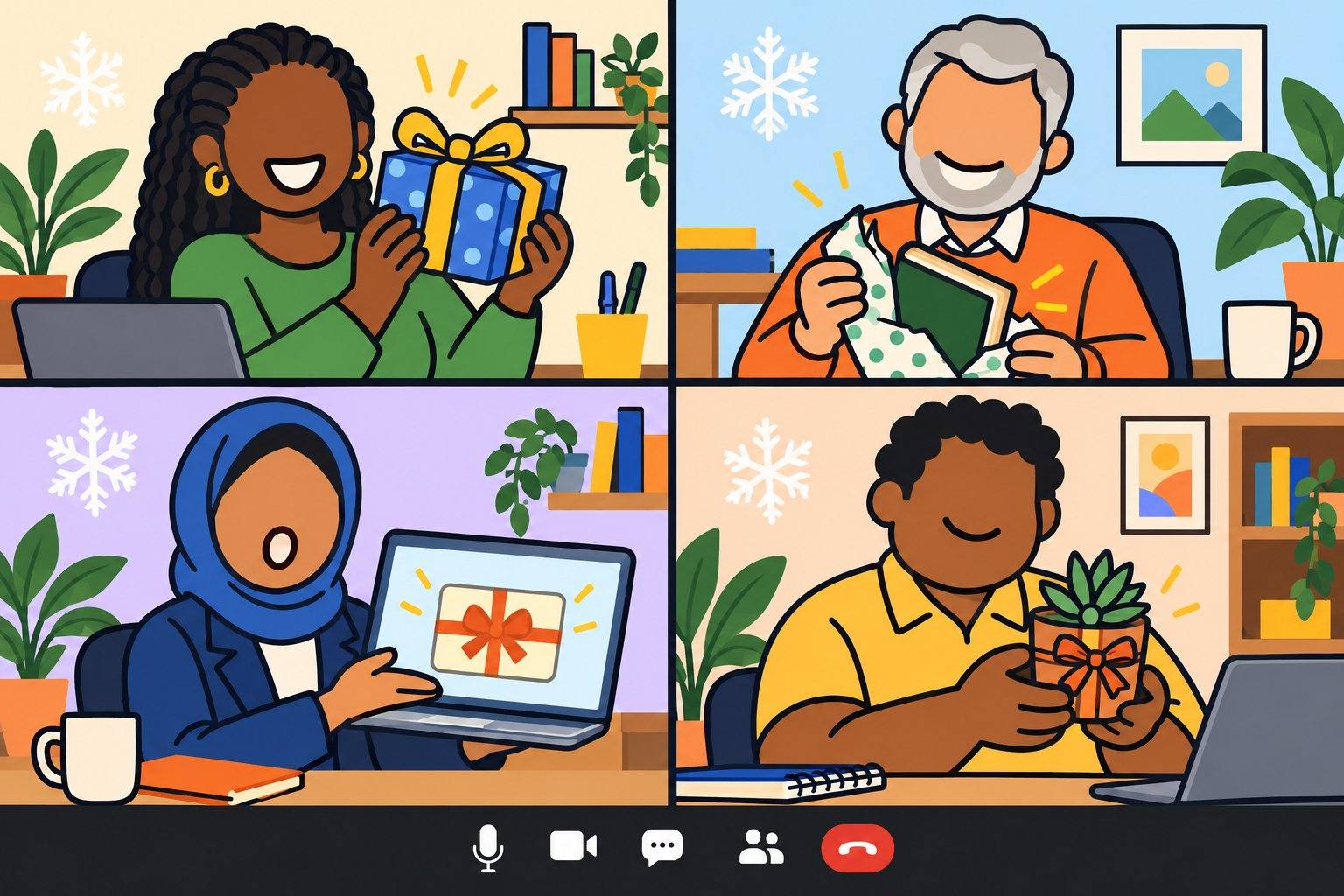
A practical guide to online Secret Santa: choose the rules, draw names, deliver thoughtful gifts and run a short reveal that works across locations.
Virtual Secret Santa is a gift exchange in which each person privately receives one recipient’s name, sends that person a gift, and joins an online reveal. Gifts can travel by mail or arrive digitally. The essential rule is the same: everyone who opts in gives one gift and receives one gift.
Virtual Secret Santa is an online version of an office gift exchange. It is similar to Secret Santa games and a virtual white elephant, although Secret Santa assigns a recipient before shopping rather than having people choose or steal gifts during the event. Use it in a virtual holiday party or hybrid Christmas celebration. It is also called online Secret Santa, digital Secret Santa, remote Secret Santa, or a long-distance gift exchange.
The simplest plan: Set the spending limit and dates, collect signups and wish lists, draw names, and arrange delivery. Save parcel unwrapping or digital gift opening for a short video-call reveal. Choose a digital-only exchange if shipping or sharing mailing addresses would make participation difficult.
This list includes:
Best for: A group that wants a personal gift exchange. Time: Plan several weeks ahead for shipped gifts; allow about 25 minutes for an eight-person reveal. Materials and cost: A signup form, a private name draw, email or chat, a video-call link, and the agreed gift and delivery allowance.
Choose a gift limit, whether shipping is included, the signup deadline, and the reveal date with its time zone. Make joining optional, and say whether the company funds gifts or participants pay themselves.
Decide whether the exchange allows physical gifts, digital gifts, or either. An odd number of participants is fine: assignments form a one-way exchange, not necessarily reciprocal pairs.
Ask each participant for three interests, two or three gift ideas within the limit, and anything they prefer not to receive. Add their delivery country and preferred gift format. For mailed gifts, collect a delivery address in the signup form and pass it only to the assigned giver, or use an exchange tool’s address settings as described below.
A few useful hints beat “surprise me” when your Santa lives three time zones away.
Wait until signups close. Use a name picker with exclusions if you need to avoid particular matches, and make sure every participant has one recipient and one giver. Ask participants to confirm that they can see their assignment. For an organizer-run draw, keep the full match list to yourself.
For a no-app approach, a nonparticipating organizer can shuffle the names, place them in a circle, and assign each person to the next name, with the last person giving to the first. This guarantees one gift in and one gift out when everyone appears once and there are at least two people. Check exclusions before sending anything. Reshuffle if adjacent names form an excluded match.
Sending an online gift? Follow the digital delivery instructions below instead of the parcel steps.
For an organizer-run draw, send each giver their recipient’s wish list and delivery address from the signup form. With a tool, givers can open their match’s profile or ask the organizer for that person’s address. Keep the address sheet with the organizer. Ask givers for a “sent” update and expected arrival date.
Follow Elfster’s anonymous-shipping advice: order directly from a retailer so the parcel carries the merchant’s return address, select its gift option, and replace your name with an alias such as “Your Secret Santa.” Ask the seller to leave identifying purchase details off the packing slip. Write “Do not open until [reveal date]” on the gift or its message, and remind recipients to keep it wrapped and unopened until the call.
If a label gives the secret away, read the three-clue note for fun or share a thank-you instead of guessing. If delivery is delayed, send a note or gift picture so the recipient still has something to share.
Put the order of turns in the chat. Each recipient opens their gift on their turn, can make one guess, then thanks the giver after the reveal. Anyone who prefers can contribute by audio or send a written thank-you. Finish by following up on gifts still in transit.

Secret Santa apps and websites handle assignments; they do not buy or deliver gifts. Choose a tool your group can access and test the invitation flow before the draw. The features below were verified against the providers’ instructions in November 2026.
| Option | Useful features | Address handling and setup |
|---|---|---|
| drawnames | Free name drawing, exclusions, wish lists and anonymous questions; invitations by email, text or messaging app. Also available as an app for iPhone and Android. | Mailing addresses are visible only to the assigned giver by default. Keep that setting: the organizer can change it to whole-group visibility. |
| Elfster | Participants can view their match’s wish list and mailing address, and send a secret message. | Sign in with the invited email address to see the match’s profile. Late joiners should contact the organizer. |
| Giftster | Group wish lists, exclusions and a Secret Santa draw; at least three approved members are needed. | Wait until everyone has joined before drawing. Addresses in Gift Preferences are visible to logged-in group members. To share only with matched givers, keep addresses with the organizer instead; each giver asks for their match’s address. |
| Organizer-run draw | Shuffle the names and send each assignment individually by email or chat. | The organizer knows the assignments, checks exclusions and sends each giver the address they need. |
Do not redraw the whole group casually after shopping starts. If someone joins late, offer a separate small exchange or let them participate in the social call without a gift assignment.
Choose one theme for the whole exchange, then let each giver use the recipient’s wish list within that theme. The main rules and allowance stay the same; these ideas change what people make or choose.
Best for: Teams who like small surprises. Prep: 20–30 minutes of choosing and packing, plus delivery. Materials/cost: Three tiny gifts and a reusable pouch or paper bag, all inside the agreed cap.
Send one recipient a set of three little items: something useful, something playful and something from their wish list. Wrap them individually. At the reveal, the recipient chooses the order and opens the set during their usual turn.
Best for: Coworkers in different regions. Prep: 15–30 minutes of choosing, plus delivery. Materials/cost: One region-inspired gift within the cap and a short note.
Choose an item connected to the giver’s city or region, such as a local artist’s print, a landmark keyring, or a patch from a favorite park. Add two sentences explaining the connection. If shipping would be slow or costly, choose a digital version, such as a local artist’s downloadable print or a playlist of musicians from your area.
Best for: A team with varied reading tastes. Prep: 15–20 minutes of choosing, plus delivery. Materials/cost: One requested book or compatible digital edition within the cap.
Ask each participant for three books they would enjoy during the holiday break. Their giver chooses one and adds a note explaining the choice. During the reveal, the recipient shares what drew them to the title.
Best for: A group that opts into a decoration theme. Prep: 20–40 minutes to make or select an ornament, plus delivery. Materials/cost: One small ornament within the cap or agreed shared craft supplies.
Give each person a simple ornament inspired by an interest on their wish list—a paper book, a painted hiking boot, or a miniature musical instrument. Agree whether handmade, purchased or both are allowed. At the reveal, explain the detail that connects the ornament to its recipient.
Best for: A neutral, no-cost celebration. Prep: 10–15 minutes per giver. Materials/cost: A digital or handwritten card; no purchase.
Each person writes their assigned recipient a note about a specific helpful action or something they appreciate. If they do not work together closely, they can thank them for a contribution shared in a team update. Deliver the notes on the agreed date; recipients can share one line during the reveal or simply thank the giver.
We suggest $20 to $30 per gift for an office exchange. Choose an amount your group can comfortably afford, or have the company fund it. Say whether shipping and tax count toward the limit: with a $30 total allowance, a $20 gift leaves $10 for those costs.
Use the following as a sample schedule for domestic shipping. Check actual delivery estimates before fixing dates, and allow more time or choose digital gifts when the team spans countries.
| When | Organizer action |
|---|---|
| 4 weeks before | Announce the rules, allowance, opt-in deadline and reveal date. |
| 3 weeks before | Close signups, collect preferences and draw names. |
| 2 weeks before | Ask everyone to place orders or ship; confirm estimated arrival dates. |
| 3 working days before | Check arrivals and arrange a note or digital backup for delayed gifts. |
| Reveal day | Run a short opening round and confirm how to report any missing gift. |
Starting late? Use a one-week digital plan: Open signups on Monday, close them and draw names on Tuesday, buy digital gifts by Friday, and hold the reveal the following Monday. Schedule delivery for reveal day where available, or get the gift code and unsigned note to the organizer by Friday for a private handoff during the call. Ask recipients to wait until their turn to open the gift link; show only the cover message when thanking the giver.
Work out these details before collecting addresses or buying anything:
Use the recipient’s wish list to choose a category, then find an item within your $30 cap. Include shipping and tax if they count toward the limit.
| Gift idea | A personal detail to use | Good for |
|---|---|---|
| Wireless charging pad | The exact phone model and a compatible pad | A teammate who keeps their phone beside the keyboard all day |
| Notebook and pen | Plain, dotted or ruled pages | The person who always reaches for handwritten notes |
| Tea or coffee sampler | A requested flavor and brewing style | A teammate who enjoys trying a new brew |
| Small puzzle or card game | Solo puzzles or games with others | A coworker who enjoys a screen-free break |
| Cozy socks | A favorite color or pattern in their size | A coworker whose home office is always chilly |
| Reusable mug | Their usual drink and preferred color | A new hire setting up a desk who has asked for one |
| Screen-cleaning kit | A kit approved for their screen’s finish | A teammate whose desk has a laptop, monitor and tablet |
| Small desk plant | Available daylight, care preferences and any pets at home | The coworker whose video-call background is full of greenery |
| Favorite pantry treat | A requested sauce, chocolate or snack | A food lover whose preferences you know |
| Handheld milk frother | Their usual drink and space in the kitchen | A teammate who makes a latte before the morning call |
A small gift with a thoughtful note is plenty. The wish list does the hard work; your message makes the gift personal.

A digital exchange keeps the assignments and reveal while replacing parcels with something delivered online. Ask which services recipients use, then explore these options or our list of virtual gifts.
For a no-cost card exchange, use the year-end thank-you theme.
Send it secretly: Where the retailer allows it, put “Your Secret Santa” in the sender or “from” field, sign the gift message the same way, and schedule delivery for reveal day. If scheduling or an anonymous sender name is unavailable, send the gift code or shareable gift link and an unsigned note to the organizer, who sends a fresh private message to the recipient during their turn without the original email headers or receipt. If the organizer is playing, name a second person to receive the organizer’s own gift code. If the gift email still names the giver, use the thank-you or three-clue-note fallback in the mail step instead of asking the recipient to guess.
Target’s gift-card help, for example, documents an editable From field in its app and scheduled email delivery. A scheduled day is not an exact call-time delivery promise: ask recipients to leave gift links unopened until their turn, or use the organizer handoff for timing you control.
Keep codes and redemption links out of the group chat and screen share; show only the cover message or a generic gift image. Choose a gift the recipient can use without paying extra. For a donation or other gift without a code, the organizer can share the unsigned dedication on reveal day. For an asynchronous exchange, send digital gifts when the reveal thread opens.
Pick one short format. The exchange should leave time to thank the giver, not turn into a test of how well coworkers know one another.
Best for: Groups of 4–12. Time: About 1–2 minutes per recipient. Materials/cost: Gifts already arranged and a video call; no extra spend.
For eight people, allow 25 minutes: five minutes for the welcome and closing, up to two minutes for each of eight turns, and four minutes of buffer.
Best for: Coworkers who already know each other. Time: About 2 minutes per recipient. Materials/cost: An unsigned note inside the gift or sent through the organizer; no extra spend.
Use clues such as “I keep a sketchbook” or “I recommended a mystery novel in the book channel.” Avoid private details, job-performance clues, or jokes at someone else’s expense.
Best for: Teams across time zones. Time: A 24–48 hour sharing window. Materials/cost: An existing private team channel or shared document; no extra spend.
Use a close-up of the gift with the packaging removed, or describe it in a sentence.

Our experience with virtual events informs three recommendations for your gift exchange:
We’re organizing a virtual Secret Santa! Join by [signup deadline] if you would like to give and receive one gift.
Gift allowance: [amount and currency]. [The company will reimburse up to this amount / Participants pay for their own gifts.] Delivery and tax: [included in the allowance / covered separately up to amount].
Format: [physical, digital, or either]. Share two or three gift ideas within the limit and anything you prefer not to receive. For mailed gifts, add a delivery address in [signup form]; the organizer will pass it only to your assigned giver. We will send assignments on [date].
[Mailed gifts: Ship or order by [date] for arrival by [date]. Keep your gift wrapped and unopened until your reveal turn!]
[Digital gifts: Buy by [date]. Use “Your Secret Santa” as the sender and schedule arrival for reveal day where available, or send the gift code and unsigned note to [organizer] by [date] for delivery during the call. Leave gift links unopened until your turn and keep redemption codes off screen.]
Our reveal is [date, time and time zone] at [meeting link]. You can also send a written thank-you if you cannot attend.
Contact [organizer] about delivery or a missing gift.
Choose the gift format your team can manage, make the total cost explicit, and give one organizer responsibility for delivery follow-up. For a wider celebration, explore virtual Christmas games, virtual holiday party invitations, and gifts for employees. If you want a facilitated activity alongside the exchange, explore our hosted virtual holiday party.
Practical answers for organizing an online gift exchange.
Set the spending limit and dates, collect signups and wish lists, and assign each person one recipient. Pass each mailing address only to the assigned giver. Ship parcels by the deadline and keep them wrapped until the reveal. For digital gifts, use “Your Secret Santa” as the sender and schedule delivery for reveal day where available; otherwise have the organizer send the gift code in a fresh private message during the call. Leave gift links unopened until your turn. Open gifts, guess only if the giver is still a secret, and say thank you.
Yes. Everyone gives to one assigned recipient and receives from one giver; people do not need to form reciprocal pairs. A shuffled circle works for a basic organizer-run draw, provided every name appears once and any exclusions are checked.
Use a Secret Santa app or website such as drawnames, Elfster or Giftster, or have an organizer send assignments from a shuffled list. Close signups first, set any exclusions and confirm each person received an assignment. Keep the match list out of the group chat.
We suggest $20 to $30 per gift for an office exchange. Pick one limit that suits your group and say whether shipping and tax are included. For example, with a $30 total allowance, a $20 gift leaves $10 for those costs. The company can also fund the exchange.
Make the exchange digital-only, using requested gift cards, compatible digital products, a donation the recipient requests, or a no-cost recommendation or appreciation exchange. Check the recipient’s country and platform before buying. Use “Your Secret Santa” as the sender and schedule delivery for reveal day where the retailer allows it, or have the organizer send the code and unsigned note in a fresh private message during the call. Leave gift links unopened until your turn; if the sender is already visible, share a thank-you instead of guessing.
Ask the giver to contact the organizer with an update. The recipient can share a note or picture of the gift during the reveal and open the parcel later. Name an organizer to contact and agree on a backup budget before the exchange begins.
Good idea but we don't know each others addresses to send the gifts too 🤔
If all the people are sending gifts from different locations they will know who it’s coming from if it’s a small group because of the postmark. No? 🤔
Hello Author: Angela Robinson,
I think you have hit the nail on the head here.
You have a vast spread of some really great team building ideas I believe employees from all age groups can relate to and be entertained by.
Great Job at putting this together!