Virtual Trivia Games to Play on Zoom & Online: 8 Free Formats for Work, With 25 Questions
How to run virtual trivia for a work team: a 60-minute format for Zoom, Teams or Google Meet, eight free game formats, 25 questions with answers, the free quiz platforms we checked in October 2026, and the hosted virtual trivia events with the highest Team Building Scores.
Published
·
Updated
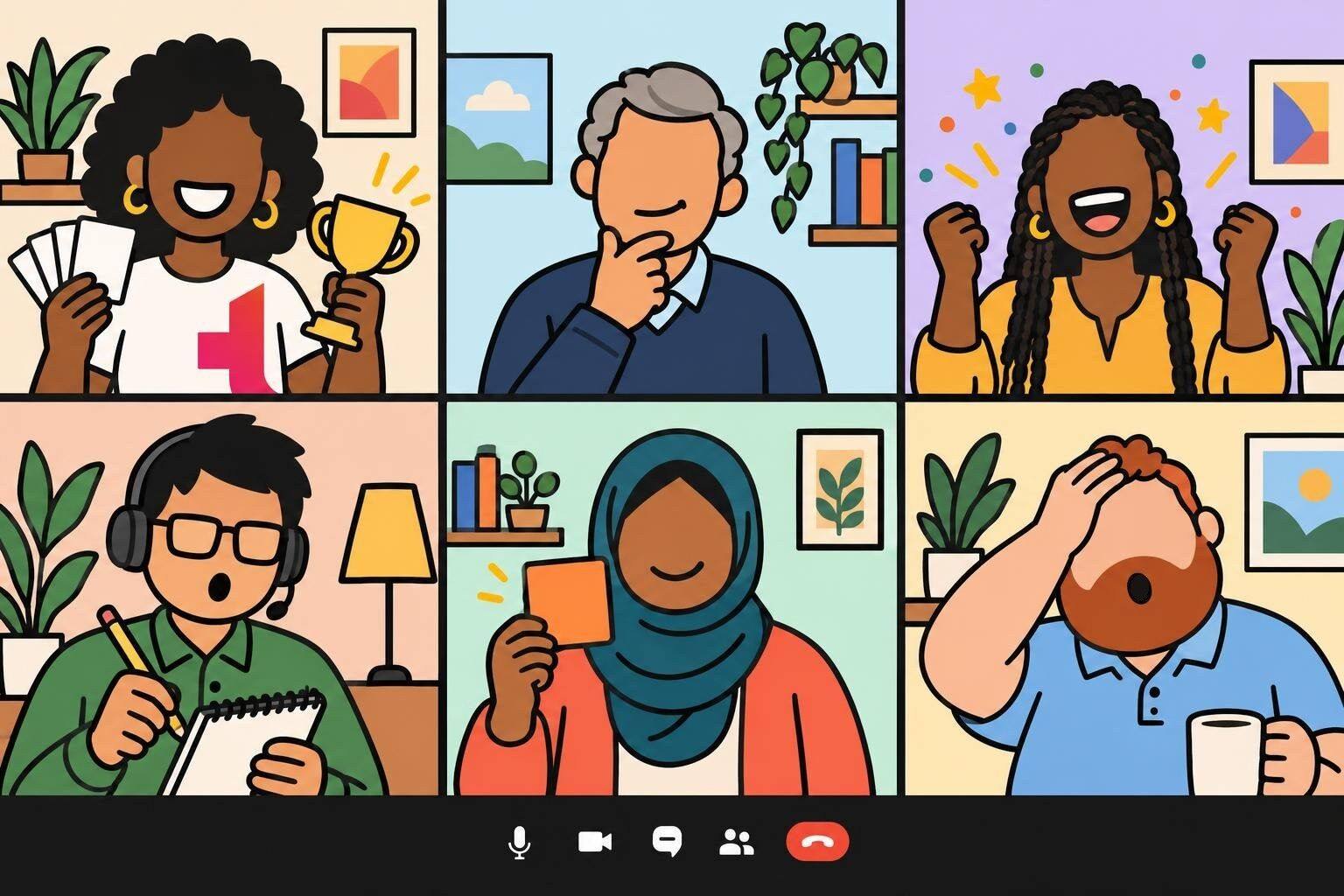
Virtual trivia is a quiz game played over a video call: a host reads the questions, teams talk them over in breakout rooms or a side chat, and answers come in through a form, a poll or the chat. A full game takes 45 to 60 minutes on Zoom, Microsoft Teams or Google Meet, and the free version needs only the call your team already uses and a shared spreadsheet for the scores.
This page covers how to host it, eight free virtual trivia games for work, 25 questions with answers you can copy into your first game, the free trivia platforms we checked in October 2026, and formats for large groups and happy hours. Hosted virtual trivia, ranked, and other places to book it come after the do-it-yourself material.
We host Virtual Trivia: Team vs Team for work groups, and it holds a 4.97 out of 5 rating across 1,780 reviews on our platform (as of October 2026). Most of the advice here comes from running that game: what to do when a team cannot hear the question, when the scores take too long, and when someone answers a little too fast.
Virtual trivia is a live quiz that a group plays together online. A host asks general-knowledge or themed questions over a video call, players answer alone or in small teams, and the scores are added up after each round until one team wins. It is also called online trivia, Zoom trivia, virtual team trivia, a virtual quiz, a virtual pub quiz or a virtual trivia night.
Three things change when trivia moves online. Teams cannot lean in and whisper, so they need somewhere to confer. Answers cannot be handed in on paper. And a search engine is one tab away. The hosting plan below deals with each.
How to host virtual trivia on Zoom, Teams or Google Meet
Use the video platform your team already has. Among the virtual events booked on teambuilding.com, 82% run on Zoom, 11% on Microsoft Teams, 4% on Google Meet and 2% on Webex, and trivia works on all four. Our short video shows a round in progress, and the seven steps below cover the setup.
Check for breakout rooms. Zoom and Microsoft Teams have them. Google Meet has them on paid Google Workspace editions, and the host has to start them from a computer. If your plan has no breakout rooms, run Captain's Chat Trivia or one of the individual formats. Our Zoom breakout room ideas cover the settings in more detail.
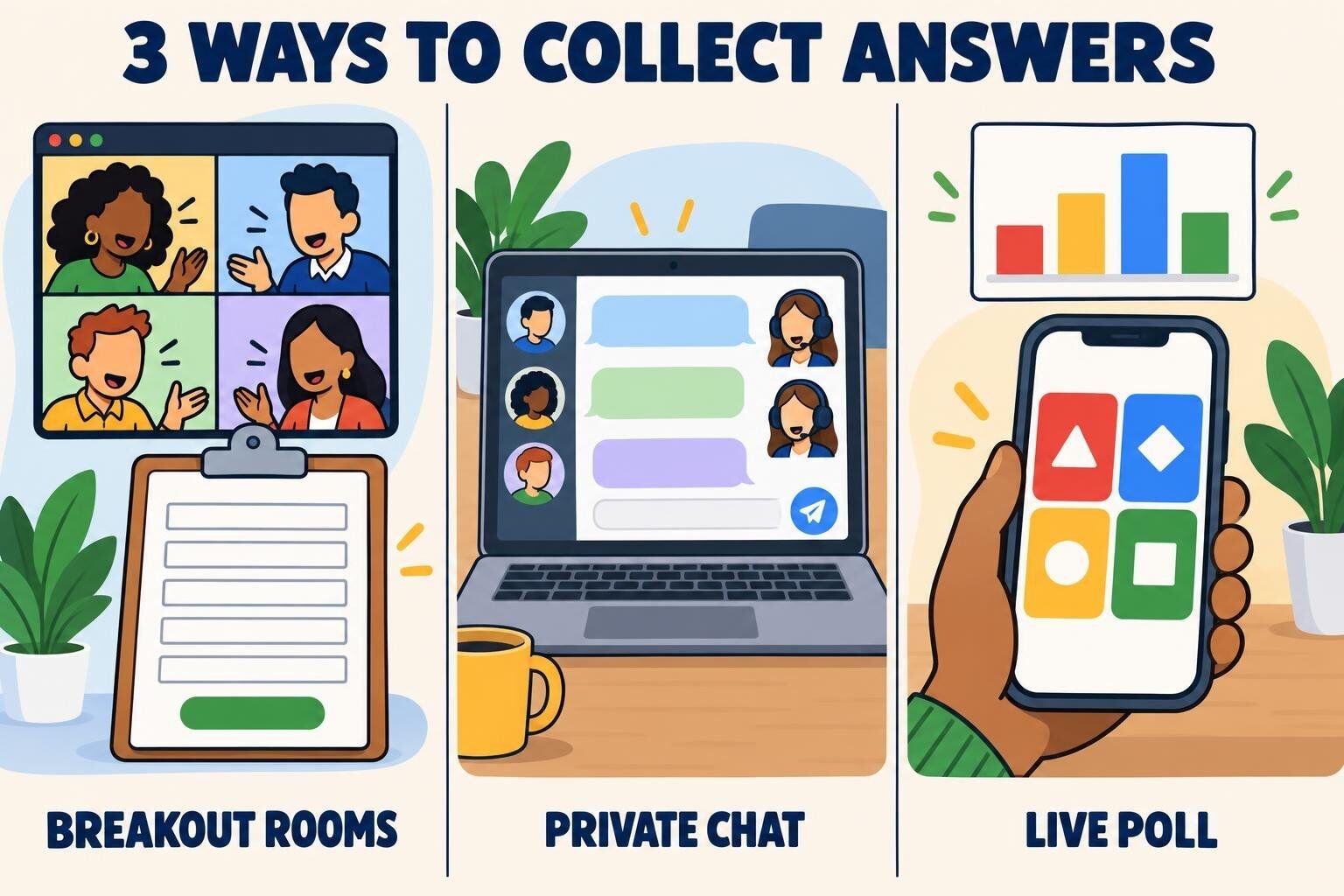
Decide how answers come in. Pick one of the three methods below and use it for the whole game. Switching methods mid-game costs five minutes of explaining.
Write five rounds of five questions, plus a tiebreaker. That is 26 questions, about half of what an in-person night uses, because every round online also needs time for rooms to open and close. Put two easy questions in each round. The 25 questions below are a complete first game.
Build the teams before the call. Four or five players per team is the right size for a breakout room. Mix departments and time zones, pre-assign the rooms, and send each team its roster the day before so it can agree on one of these team names ahead of time.
Set up a scoreboard. Use a shared spreadsheet with one row per team and one column per round. Ask a co-host to keep it, so the host can keep talking while answers are marked.
Run every round the same way. Read the round's questions aloud in the main room, open the rooms for four minutes, close them, reveal the answers, and show the scoreboard. After round one, nobody needs the rhythm explained again.
End with the tiebreaker and a team photo. Announce the winners, take a screenshot of the gallery with the winning team waving, and finish on time.
One caution about breakout rooms: do not plan on talking to teams once the rooms are open. Zoom lets a host broadcast a text message or their microphone to every room, but only if that option is switched on in the account's breakout room settings. Teams sends a text announcement only. We have not found an equivalent in Google Meet, where a host joins rooms one at a time. The reliable approach on every platform is to read the questions before the rooms open and to paste them into the answer form, where teams can read them again.
Three ways to collect answers
Method
How it works
Best for
Watch out for
Breakout rooms and an answer form
Teams confer in their rooms, and one captain submits a Google Form or Microsoft Form for each round
Team trivia with 8 to 60 people
Needs breakout rooms; marking takes a minute or two per round
Private chat to the host
Each team talks in its own group chat, and the captain sends the team's answer to a co-host by direct message
Calls without breakout rooms, up to about six teams
The co-host's inbox gets busy, so keep answers to one line
Live poll or quiz app
Every player answers multiple-choice questions on a phone or in the meeting's poll, and the app keeps score
Individual play with 20 to 1,000 people
Multiple choice only, and less conversation between players
Virtual trivia night format: a 60-minute run of show
Sixty minutes is the length we use for our own hosted team trivia, and 88% of the virtual team building events on our platform run 60 to 90 minutes. Each round below takes nine minutes: two to read the questions, four in breakout rooms, three to reveal answers and scores.
Time
Segment
What happens
0:00
Welcome
Rules, team names, one practice question answered in the chat
Closest-number question if needed, winners, team screenshot
1:00
End
Finish on time
Virtual trivia rules
No searching, except in the open-book round. Say it once at the start and ask every team to agree out loud. Then make it hard to cheat: keep room time short, and use picture, sound and closest-number questions that a search engine cannot answer in a few seconds.
One answer per team. Only the captain submits. If two forms arrive from one team, the first one counts.
Late answers do not count. When the rooms close, the round is over.
The host's ruling is final. Spelling only matters when the question is about spelling.
Ties are broken with a number. Ask one question whose answer is a number, and the closest team wins.
The answer form and scoring sheet
Build one answer form and reuse it for every round. Give it a dropdown for the team name, a dropdown for the round number, and five short-answer fields. Paste the round's questions into the field labels before you open the rooms. The scoring sheet is a shared spreadsheet with these columns: Team, Round 1, Round 2, Round 3, Round 4, Round 5, Total. Score one point per correct answer, and have the co-host mark each form as it arrives.
Free virtual trivia games for work
The eight formats below are free to run on the video call you already have. The first three are complete games built around one way of collecting answers. The other five are single rounds you can drop into any of them.
The standard team format, and the closest thing to a pub quiz on a video call. Teams hear the questions together, go to breakout rooms to argue, and send back one set of answers.
To run it:
Pre-assign teams of four or five to breakout rooms and share the link to the answer form in the chat.
Read the five questions of the round aloud in the main room, twice if the group is large.
Open the rooms for four minutes. Each team picks a captain, who types the team's answers into the form.
Close the rooms, reveal the answers, and show the scoreboard. Repeat for five rounds.
Best for: 8 to 60 people · Time: 60 minutes · Materials: breakout rooms, an answer form, a shared spreadsheet (free)
What we've learned: Put the questions in the form, not only on a slide. Once the rooms open, teams can no longer see the host's screen, and the most common thing a host hears on rejoining a room is "what was question three?"
2. Live Poll Trivia
Every player answers for themselves on a phone or in the meeting's poll window. There are no rooms to manage, so this is the format that reaches a few hundred people without extra staff.
To run it:
Write 15 to 20 multiple-choice questions with four options each, and load them into a quiz app or the meeting's poll tool. The platforms section lists free options and their player limits.
Share the join code on screen and run one practice question so everyone finds the buttons.
Give 20 seconds per question. Reveal the answer and add one line of context after each.
Show the leaderboard after every fifth question, and name the top three at the end.
Best for: 20 to 1,000 people · Time: 20 to 45 minutes · Materials: a quiz app or meeting polls (free for small groups)
What we've learned: Zoom's built-in quiz polls need a licensed host and do not give you a live leaderboard. If you want one, run the questions in a quiz app and keep Zoom for the video.
3. Captain's Chat Trivia
Team trivia for calls that have no breakout rooms. Each team confers by typing in its own group chat while everyone stays in the main call on mute.
To run it:
Before the call, create one group chat per team in Slack, Teams or whatever messaging tool the company uses.
The host reads a question. Teams get 45 seconds to discuss it in their group chat with microphones off.
The captain sends the team's answer to the co-host by direct message. The co-host reads out which teams were right and updates the spreadsheet.
Change captains every round, so the fastest typist does not play the whole game alone.
Best for: 6 to 30 people in up to six teams · Time: 30 to 45 minutes · Materials: a group chat per team (free)
4. Paper Card Trivia
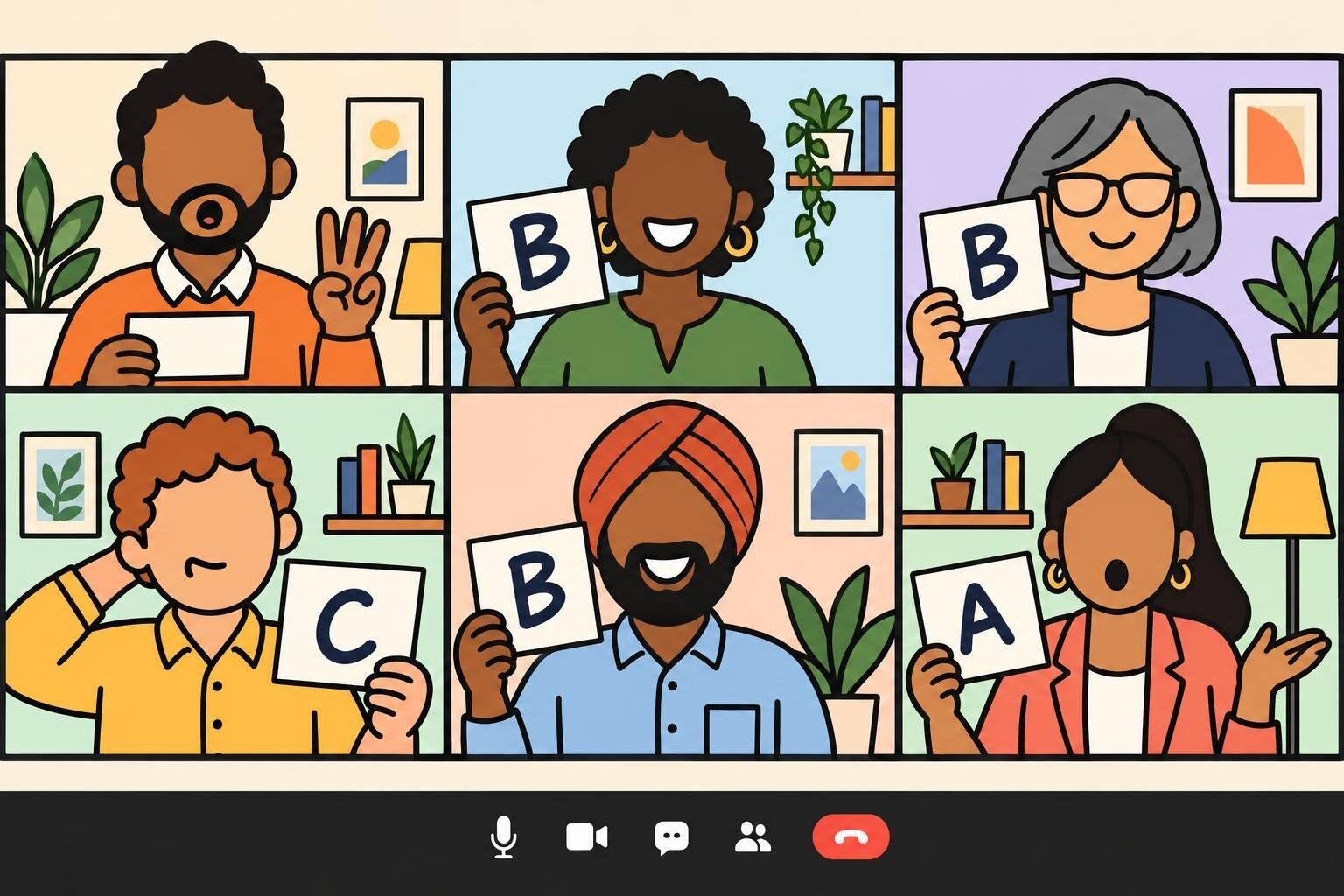
A zero-setup round for a small team. Every player writes A, B, C and D on four sheets of paper and holds up an answer to the camera at the same moment.
To run it:
Ask everyone to switch to gallery view and prepare four letter cards. Players without paper can hold up one to four fingers.
Read a multiple-choice question and its four options.
Count down "three, two, one, show." Everyone raises a card and holds it still for three seconds.
Reveal the answer. Players keep their own score on a sticky note, and the highest total after ten questions wins.
Best for: 5 to 25 people, few enough to fit on one screen of the gallery · Time: 10 to 15 minutes · Materials: paper and a marker (free)
5. Open-Book Round
The one round where searching is the game. Each question needs two facts combined, so teams have to split the work: one person looks up each half while a third does the arithmetic.
To run it:
Write three two-part questions. Three that work: "Add the year the @ sign was first used in an email address to the number of time zones in Russia" (1971 + 11 = 1982). "How many years passed between the first webcam and the first YouTube video?" (1991 to 2005 = 14). "Multiply the number of hearts an octopus has by the number of bones in an adult human body" (3 × 206 = 618).
Open the breakout rooms for five minutes and tell teams that any tool is allowed.
Score two points per correct answer, and one bonus point for the first team to submit all three correctly.
Best for: 8 to 60 people · Time: 10 minutes · Materials: breakout rooms and the answer form (free)
What we've learned: Schedule it late in the game. Teams keep to the no-searching rule more easily in the early rounds when they know a round is coming where they can search as much as they like.
6. Stamp the Map
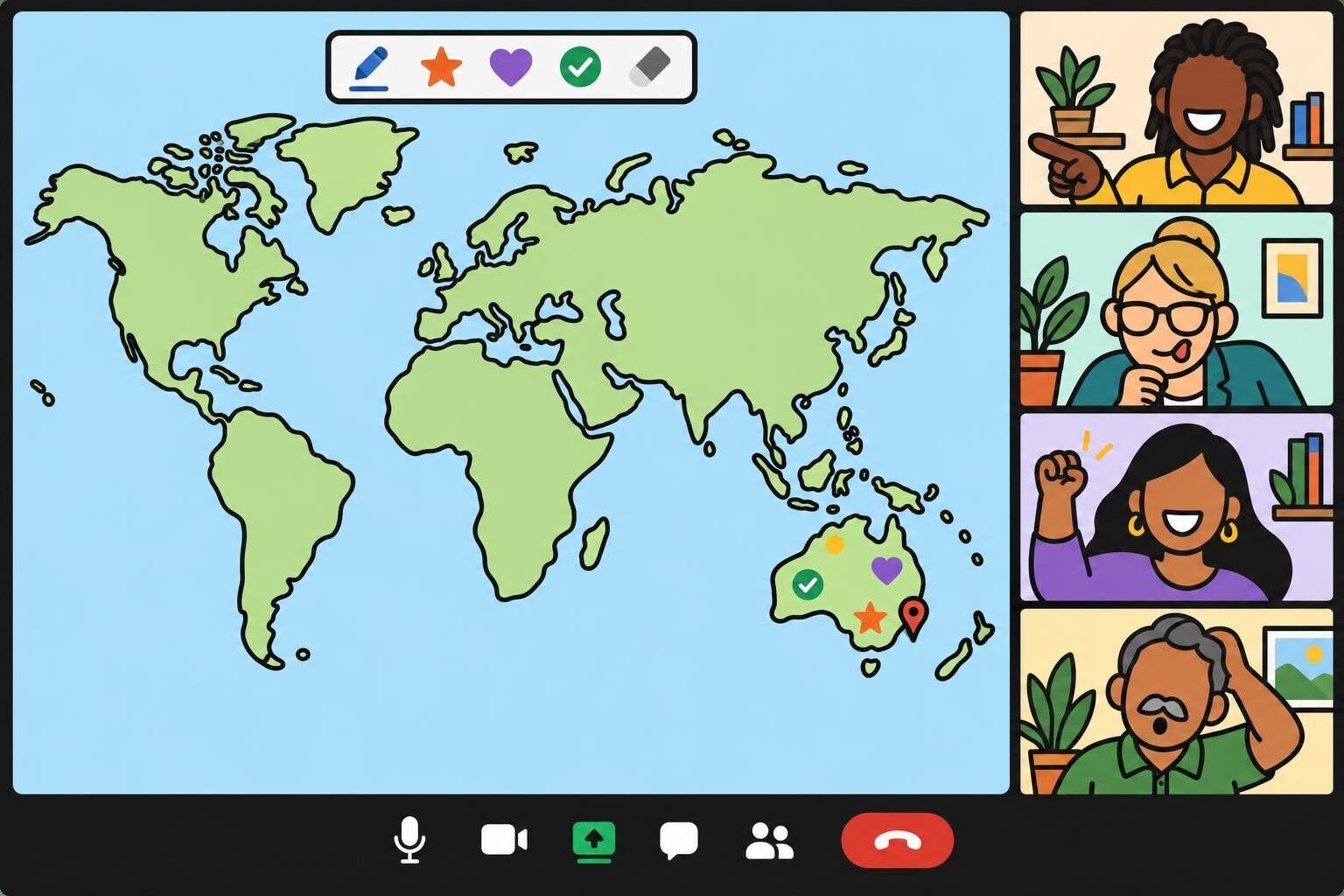
A geography round where teams answer by marking a shared map. The team whose mark lands closest to the right spot wins the point.
To run it:
Share a blank world map with no labels. On Zoom or Teams, turn on annotation so players can mark the shared screen. On any other platform, put the map in a shared slide with one colored dot per team to drag.
Give each team a color, and tell teams that only the captain stamps. Forty stamps at once are impossible to judge.
Name a place, such as Canberra, Lagos, Reykjavik, Lima, Bangkok or Nairobi. Teams get 30 seconds to agree out loud, then the captain stamps.
Show the correct location. The closest stamp scores two points and the second closest scores one. Clear the stamps and repeat for six places.
Best for: 6 to 40 people · Time: 10 to 15 minutes · Materials: a blank map image (free)
7. Sound Check Round
An audio round built from famous sounds, not songs: a dial-up modem connecting, a well-known computer startup chime, an old mobile ringtone, an arcade game starting up. Teams name what they are hearing.
To run it:
Collect six clips of five seconds each and put them in one slide deck or playlist.
Share your computer's sound along with your screen. On Zoom, tick "Share sound" when you start sharing. On Teams, turn on "Include sound." On Google Meet, present a browser tab and share the tab's audio.
Play each clip twice. Teams write their answers on the form, or individuals type them in the chat on your count.
Best for: any size · Time: 10 minutes · Materials: six short sound clips (free)
What we've learned: Test the audio with a co-host on a second device before the call. Shared sound is the part of virtual trivia that fails most often, and the host is the one person who cannot tell, because the clips play normally on the host's own computer.
8. Pass or Steal
A spoken round in the main room for three or four teams. One team gets the question, and the others wait for the chance to steal it.
To run it:
Ask Team A a question. The team has 20 seconds to talk it over on open microphones and give one answer.
If the answer is right, Team A scores two points. If it is wrong, players on the other teams use the raise-hand button, and the first hand up may steal for one point. Zoom, Teams and Google Meet all list raised hands in the order they went up.
Move to Team B with a new question, and go around the teams four times.
Best for: 6 to 24 people in three or four teams · Time: 15 minutes · Materials: none (free)
What we've learned: Give a co-host the job of watching the hand order. A host who is reading the next question cannot also watch the participant list. A free board from the tools in our guide to online Jeopardy games gives this round categories and point values.
Virtual team trivia questions
These 25 questions make one complete game of five rounds, with a tiebreaker at the end. Each round has at least two questions most teams will get, so nobody goes back to the main room with a zero. Every answer was checked in October 2026. For more material, see our team trivia questions and answers, our Trivial Pursuit questions and our list of trivia topics.
Round 1: The internet and remote work
Question
Answer
What does URL stand for?
Uniform Resource Locator
The world's first webcam, set up at the University of Cambridge in 1991, pointed at what?
A coffee pot
Which symbol did Ray Tomlinson choose in 1971 to separate the user's name from the computer's name in an email address?
The @ sign
What is the title of the first video uploaded to YouTube, in April 2005?
"Me at the zoo"
Slack began as the internal chat tool of a company that was building what kind of product?
An online video game (Glitch)
Round 2: Time zones and maps
Question
Answer
The prime meridian runs through which district of London?
Greenwich
Counting its overseas territories, which country covers the most time zones?
France
How many official time zones does China use?
One
What is the capital of Australia?
Canberra
Which ocean lies between Africa and Australia?
The Indian Ocean
Round 3: Office life
Question
Answer
What do the letters PDF stand for?
Portable Document Format
Which sticky office product did 3M scientists Spencer Silver and Art Fry create?
The Post-it Note
In Excel and Google Sheets, which symbol starts every formula?
The equals sign
Which search company started out under the name BackRub?
Google
Where does the QWERTY keyboard get its name?
From the first six letters of the top row of letters
Round 4: Food and drink
Question
Answer
Which country grows the most coffee?
Brazil
Which spirit is the base of a classic mojito?
Rum
Marzipan is made from sugar and which nut?
Almonds
What is the main ingredient in hummus?
Chickpeas
After water, what is the most widely consumed drink in the world?
Tea
Round 5: Science and screens
Question
Answer
What is the chemical symbol for gold?
Au
How many hearts does an octopus have?
Three
Which planet in our solar system has the shortest day?
Jupiter, at about 10 hours
How many bones are in the adult human body?
206
Which artist's Eras Tour was the first concert tour to gross more than $1 billion?
Taylor Swift
Tiebreaker: How many elements are in the periodic table? (118. The closest team wins.)
Free online trivia platforms
You can run team trivia with nothing but a form and a spreadsheet. A quiz platform earns its place when you want automatic scoring, a live leaderboard, or individual play for a big group. We opened each pricing page in October 2026. Free plans change often, so check the limit against your headcount before you send the invite.
Platform
What it does
Free plan (checked October 2026)
Use it for
Google Forms or Microsoft Forms
Answer forms, with a quiz mode that marks answers for you
The earlier version of this page listed mobile trivia apps made for playing alone or with friends. We removed them, because none is built for a work team on a video call. If the free tiers above are too small for your group, our list of Kahoot alternatives compares more paid options.
Online trivia for remote teams
Remote teams have fewer chances to talk about anything except work, and that has a cost. Cigna's 2020 research on loneliness in the American workplace estimates that loneliness costs U.S. employers $154 billion a year in stress-related absenteeism alone, with lonely workers missing more than five additional work days per year. A quiz will not fix that. What it does offer is a standing reason for people who never share a hallway to spend an hour on the same side of an argument.
For a distributed team, the team building happens in the breakout room, not in the main room. A few choices make the most of that time:
Mix the teams across offices and time zones. If people sit with their own department, they could have had the same conversation in their weekly meeting.
Give rooms four minutes, not two. The first minute goes to reading the questions again. The talk that helps people get to know each other comes after that.
Keep the same teams for a quarter. A monthly game with a running leaderboard gives people a reason to remember each other's names.
Rotate the time slot. If the game always lands at 4 p.m. in one region, another region always plays at 7 a.m. or not at all.
Limit company lore to one round. New hires cannot answer questions about the 2019 offsite. General knowledge keeps them in the game.
If your team has no shared hour at all, run trivia as a thread: one question a day in a channel, answers in replies, scores on Friday. Our list of Slack games has the full setup for a weekly league. For formats tied to a single platform, see our Microsoft Teams games and Google Meet games.
Virtual trivia for large groups
Trivia is one of the few team games that still works when the whole company joins the call, as long as the format changes with the headcount.
Group size
Format
How answers come in
Who runs it
8 to 30
Team vs. team in breakout rooms
Answer form, marked by hand
One host
30 to 100
Team vs. team, 6 to 20 rooms
Answer form in quiz mode, so marking is automatic
A host and a co-host on scores
100 to 300
Individual vs. individual
Quiz app or meeting polls
A host and a producer who runs the app
300 to 1,000
Individual play, with department totals read out between rounds
Quiz app on a paid plan
A host, a producer and a chat moderator
Three rules apply once you pass about 30 players. Pre-assign the breakout rooms, because sorting 80 people by hand during the call takes ten minutes that nobody enjoys. Mark with a form in quiz mode or a quiz app, because scoring 20 teams by hand leaves the main room silent. And keep every team at four or five people however large the event gets, by adding rooms, not seats. Our guide to virtual games for large groups has more formats that survive a crowd.
Virtual happy hour trivia
Happy hour trivia is the short, relaxed version: 20 to 30 minutes, three rounds of five questions, a drink of any kind in hand, and no breakout rooms. The aim is conversation with a little competition on top, so pick the formats that keep everyone in one room.
Open with Paper Card Trivia. Turn the food and drink round into multiple choice by adding three wrong options to each question. It needs no other setup, and people can play with one hand.
Follow with a Sound Check Round, with answers typed in the chat on the host's count.
Finish with Pass or Steal in two big teams: birthdays from January to June against July to December.
Give the winners a toast, not a prize. Everyone raises a glass or a mug, and the winning team names the question that nearly beat it.
Two cautions. Keep it optional and inside working hours where you can, and never make a drink the penalty for a wrong answer, since plenty of people at a work happy hour are holding coffee. Our virtual happy hour guide has themes and other games to build the rest of the hour around.
Hosted virtual trivia games, ranked
Writing questions, running the rooms and keeping score is a lot for one person, and that person never gets to play. A hosted game hands all of it to a professional. The table ranks the virtual trivia and game show events on our platform by Team Building Score, a points total each event earns from confirmed bookings, reviews and ratings. An event needs at least 30 post-event survey responses per question to appear, and the happier and more-connected columns come from those surveys.
Ranked by our Team Building Score — a running points total earned through confirmed bookings, verified reviews, ratings, and listing quality, recalculated nightly. Every event shown also has at least 30 post-event survey responses per question; the happier, connected, and NPS columns are computed from the 1,856+ survey responses collected for the 6 events listed here — a subset of all post-event surveys across our catalog. Updated November 2026.
Virtual Trivia: Team vs Team has the highest score of any trivia event on our platform and the third highest of all our virtual events, behind tiny campfire and Ultimate Game Show (as of October 2026). It runs for 60 minutes with 10 to 1,000 people on Zoom, Microsoft Teams, Webex or Google Meet, and it is listed at $30 per person.
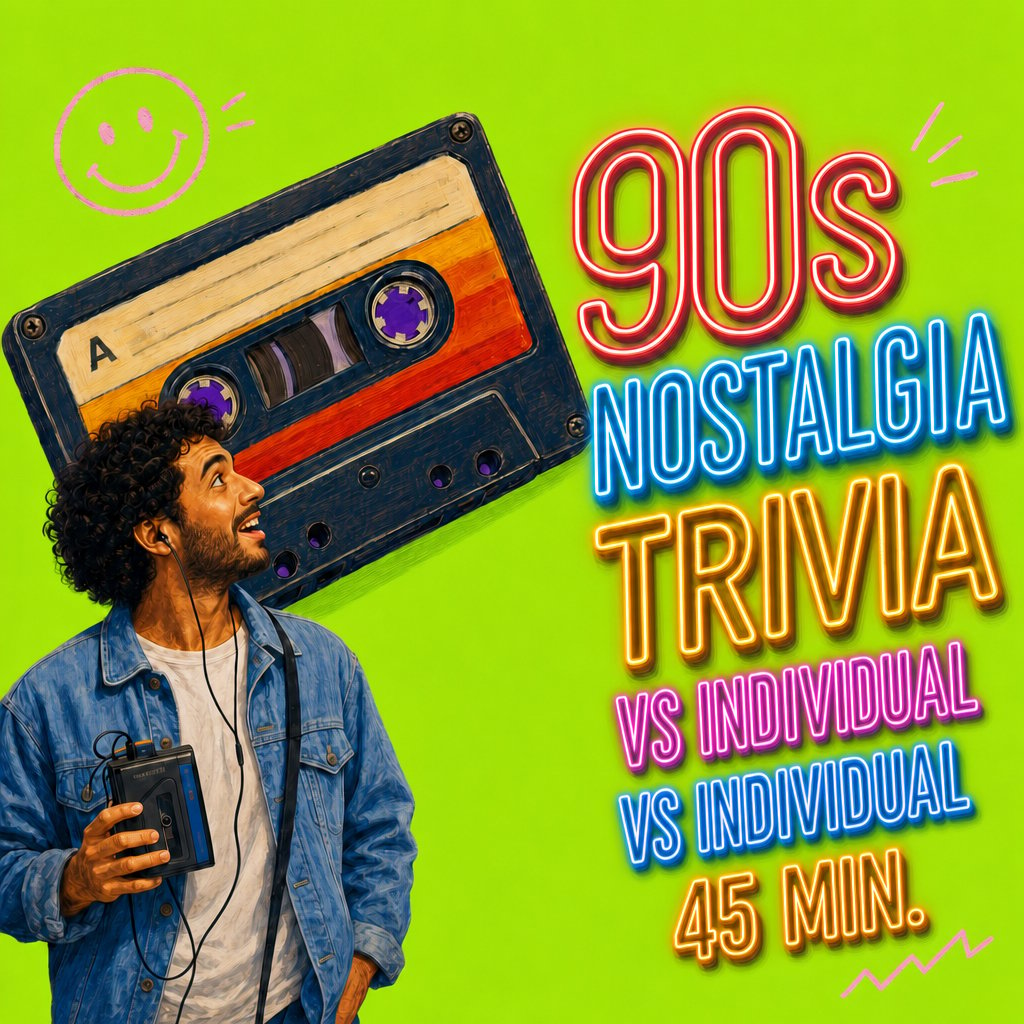
If your group is too big for teams, the individual-vs-individual editions, such as '90s Nostalgia Trivia and Winter Trivia, run for 45 minutes and are listed for groups of 10 or more. To see everything else we host online, browse our virtual team building events.
Private and custom corporate trivia games
When you book hosted trivia for work, you are booking a private game for your group, with its own host, on a date you choose. If you also want custom content, such as a round about your company or industry, ask about it before you book. Geeks Who Drink says its editors will write a custom round, and TriviaHub says every part of its events can be customized. On our own listings, the variety comes from themed editions, including winter, Halloween and '90s nostalgia.
You can also add a custom round yourself, before the host starts or after the game ends. Write five questions in these slots, and keep it to one round so new hires are not shut out:
A founding fact: the year, the city, or the first product.
A number from the last all-hands: customers, offices, or people hired this year.
A product question that someone outside the product team could still answer.
A map question: which office is farthest north?
A people question collected in advance: who on this call once worked as a lifeguard?
Where to book virtual trivia
We sell one of the options in this table, so read it with that in mind. These are the ways work teams most often buy virtual trivia, with each provider's own description of what it offers (checked October 2026).
Option
What it is
Pricing model
Best for
teambuilding.com
Live hosted virtual trivia, team vs. team or individual, 45 to 60 minutes
Per person, listed at $30 to $35
Work groups of 10 to 1,000 that want a professional host
A weekly quiz sent by email, Slack or Microsoft Teams, answered whenever people have time
Per user per month, listed at $1, with a four-week free trial
Ongoing trivia between live events
Do it yourself
One of the free formats above, on a free quiz tool
Free up to each tool's player limit
Teams with a confident host and an hour to prepare
What we've learned from hosting virtual trivia
The breakout room is the event. People remember arguing about whether the capital of Australia is Sydney. They do not remember the scoreboard. Protect room time before anything else when the schedule gets tight.
Online rounds need to be shorter than pub rounds. Five questions per round is enough. With ten, the last team back has forgotten the first answer by the time it is revealed.
Team play and individual play do different jobs. Team vs. team gets people talking and suits groups up to about 100. Individual play is faster and fairer for a crowd, but people leave knowing the leaderboard, not each other.
A second person changes everything. A co-host who marks answers and watches the chat is the difference between a host who can joke with the room and one who is silently counting.
That figure covers all of our virtual events, not trivia alone, but trivia suits a repeat booking better than most formats: new questions make it a new game, and last year's winners have a title to defend.
Virtual trivia mistakes to avoid
Mistake
What happens
Do this instead
Reading the questions once and opening the rooms
Teams spend their four minutes trying to remember the wording
Paste every question into the answer form
Threatening people about searching
The mood sours, and the one team that searched wins anyway
Sound, map and closest-number questions, plus one Open-Book Round
Forty people shouting answers in the main room
Three people play and the rest watch
Breakout teams of four or five, or individual polls
A new random team every round
Nobody learns anyone's name
Fixed teams, assigned before the call
An audio round nobody tested
The host hears the clip and the players hear nothing
A two-minute sound test with a co-host
The host keeping score alone
Long silences while forms are marked
A co-host on the spreadsheet, or a form in quiz mode
Running to 90 minutes or more
Cameras go off after the first hour
Five rounds, 60 minutes, finish on time
Final thoughts
A good virtual trivia game is mostly logistics: fixed teams of four or five, questions that teams can read again in the form, short rounds, and a second person on the scores. Start with Breakout Huddle Trivia and the 25 questions on this page, then swap in a map round or a sound round next month.
Short answers to the questions hosts ask most often before running trivia on a video call.
How do you play trivia virtually?
You play virtual trivia on a video call. A host reads the questions, teams of four or five talk them over in breakout rooms, and each team's captain submits the answers through an online form. A co-host keeps the scores in a shared spreadsheet and shows them after every round. The seven hosting steps cover the setup on Zoom, Microsoft Teams and Google Meet.
What are the best free virtual trivia games for work?
For most work teams, the best free format is Breakout Huddle Trivia: teams confer in breakout rooms and submit one answer form per round. If your call has no breakout rooms, use Captain's Chat Trivia, where teams confer in their own group chats. For a large group, Live Poll Trivia lets every player answer on a phone. All eight free formats run on a video call you already have.
How long should a virtual trivia game last?
Sixty minutes is the right length for a full game: five rounds of five questions, a short break and a tiebreaker. A happy hour version runs 20 to 30 minutes with three rounds. We keep our own hosted team trivia to 60 minutes, and a self-run game rarely needs more.
How many people can play virtual trivia?
Virtual trivia works for about 5 to 1,000 people, as long as the format matches the size. Team vs. team in breakout rooms suits 8 to 100 players. Above that, individual play on a quiz app is faster and easier to score. Our hosted Virtual Trivia: Team vs Team is listed for groups of 10 to 1,000.
How do you stop people from looking up answers in virtual trivia?
You cannot police it, so design around it. Keep breakout room time to four minutes, use sound clips, map questions and closest-number questions that are slow to search, and ask every team to agree to the no-searching rule out loud at the start. Then include one Open-Book Round late in the game where searching is allowed, which makes the rule easier to keep in the other rounds.
Can you play team trivia on Zoom without breakout rooms?
Yes. In Captain's Chat Trivia, each team confers by typing in its own group chat while everyone stays in the main call on mute, and the captain sends the team's answer to a co-host by direct message. For a small group, Paper Card Trivia needs no teams at all: each player holds a lettered card up to the camera.
Comments (2)
Nina Mouawad
I was hoping to purchase a package today
Michael Alexis
Hi Nina! One of our client advisors will be in touch -- thank you! :- )






I was hoping to purchase a package today
Hi Nina! One of our client advisors will be in touch -- thank you! :- )