
20 Games to Play on Microsoft Teams with Coworkers (No Add-Ons Needed)
Twenty games you can run on Microsoft Teams today, built entirely on features your team already has: chat, polls, reactions, Whiteboard, breakout rooms and Forms.
Twenty games you can run on Microsoft Teams today, built entirely on features your team already has: chat, polls, reactions, Whiteboard, breakout rooms and Forms.
Microsoft Teams is where a large share of the corporate world already gathers every morning, and it is the second most common platform for the virtual events we run: of the virtual team building events booked on teambuilding.com, 82% run on Zoom, 11% on Microsoft Teams, 4% on Google Meet and 2% on Webex.
Almost every other list of Microsoft Teams games opens by telling you to install something. Most of the teams we work with cannot. App installs sit behind an IT approval queue, and a game that needs a ticket is a game that never gets played. So every activity below runs on features Teams already ships with: chat, polls, reactions, Whiteboard, breakout rooms, Together Mode and Forms. No add-ons, no admin approval, no budget.
As of September 2026, more than 40,000 teams have booked virtual events with us, totaling nearly a million participants and 80,000+ reviews averaging 4.96 out of 5. The games below are drawn from that work, adapted to the buttons Teams actually gives you.
This list includes:
Microsoft Teams games are group games, icebreakers and competitions played inside the Microsoft Teams app, using features like chat, polls, live reactions, Whiteboard, breakout rooms and Together Mode. Examples include Teams Bingo, Whiteboard Pictionary and Forms trivia. The point of these games is to give coworkers who only ever see each other in status meetings a reason to actually talk. These activities are also called "MS Teams games," "Teams games," "games to play on Teams," "games to play on Microsoft Teams with coworkers" and "Microsoft Teams team building games."
Microsoft Teams games are the platform-specific branch of online team building games and a subcategory of virtual team building activities. They are close cousins of Zoom games, Google Meet games and Webex games, which run similar mechanics on different software, and they belong to the wider family of video call games. Within the category, this guide covers Teams meeting games, Teams chat games, games built on Teams' own features, Teams trivia and quizzes, Microsoft Teams Bingo, and Teams games for large groups. The same activities show up again as virtual meeting games when the platform does not matter.
The case for doing this deliberately is stronger than it looks. A Nature Human Behaviour study of 61,182 Microsoft employees by Yang and colleagues found that firm-wide remote work caused collaboration networks to become more static and siloed, with fewer bridges between groups, and shifted communication toward asynchronous channels. In other words, the tool your team spends all day in is very good at keeping existing groups talking and quite bad at creating new connections. A fifteen-minute game is one of the few levers that reaches across those gaps.
Six features do nearly all the work in the games below:
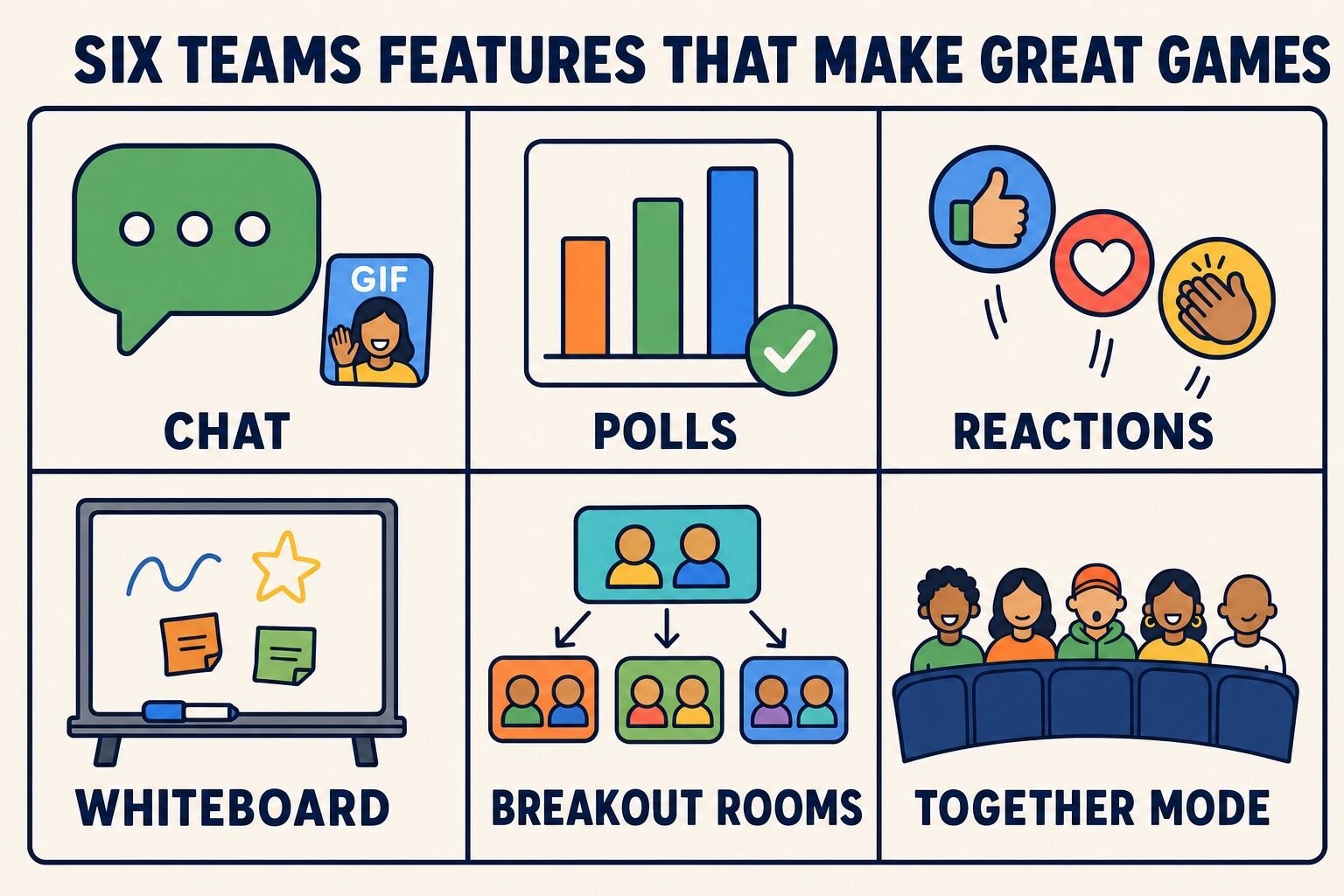
Every game here is free, and every one uses a feature that is already in your Teams client. The "cost" column is a formality.
| Activity | Best for | Group size | Time | Cost |
|---|---|---|---|---|
| Emoji Vote-Off | Waking up a quiet meeting | 5–200+ | 3–5 min | Free |
| Best Thing on My Desk | Storytelling and connection | 4–20 | 5–10 min | Free |
| Lightning Scavenger Hunts | Energy and movement | 5–100+ | 5–10 min | Free |
| Something in Common | New teams and cross-department groups | 8–60 | 5–8 min | Free |
| Background Guess Who | Getting to know coworkers | 5–25 | 5–10 min | Free |
| GIF Story Challenge | Creative thinking in chat | 6–40 | 10–20 min | Free |
| Caption This | A recurring channel ritual | 10–500+ | Async, all week | Free |
| Emoji Decoder | Fast async play | 5–100+ | Async, 5 min | Free |
| Praise Tag | Recognition and morale | 10–200+ | Async, one week | Free |
| Channel Scavenger Hunt | Onboarding and new hires | 4–50 | 15–25 min | Free |
| Whiteboard Pictionary | Communication under pressure | 4–24 | 20–30 min | Free |
| Bet on the Crowd | Learning what teammates think | 10–100+ | 15–20 min | Free |
| Can You Hear Me Now? | Communication skills | 5–30 | 15–25 min | Free |
| Together Mode Guess Who | Mid-size teams that know each other a little | 8–30 | 10–20 min | Free |
| Debate Rooms | Persuasion and playful argument | 8–50 | 20–30 min | Free |
| Forms Trivia | Classic competition | 5–200+ | 20–30 min | Free |
| Team Feud | Big laughs, two-team format | 10–60 | 25–40 min | Free |
| Microsoft Teams Bingo | Long or recurring meetings | 5–100+ | Runs in background | Free |
| Breakout Room Tournament | Large all-hands groups | 30–300 | 30–45 min | Free |
| Bracket of Everything | Whole-company participation | 25–1,000+ | Async, 1–2 weeks | Free |
These are the games you run at the top of a standing meeting without warning anyone in advance. They are short on purpose: a five-minute opener gets said yes to, while a 45-minute "team building block" gets rescheduled twice and then quietly dropped. For more of this format, see our 5 minute team building activities and team meeting games.
Need a prompt on short notice? This generator produces one at random:
Teams' live reactions were built for applause, but they make an excellent voting mechanism, because everyone answers at the same moment instead of taking turns.
To play, the host names two options and assigns a reaction to each: thumbs up for option A, heart for option B. Before the countdown, one player is nominated as the Predictor and types their guess at the majority answer into the meeting chat. The host counts down from three, everyone clicks their reaction at once, and the reactions float across the screen so the winner is obvious. The Predictor scores a point if they called it right, and the role passes to the next person.
Run five rounds. Good pairs are concrete and low-stakes: cereal or eggs, window seat or aisle, reply-all or DM, cameras on or cameras off, morning meetings or afternoon meetings.
Best for: 5 to 200+ people
Time: 3 to 5 minutes
Materials (cost): Teams live reactions and meeting chat (free)
What we've learned: Two-option questions get near-total participation, while open questions get three answers and a silence. The prediction layer is what turns voting into a game, because it gives everyone a reason to care about how other people voted.
This one requires nothing but cameras and a little curiosity.
Give the group 60 seconds to find the most interesting object within arm's reach. Then each person holds their object up to the camera and gets 20 seconds to explain it: what it is, and why it is still on the desk. The host keeps time strictly, and the group reacts with emoji rather than talking over each other.
For a second round, narrow the brief: the oldest thing on your desk, the object with the best story, or the item you would grab in a fire drill.
Best for: 4 to 20 people
Time: 5 to 10 minutes
Materials (cost): Teams video (free)
What we've learned: The 20-second cap is the whole trick. Without it, two people tell long stories and everyone else decides not to share. With it, the quiet folks go first because the ask is obviously small.
Lightning Scavenger Hunts are 30-second fetch rounds we developed for our own hosted events, and they transplant to Teams without a single change.
The host calls out a category, starts a 30-second timer, and everyone dashes off-camera to find something that matches. When time is up, players hold their item to the camera. The first three back with a valid item score points, and the host awards a bonus point for the most creative interpretation.
Categories work better when they are open to argument: something older than you, something that makes noise, something you have owned for more than ten years, something that smells good, something that proves you have a hobby.
Best for: 5 to 100+ people
Time: 5 to 10 minutes
Materials (cost): Teams video, whatever is in the room (free)
What we've learned: The physical movement is doing as much work as the game. Standing up and walking away from the screen for 30 seconds resets attention better than any "let's take a quick break" ever has.
Split the group into breakout rooms of four. Each room has four minutes to find five things everyone in the room shares that have nothing to do with work. "We all work in finance" does not count; "we have all broken a bone" does.
When the rooms close, one person from each group posts the list in the meeting chat, and the host reads out the strangest one from each. Rooms compete on the specificity of their five, not the speed.
Best for: 8 to 60 people
Time: 5 to 8 minutes
Materials (cost): Teams breakout rooms (free)
What we've learned: The "nothing to do with work" rule is the entire game. Without it, groups list their department and stop, and the conversation dies about 40 seconds in.
Teams custom backgrounds are usually a way to hide a messy kitchen. They also make a fast guessing game.
Ask everyone privately, the day before, to upload a custom background that hints at a hobby, a hometown or a dream vacation, without being too literal. At the top of the meeting, everyone turns their camera on at the same time. The group then works through the screen guessing which background belongs to whose story, and each person confirms and explains in one sentence.
For a version that needs no prep, run it in reverse: the host picks one background and the group guesses which teammate would have chosen it. More options in our list of guessing games.
Best for: 5 to 25 people
Time: 5 to 10 minutes
Materials (cost): Teams custom backgrounds (free)
What we've learned: Ask for a hint rather than a photo of the thing itself. A picture of a mountain produces "you like hiking" and nothing else; a picture of a specific trailhead produces a story.
Chat games are the underrated half of this topic. They cost no meeting time, they work across time zones, and they give people who hate speaking on camera a way to participate. Run them in a dedicated channel rather than a group chat, so newcomers can scroll back and see what they missed. For the wider genre, see our group chat games, and for prompts, our list of icebreaker questions.
The simplest chat ritual of all is a question of the day. This generator writes one for you, and the same prompts work as meeting icebreakers:
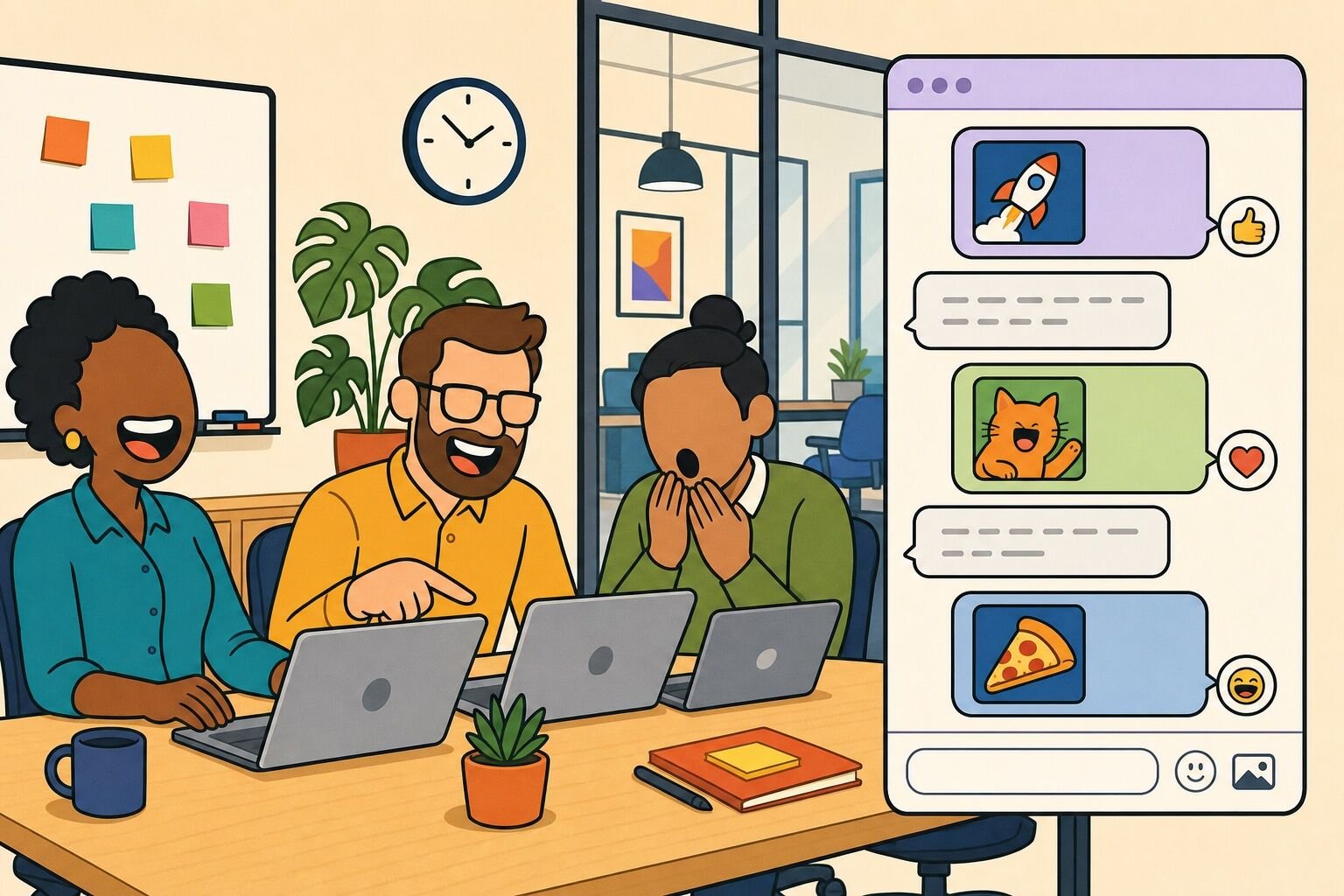
Players tell a story using only GIFs, which Teams has built into the chat composer.
Split the channel into two or three teams. Send each team a title by direct message: a famous film, a song, a fairy tale, or a plausible workplace saga like "the day the printer broke." Give each team five minutes to agree on three to five GIFs in a private chat. Then teams post their GIF sequence in the main channel, one team at a time, and everyone else guesses.
Award a point for a correct guess, and a bonus point for the sequence that makes the most people react.
Best for: 6 to 40 people
Time: 10 to 20 minutes
Materials (cost): Teams chat GIF picker (free)
What we've learned: Cap the sequence at five GIFs. Longer sequences become a slideshow, and the guessing, which is the fun part, gets buried under the scrolling.
A weekly ritual that takes the organizer about two minutes to run.
Every Monday, post one deliberately ambiguous photo in the channel: an odd stock image, a company event photo, a pigeon standing somewhere it should not be. Teammates reply in the thread with captions. On Thursday, everyone votes by reacting to their favorite reply with a single agreed emoji, and the top caption wins bragging rights and picks next week's photo.
Best for: 10 to 500+ people
Time: Asynchronous, a few minutes across the week
Materials (cost): Teams channel posts, threaded replies and reactions (free)
What we've learned: Handing the winner the job of choosing next week's photo is what keeps this alive past week three. Rituals that depend on one enthusiastic organizer die the first week that person is on vacation.
Post a movie title, a song, a company value or the name of an internal project spelled out entirely in emoji. The first person to reply in the thread with the right answer wins the round and posts the next puzzle.
Keep a running scoreboard pinned to the channel. Three to five puzzles a week is the right pace, and project names are reliably the funniest category because only your team can solve them.
Best for: 5 to 100+ people
Time: Asynchronous, about 5 minutes per puzzle
Materials (cost): Teams chat and the emoji picker (free)
What we've learned: Passing the puzzle-writing to the winner spreads the effort and, more usefully, surfaces the people who turn out to be very funny in writing and never say a word in a meeting.
Teams includes a Praise feature in the chat composer that sends a badge with a short message. Compliment tag turns it into a chain.
Announce a one-week window and start the chain by sending Praise to one person, with a specific reason. Anyone who receives Praise has 24 hours to pass it on to someone they have not yet recognized. At the end of the week, count the badges and note which teammates were tagged by people outside their own department.
Two rules keep it honest: no re-tagging the person who tagged you, and the message must name a specific thing they did.
Best for: 10 to 200+ people
Time: Asynchronous, one week
Materials (cost): The Praise feature in Teams chat (free)
What we've learned: Generic praise reads as filler within about two days. The "name the specific thing" rule is the difference between a nice week and a chain of "great work team!" that everyone stops opening.
Instead of hunting for objects at home, players hunt inside your own Teams workspace. This is the best onboarding game on the list, because everything a new hire finds is something they needed to know anyway.
Write 10 to 15 clues that each resolve to something findable in Teams search: the channel where the design team posts drafts, the file that holds the expense policy, the name of the person who owns the on-call rota, the oldest message still pinned in the general channel, the one teammate whose profile lists a language nobody else speaks.
Post the clue list, set a 20-minute timer, and have players send answers by direct message so nobody copies. For a version aimed at homes and neighborhoods instead of software, see our virtual scavenger hunt ideas.
Best for: 4 to 50 people
Time: 15 to 25 minutes
Materials (cost): Teams search, channels and profiles (free)
What we've learned: Mix in two or three clues that can only be answered by asking a human. The hunt stops being a search-bar exercise and starts being an introduction.
Teams ships with four features that are secretly game engines: polls, Whiteboard, breakout rooms and Together Mode. The games in this section are built on them, so the only setup is knowing where the buttons are.
Microsoft Whiteboard opens from the share tray inside any Teams meeting, and it is a perfectly good drawing surface for a guessing game.
Split into two teams. One player opens Whiteboard, shares it, and is sent a word by direct message. They have 60 seconds to draw it with no letters, numbers or arrows, while their team guesses out loud and the other team stays muted. A correct guess inside the time scores a point, and turns alternate.
Keep a word list ready in three tiers: easy nouns, workplace-specific terms, and abstract ideas like "deadline" or "momentum." More formats in our lists of virtual Pictionary games and whiteboard games.
Best for: 4 to 24 people
Time: 20 to 30 minutes
Materials (cost): Microsoft Whiteboard in Teams (free)
What we've learned: Have each drawer open Whiteboard and share their screen one turn early, during the previous round. Handing off the share is where this game loses two minutes at a time.
Part trivia, part social experiment. Instead of testing who knows the most facts, players predict what their coworkers think.
A few days before the game, run three or four Teams polls in your channel: dogs or cats, four long days or five short ones, best snack in the office kitchen, the household chore people most dread. Do not share results.
During the meeting, read each question aloud and ask everyone to guess the majority answer, either in chat or with a reaction. Reveal the poll result, award a point to everyone who called it correctly, and give a bonus point to anyone who guesses the exact split within five percentage points.
Best for: 10 to 100+ people
Time: 15 to 20 minutes
Materials (cost): Teams polls (free)
What we've learned: Close votes are the fun ones. A 52/48 split produces genuine argument; a 95/5 split produces a shrug. When we write these questions, we deliberately aim for options that split a room.
A communication game we built for our own hosted events, and the one that most reliably makes a team laugh at itself.
One person is the Reader and receives a simple image by direct message: a sailboat, a bird, a bicycle. Everyone else opens a blank Whiteboard canvas or grabs a sheet of paper. The Reader then describes how to draw the image using only shapes and positions, and is not allowed to name the object or anything it resembles. "Draw a medium oval in the center, then a smaller circle touching its upper right" is legal; "draw a bird" is not.
After four minutes, everyone reveals their drawing. Each player scores a point if they drew and named the object correctly, and the Reader scores a point for every player who succeeded. Then swap Readers. More in this list of online drawing games.
Best for: 5 to 30 people
Time: 15 to 25 minutes
Materials (cost): Whiteboard or paper, Teams video (free)
What we've learned: This is far harder than it sounds, because Readers describe what they know the picture is rather than what a listener needs to hear. The disastrous rounds are the funniest, and the good rounds are a genuinely useful lesson in giving instructions.
Together Mode places every participant in shared virtual seating, which makes the group look like an audience rather than a wall of boxes. That shared view is the game board.
Switch the meeting to Together Mode. The host picks one participant secretly and sends their name to a single "knower" by direct message. Players take turns asking yes-or-no questions about the secret person: does this person have a plant behind them, has this person worked here more than two years, has this person ever presented at an all-hands. After each answer, everyone the answer rules out turns their camera off and disappears from the seating.
The round ends when one person remains on screen or somebody names the secret person correctly. Encourage non-physical questions, since those are the ones that teach people something. For more board-game-style formats, see our list of online board games.
Best for: 8 to 30 people
Time: 10 to 20 minutes
Materials (cost): Together Mode in Teams (free)
What we've learned: Ban questions about appearance after the first round. Once the questions have to be about experience or habits, the game turns into an accidental get-to-know-you exercise, and people ask for it again.
Breakout rooms plus a poll makes a tidy tournament out of an argument nobody should be having.
Pick a proposition with no correct answer: pineapple belongs on pizza, cereal is a soup, the best office snack is popcorn, meetings should never be longer than 25 minutes. Assign each breakout room a side, and give rooms six minutes to build a case, including one piece of invented "evidence" they will present with a straight face.
Back in the main meeting, each side gets 90 seconds to argue and 30 seconds to rebut. Then run a Teams poll to decide the winner, with the rule that nobody may vote for the side they argued.
Best for: 8 to 50 people
Time: 20 to 30 minutes
Materials (cost): Teams breakout rooms and polls (free)
What we've learned: Assigning sides at random matters more than the topic. When people argue a position they do not hold, the whole thing stays playful, and the person who argues hardest is usually the one who disagrees most.
Trivia is the most requested format we get asked about, and the Teams version needs no app: Microsoft Forms is already built into Teams, and it will score a quiz for you automatically.
Build a quiz in Microsoft Forms, choose the Quiz type so Forms marks answers and tallies scores, then post the link in your meeting chat or add it as a tab in the channel.
Keep to 10 to 15 questions across mixed categories so no single specialist runs away with it: one round of general knowledge, one round of company history, one round of "guess which teammate said this," and one picture round using images pasted into the question. Set a time limit, reveal the leaderboard on screen share, and read out the questions everyone got wrong, which is always the best part.
For question sets and other formats, see our lists of virtual trivia games and trivia games.
Best for: 5 to 200+ people
Time: 20 to 30 minutes
Materials (cost): Microsoft Forms in Teams (free)
What we've learned: Company-history rounds outperform general knowledge every time. Nobody feels clever for knowing a capital city, and everybody feels clever for remembering which meeting room used to be a supply closet.
A survey game show, built from your own team's answers.
A week ahead, send a Microsoft Form with six to eight open questions to as many colleagues as you can reach, ideally well beyond the team that will play: the biggest distraction while working from home, a meeting habit that should be illegal, the most overrated office snack, something you always forget to pack. Tally the top five answers per question.
On game day, split into two teams in breakout rooms so they can confer, then bring everyone back. Read a question, take one answer from each team in turn, and award points based on how many people gave that answer. Three wrong answers passes control to the other team. Our virtual game show and quiz games lists have more of these formats.
Best for: 10 to 60 people
Time: 25 to 40 minutes
Materials (cost): Microsoft Forms, Teams breakout rooms (free)
What we've learned: Survey the widest group you can. When the answers come only from the eight people playing, everyone can guess everyone else's response and the tension disappears.
Meeting bingo is the rare game that runs in the background of real work, which is why it is the most searched Teams game we track.
Send every participant a randomized card before a long meeting or a recurring one. Squares describe things that genuinely happen on your calls: someone says "you're on mute," a dog appears on camera, two people start talking at once, a meeting could-have-been-an-email is mentioned out loud, somebody joins from a car.
Players mark a square whenever they witness it, and the first to a line sends a single agreed emoji in the chat rather than shouting "bingo" over the speaker. Decide upfront whether you are playing for one meeting or across a whole week of them.
Here is a free card you can use:
Randomize the squares so the room does not win simultaneously. If your team masters this version, our online team building bingo and remote work bingo cards go further.
Best for: 5 to 100+ people
Time: Runs in the background of a meeting
Materials (cost): A shared card, Teams chat (free)
What we've learned: Bingo cards with squares about the meeting sharpen attention rather than splitting it, because players have to listen closely to score. Squares about individual people do the opposite, and one pointed square can sour a whole room. Keep them about habits, never about a person.
In our experience, roughly 15 people is the practical dividing line for video events. Below it, you can run many short rounds and let everyone speak. Above it, you need breakout rooms and structured hosting, or the quiet majority becomes an audience.
Large does not mean impossible. The median virtual event we run has 16 participants, but we have hosted 448 virtual events with 100 or more people, the largest with over 1,000 attendees.
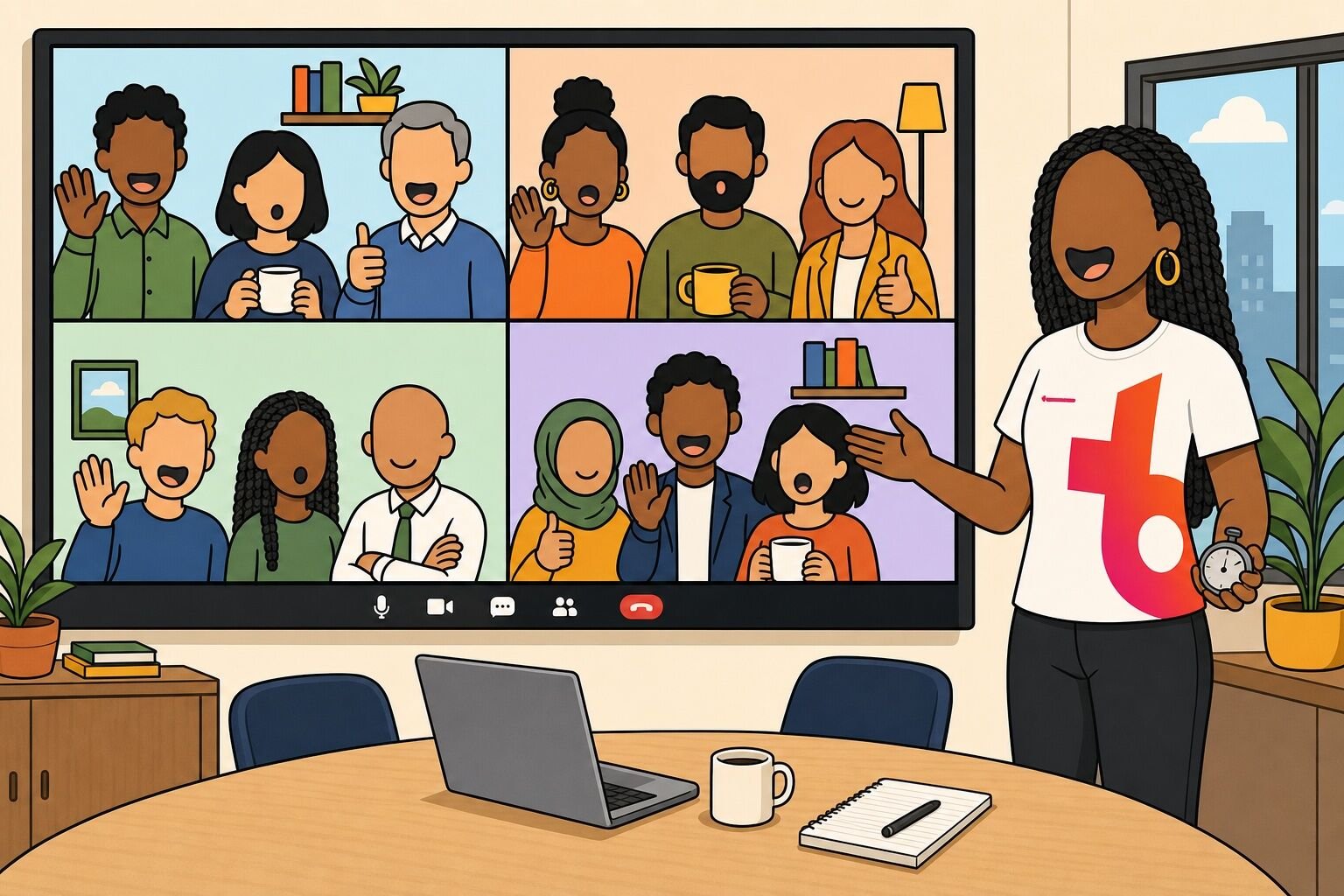
More ideas at scale are in our lists of virtual games for large groups and virtual team building for large groups.
The cleanest way to make a 200-person call feel like a 10-person one.
Pre-assign breakout rooms of six to eight, and give every room the same five-minute challenge: the most creative team photo in Together Mode, the longest list of things everyone in the room has done, or a 30-second jingle for an invented product. Each room nominates one entry and one presenter.
Bring everyone back, show the entries in quick succession, and run a Teams poll to advance four rooms to a final round with a harder brief. Announce the timings at the start so nobody wonders what comes next. Our breakout room ideas list has more challenge prompts.
Best for: 30 to 300 people
Time: 30 to 45 minutes
Materials (cost): Teams breakout rooms and polls (free)
What we've learned: Pre-assign the rooms and name a presenter before the rooms open. Rooms that have to nominate someone on the spot spend their first two minutes being polite at each other instead of playing.
A tournament where the contestants are opinions and the whole company votes.
Seed 16 options in a channel post: best snack, best film of the last decade, best office chair, best day of the week. Post four head-to-head Teams polls a day, each open for 24 hours, and advance the winners. Publish the updated bracket as an image or a table in the channel after every round, and run the final as a live poll during an all-hands.
Best for: 25 to 1,000+ people
Time: Asynchronous, one to two weeks
Materials (cost): Teams polls and channel posts (free)
What we've learned: The trash talk in the thread is the actual product; the bracket is just an excuse for it. Pick categories with regional or generational splits, and the arguing does the rest.
We have been running virtual team building since 2017, before there was an industry for it, and our data on how teams actually play has since been cited by outlets including Business News Daily, which reported that the pandemic drove a 2,500% increase in organizations investing in virtual team building. Here is what the last six years have taught us about the Teams-shaped version of this work.
Teams is the second home of virtual team building, and it behaves differently from the first. Zoom takes 82% of the virtual events booked with us and Teams takes 11%, but Teams groups are usually internal, already in a channel together, and playing on the company's main communication tool rather than a separate app they opened for fun. That means chat and channel games get far more traction on Teams than they do anywhere else, and it is why five of the games above never need a meeting at all.
Sixty to ninety minutes is the sweet spot for a real event. 88% of the virtual events we run fall in that window. Under an hour, the session ends just as the quieter people are warming up. Past 90 minutes, screen fatigue wins no matter how good the activity is. A five-minute meeting opener is a different animal and can run weekly forever, which is why this list separates the two.
Structure carries the room. In person, a gap in the schedule fills itself with chatter. On a video call, a gap is silence, and silence kills momentum within seconds. The best sessions run on rails: rules stated in the first two minutes, visible timers, and no moment where anyone wonders what they are supposed to be doing. If you are fighting video call fatigue, structure is the lever, not length.
Someone has to host. Every game above assumes a person who keeps time, calls rounds and decides ties. When that role is vague, the activity drifts. It is the single biggest difference we see between a game that gets requested again and one that gets quietly dropped from the agenda.
| Group size | What works | What to avoid | Host setup |
|---|---|---|---|
| Under 15 | Many short rounds where everyone speaks: Best Thing on My Desk, Can You Hear Me Now?, Background Guess Who | Breakout rooms, which mostly add transitions | One host, main room only, a visible timer |
| 15 to 50 | Team-based formats with a plenary reveal: Whiteboard Pictionary, Debate Rooms, Team Feud | Anything that asks all participants to speak in turn | One host plus a co-organizer to manage rooms and chat |
| 50 or more | Simultaneous participation: Emoji Vote-Off, Forms Trivia, Breakout Room Tournament | Open discussion, unstructured mingling, long reveals | Pre-assigned rooms, a scripted run of show, a chat moderator |
Several popular formats consistently fail on video calls, and a few more fail specifically on Teams because they were written for features Microsoft has since changed. We would rather say so than pad the list.
| Activity | Why skip it | Verdict |
|---|---|---|
| Teams karaoke | Audio latency makes singing together nearly impossible, and solo karaoke puts enormous pressure on one person while everyone else watches. | Skip it |
| Charades on camera | Charades loses its energy inside a camera frame: body language is cropped at the shoulders and only one person is actually playing at a time. | Better in person |
| Virtual dance parties and talent shows | Both put individuals under camera pressure in front of colleagues, so participation collapses to the same two extroverts every time. | Skip it |
| Movie nights over screen share | Watching together is passive. A team can spend two hours in the same meeting without interacting once, and compressed video over a share is a poor viewing experience anyway. | Not team building |
| Truth or Dare | The interesting dares cross professional lines, and the workplace-safe version is watered down until it is not a game. Our Praise Tag covers the same "pass it on" mechanic without the risk. | Skip it |
| Two Truths and a Lie | Fine as a quick icebreaker game for a small group, but it is overused and turns slow the moment every participant has to take a turn. | Usually skip |
| Games built on retired Teams features | Guides still circulating recommend the Teams Wiki, the old Who bot and Snap Camera filters. Microsoft moved the Wiki into OneNote, and the other two are no longer available to most tenants, so the instructions lead nowhere. | Out of date |
| Third-party game apps that need IT approval | Not bad games, just usually unavailable. In most organizations a new Teams app is a ticket and a two-week wait, and the meeting you wanted it for has already happened. | Check first |
| Unstructured "virtual coffee" channels | A channel with no prompt and no ritual goes quiet in about a week. Add a repeating format such as Caption This and the same channel stays alive for months. | Add structure |
Microsoft Teams is not a games platform, and that turns out not to matter. Chat, polls, reactions, Whiteboard, breakout rooms and Together Mode cover nearly everything a good group game needs, and the constraint of using only what is already installed tends to produce better games than an app store does. Start with one five-minute opener in a meeting that already exists, and add a chat ritual once the first one sticks.
If you would rather have an experienced host run the whole thing on your call, you can browse our virtual team building events.
Next, check out our lists of games to play with coworkers, free online office games, and virtual game night ideas.
Answers to the questions we get asked most about running games inside Microsoft Teams.
Microsoft Teams games are group games, icebreakers and competitions played inside the Microsoft Teams app, using features like chat, polls, live reactions, Whiteboard, breakout rooms and Together Mode. Examples include Teams Bingo, Whiteboard Pictionary and Forms trivia. They are most often used as meeting openers, closing activities or asynchronous channel rituals.
Yes. Every game in this guide runs on features Teams already ships with: chat and GIFs, polls, live reactions, Microsoft Whiteboard, breakout rooms, Together Mode, custom backgrounds and Microsoft Forms. That matters in practice, because in most organizations a new Teams app needs IT approval, and the meeting you wanted it for has usually already happened by the time approval lands.
For a five-minute meeting opener, Emoji Vote-Off and Lightning Scavenger Hunts get near-total participation. For a longer session, Whiteboard Pictionary, Forms Trivia and Team Feud hold a room for half an hour. For teams spread across time zones, chat games like GIF Story Challenge and Caption This run asynchronously in a channel and cost no meeting time at all.
Use Microsoft Forms, which is already built into Teams. Create a form, choose the Quiz type so answers are scored automatically, and post the link in the meeting chat or add it as a channel tab. Keep it to 10 to 15 questions across mixed categories, set a time limit, and share the leaderboard on screen. In our experience, company-history rounds beat general knowledge every time.
It depends on the slot. A meeting opener should be three to five minutes, short enough that nobody negotiates about it, and it can run every week. A standalone team building session works best at 60 to 90 minutes: 88% of the virtual events we run fall in that window. Under an hour ends just as quieter people warm up, and past 90 minutes screen fatigue wins.
Under about 15 people, you can run many short rounds and let everyone speak in the main room. Above that, you need breakout rooms and a run of show, or the quiet majority becomes an audience. Scale is not a barrier by itself: the median virtual event we run has 16 participants, but we have hosted 448 virtual events with 100 or more people, the largest with over 1,000 attendees.
Comments (0)
Leave a Comment